 Add to Chrome
AVIF to PNG Converter (FREE TOOL)
Turn AVIF images into PNG files you can edit, share and use in ads. One file or a batch, transparency kept, download each PNG or a ZIP. Nothing is uploaded.
Upload AVIF

Built and checked by Marián Cabadaj. Last checked November 2026.
What the facts here come from
Alliance for Open Media, AV1 Image File Format (AVIF) v1.2.0, 2025 for what an AVIF file is: AV1 pictures in a HEIF container.
MDN Web Docs, Image file type and format guide, 2026 for the browser versions, transparency, animation, and AVIF at around 50% smaller than JPG.
W3C, PNG Specification (Third Edition), 2025 for PNG as lossless with an alpha channel.
Meta Ads Guide, image ad specs, 2026 for JPG or PNG as the image ad file types.
Shopify, image_url Liquid filter, 2026 for Shopify picking the image format each browser supports.
The examples on this page are Selzee gallery ads, saved as AVIF and converted to PNG.
The short answer
- AVIF is an image format built on the AV1 video codec. Lossy AVIF files are around 50% smaller than JPG at similar quality (MDN's image format guide), which is why websites and online stores serve them.
- PNG is lossless and keeps transparency (the W3C PNG specification). Meta takes JPG or PNG for image ads, not AVIF (Meta's image ad specs).
- This converter turns AVIF files into PNG in your browser: one file or a batch, transparency kept, each PNG or a ZIP of all. Nothing is uploaded.
Our articles are still written by HUMANS! Get human written articles in your Google feed.
Add as preferred sourceEight Selzee ads, from AVIF to PNG
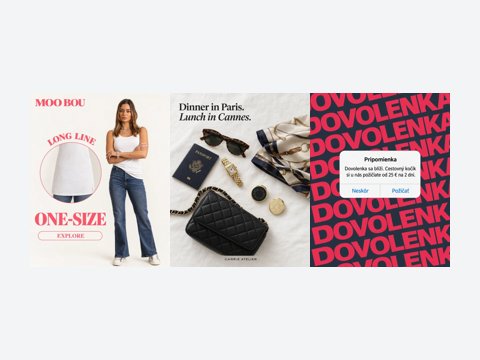
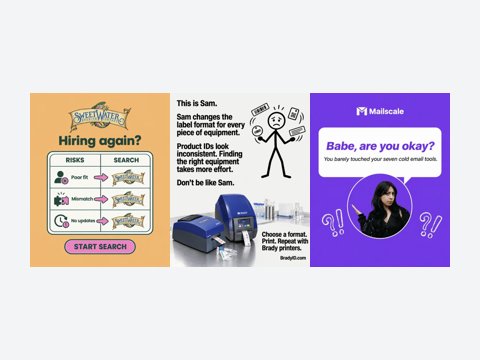
Eight ads from the Selzee gallery, each saved as an AVIF and converted to PNG. The caption gives both file sizes.
AVIF, PNG and JPG compared
What changes when an AVIF becomes a PNG, and why a JPG is the other choice.
| Feature | AVIF | PNG | JPG |
|---|---|---|---|
| Compression | Lossy or lossless | Lossless | Lossy |
| Transparency | Yes | Yes | No |
| Animation | Yes | Yes (APNG) | No |
| Browsers | Chrome 85, Firefox 93, Safari 16.1, Edge 121 and later | All | All |
| Meta image ads | Not accepted | Accepted | Accepted |
| Our 8 ads, middle size | 37 KB | 499 KB | 140 KB |
Sources: MDN's image format guide, the W3C PNG specification and Meta's image ad specs. The sizes are the middle values of the eight ads in the table below. Verified 2026-11-05.
File sizes of the eight ads
The same picture as AVIF, PNG and JPG. The PNG is the largest because it keeps every pixel.
| Ad | AVIF | PNG | JPG |
|---|---|---|---|
| BÉIS Travel | 14 KB | 177 KB | 67 KB |
| Moongreens | 38 KB | 647 KB | 154 KB |
| Arabian Aromas | 53 KB | 867 KB | 181 KB |
| Viadu | 35 KB | 600 KB | 158 KB |
| SUMS | 24 KB | 316 KB | 88 KB |
| Paniolo (1024 x 1024) | 92 KB | 1,645 KB | 290 KB |
| Essentials | 25 KB | 323 KB | 110 KB |
| Nurturedscale | 41 KB | 398 KB | 125 KB |
Measured on 5 November 2026: each gallery ad (870 x 1080 unless noted) saved as AVIF at quality 60, as PNG, and as JPG at quality 92, with Pillow 11.3 and libavif. A PNG your browser writes can be a little larger or smaller. Verified 2026-11-05.
What an AVIF file is
AVIF stands for AV1 Image File Format. The Alliance for Open Media publishes it, and the current version is 1.2.0 from 16 October 2025 (the AVIF specification). An AVIF file is a picture compressed with the AV1 video codec and stored in a HEIF container, the same kind of container an iPhone uses for its HEIC photos.
An AVIF can be lossy or lossless, can have a transparent background, and can hold an animation (MDN's image format guide). Every current browser shows it, but many other apps do not open it yet. That gap is why you end up with a file you cannot use.
Have an iPhone photo in HEIC instead? Use our HEIC to PNG converter.
When you need an AVIF as a PNG
For a brand or a marketer, an AVIF file usually arrives by accident: you save a picture from a website, a competitor's store or your own shop, and the file ends in .avif. Converting it to PNG makes it a normal picture again.
Saved an animated GIF, not a still picture? Our GIF to MP4 converter turns it into a video for Reels and TikTok.
- Ads: Meta Ads Manager takes JPG or PNG for image ads (Meta's image ad specs). An AVIF has to be converted first.
- Shopify images: Shopify's CDN picks the format each browser supports, with WebP and AVIF as its examples (Shopify's developer docs). Save a product photo from a store page and you can get an AVIF.
- Editing: PNG opens in every editor and keeps every pixel, so you can crop, add text or remove a background without a second round of loss.
- Logos and cutouts: PNG keeps a transparent background. JPG fills it with a colour.
- Sizes for each platform: once it is a PNG, our Instagram image resizer and Facebook image resizer take it as it is.
- X posts: our X image resizer cuts the PNG to the sizes X shows.
- Carousels: put several PNGs into one PDF for LinkedIn with our PNG to PDF converter.
- Ad layouts: our guide to ad creative design shows how to build an ad around the picture.
How to convert AVIF to PNG
-
Drop your AVIF files
Choose files, drag them onto the box or paste one. Your browser reads them. They are never uploaded.
-
Let it convert
Each file is converted as soon as you add it. One file shows as a large preview, several as a grid.
-
Download
Download one PNG, each PNG from the grid, or all of them in one ZIP.
AVIF to PNG: FAQ
How do I convert AVIF to PNG?
Does converting AVIF to PNG lose quality?
Why are pictures I save from websites AVIF files?
Is AVIF better than PNG?
Can I convert many AVIF files to PNG at once?
Does the PNG keep the transparent background?
Is my file uploaded?
How we checked
Last checked: 5 November 2026. The format facts come from the AVIF specification, MDN's image format guide and the W3C PNG specification; the ad file types from Meta's image ad specs; the Shopify line from Shopify's developer docs, each read at the source that day.
The file sizes come from the eight gallery ads on this page, saved as AVIF, PNG and JPG on 5 November 2026 (the note under the size table says how).
- The format check: a file is checked by its first bytes, not its name, so a renamed PNG is refused, and the message names its real format.
- Hostile files: an empty file, a 50 MB file, a damaged AVIF, a text file and a 1 x 1 picture each get one plain message, and the page stays usable.
- The output: every PNG has the same width and height as its AVIF, and a transparent AVIF stays transparent.
- The privacy: no network request carries the picture.
Keep exploring
Convert AVIF images to JPG (JPEG) in your browser: pick the quality, convert a batch, download each JPG or a ZIP. Nothing is uploaded.
Turn PNG images into one PDF in your browser, one picture per page, in the order you set. Made for LinkedIn carousels. Nothing is uploaded.
Free Instagram image resizer. Pick 1:1, 4:5, 3:4, 1.91:1 or 9:16, fit the whole photo or crop it, and download it at the exact size Instagram keeps.
Free Facebook image resizer. Pick feed, square, link, story or cover, fit the whole photo or crop it, and download a JPG or PNG at the exact size. Nothing is uploaded.
Your picture is a PNG. Now make it an ad.
Drop your URL and Selzee researches your brand and the ads working in your market, then makes ads at the right size, in your colours. Free to start, no credit card.
Get started for free