Free tool
Instagram Image Resizer
Drop a photo, pick a shape, and download it at the exact size Instagram keeps.
 Simon Beno
Co-founder, Selzee
Simon Beno
Co-founder, Selzee
— —
The short answer
- An Instagram image resizer changes a photo's shape and size to one Instagram posts as it is, with no crop and no second resize on upload.
- Instagram keeps a photo at its own resolution when it is 320 to 1080 pixels wide and its shape is between 1.91:1 and 3:4, which at 1080 wide means 566 to 1440 pixels tall (Instagram Help Center).
- 1080 x 1350 (4:5) is the safe size for a feed post. 1080 x 1440 (3:4) is the tallest feed post Instagram shows.
- Most resizers stop at 4:5. This one also makes 3:4.
What the resizer makes from one photo
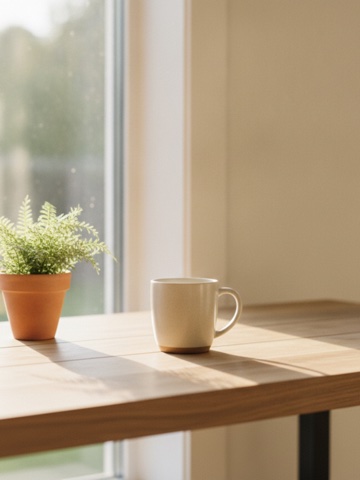
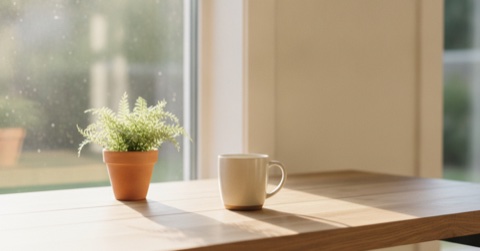
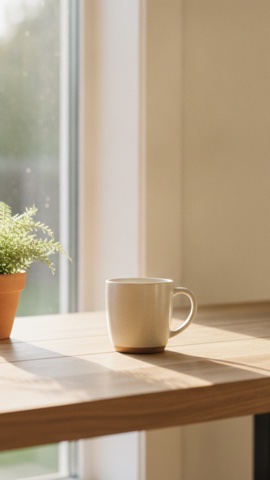
One 4032 x 3024 landscape photo, run through all five shapes. Fit keeps the whole frame on a blurred fill. Crop fills the frame and loses the edges.
Which Instagram size should I pick?
Pick 4:5 at 1080 x 1350 for most feed posts. It takes more of the phone screen than a square and sits inside Instagram's supported range, not at its edge. Pick 3:4 when height is the point, and 9:16 for a story.
| Size in pixels | Where it shows | Pick it when | |
|---|---|---|---|
| 4:5 portrait | 1080 x 1350 | Feed | Almost always: the safe default for a feed post |
| 1:1 square | 1080 x 1080 | Feed | The subject sits in the centre and you want a square |
| 3:4 tall portrait | 1080 x 1440 | Feed | Height is the point: a person, a product, a poster. 90 pixels taller than 4:5 |
| 1.91:1 landscape | 1080 x 566 | Feed | A wide landscape or a group shot you don't want to crop |
| 9:16 story | 1080 x 1920 | Stories and reels, full screen | The photo is a story |
Instagram keeps a photo 320 to 1080 pixels wide at its own resolution when its shape is between 1.91:1 and 3:4. A photo outside that shape is cropped, and a photo under 320 pixels wide is enlarged to 320 (Instagram Help Center). Meta lists 9:16 for stories and reels. Verified 2026-09-28.
Worked example: an iPhone photo
-
The photo: 4032 x 3024
An iPhone photo is 4:3, so it is 1.33 times as wide as it is tall. Drop it in and pick a shape.
-
4:5 with Fit: 1080 x 1350
The photo is scaled to 1080 wide, which makes it 810 tall (3024 x 1080 / 4032). That leaves 1350 - 810 = 540 pixels, so 270 pixels of blurred fill go above and 270 below.
-
4:5 with Crop: 1080 x 1350
The photo is scaled until it is 1350 tall, which makes it 1800 wide. 1080 of those 1800 pixels stay in the frame, so the crop keeps 60% of the width.
-
3:4: 1080 x 1440
Fit leaves (1440 - 810) / 2 = 315 pixels of fill above and below. Crop scales the photo to 1920 x 1440 and keeps 1080 of the 1920 pixels, 56% of the width.
How the resizer works
-
Choose a photo
A JPG, PNG or WebP, straight from your phone or your design tool.
-
Pick a shape
4:5 is selected to start. Switch to 1:1, 3:4, 1.91:1 or 9:16 and the preview redraws.
-
Fit or crop
Fit keeps the whole photo on a blurred or coloured fill. Crop fills the frame; drag the photo to choose what stays.
-
Download the JPG
The file comes out at the size Instagram keeps, named after your photo and its size, for example holiday-instagram-1080x1350.jpg. The resizer never draws a photo bigger than its own pixels, so a small photo comes out smaller rather than blurry: a 1200 x 800 photo cropped to 4:5 comes out at 640 x 800. It never goes under Instagram's 320 pixel floor. To check a file without changing it, use the Instagram size checker.
Frequently asked questions
How do I resize an image for Instagram?
How do I resize a photo for Instagram on iPhone?
How do I post a full photo on Instagram without cropping it?
What is the best image size for an Instagram post?
Does resizing a photo for Instagram lose quality?
What size is an Instagram story or reel?
Why does Instagram crop my photos?
Make the ad, not just the size
Drop your URL and Selzee researches your brand, your reviews and the Instagram ads your competitors run, then builds ads from what it finds.
Get started for freeKeep exploring
Drop an image in and see whether Instagram keeps, resizes or crops it, with the cut drawn on your own file. Nothing is uploaded.
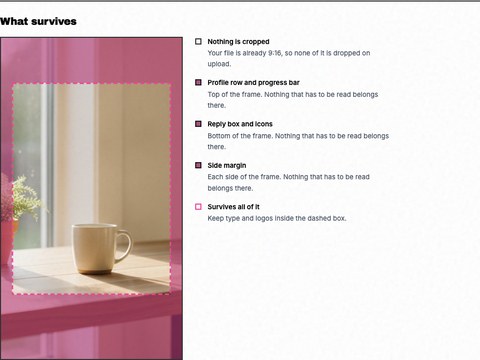
See the 9:16 crop and the safe zones the profile row and reply box cover, drawn on your own story. Nothing is uploaded.
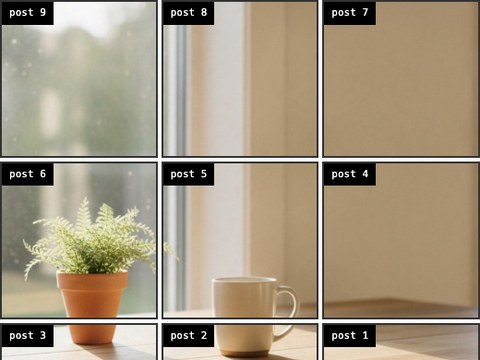
Split one photo across your profile grid, numbered in the order you post them so the picture assembles the right way up. Nothing is uploaded.
Drop your URL and Selzee researches your brand, your reviews and the Instagram ads your competitors run, then builds three ads from what it finds.