 Add to Chrome
PNG to PDF Converter (FREE TOOL)
Put your PNG pictures into one PDF, one picture per page, in the order you set. Made for LinkedIn carousels, and A4 when you print. Nothing is uploaded.
Upload PNG
Page size
Drag the pages, or use the arrows, to set the order.

Built and checked by Marián Cabadaj. Last checked November 2026.
What the facts here come from
LinkedIn Help, Media file types supported on LinkedIn, 2026 for PDF in a post, up to 100 MB and 300 pages.
W3C, PNG Specification (Third Edition), 2025 for PNG as lossless with an alpha channel.
MDN Web Docs, Image file type and format guide, 2026 for PNG as the format for sharp graphics and transparency.
The PDF on this page was written by the same PDF writer the tool runs.
The short answer
- This converter puts several PNG pictures into one PDF: one picture per page, in the order you set. JPG and WEBP pictures work too.
- A LinkedIn post can carry a PDF of up to 100 MB and 300 pages (LinkedIn's list of supported media files). That is how marketers post a carousel on LinkedIn.
- Pick Picture size for a carousel (each page is exactly its picture) or A4 to print. A transparent PNG stays transparent in the PDF.
- Nothing is uploaded: the PDF is written in your browser.
Our articles are still written by HUMANS! Get human written articles in your Google feed.
Add as preferred sourceA five-page LinkedIn carousel made with this tool
Five B2B ads from the Selzee gallery, dropped in as PNG files and saved as one PDF at Picture size. Each picture is one page.
The five pages in posting order
The order of the pages is the order people swipe through on LinkedIn.
How a LinkedIn carousel works as a PDF
A carousel on LinkedIn is a document post: you upload a PDF and people swipe through it page by page. Each slide is one page, so the order of the pages is the order of the carousel.
Designers usually export the slides as PNG files, one per slide. This tool turns those files into the one PDF LinkedIn asks for, without a design app or an online upload.
- Export every slide at the same size, so the carousel does not jump between pages.
- Name or drop the files in order. You can still change the order before you download.
- Keep Picture size. A4 adds white margins round each slide.
- Check the limits: 100 MB and 300 pages (LinkedIn's list of supported media files). Our five-page example below is 2.2 MB.
- Need the slides cut from one wide design first? The splitter in our Instagram carousel guide does that.
- Not sure what the slides should say? Start from our LinkedIn post ideas.
- For slide ideas that sell, see our carousel ad examples.
- To see a slide in a LinkedIn feed before you post it, use our LinkedIn ad mockup generator.
What LinkedIn takes in a document post
| Limit | |
|---|---|
| File types | PDF, PPT, PPTX, DOC, DOCX |
| Largest file | 100 MB |
| Most pages | 300 |
| Most words | One million |
Source: LinkedIn's list of supported media files, read on 5 November 2026. Desktop, iOS and Android take the same files. Verified 2026-11-05.
Picture size or A4
The same page both ways. Picture size is for screens, A4 is for paper.
Which page size to pick
| Choice | Picture size | A4 |
|---|---|---|
| Page size | The picture's own size, one point per pixel | A4, portrait for a tall picture, landscape for a wide one |
| Margin | None | 28 points (about 10 mm) on every side |
| Pages of different sizes | Each page takes its picture's size | Every page is A4 |
| Use it for | LinkedIn carousels, decks viewed on screen | Printing, documents to attach or sign |
Verified 2026-11-05.
What happens to a PNG inside the PDF
PNG is a lossless picture format with an alpha channel for transparency. The W3C published its third edition on 24 June 2025 (the W3C PNG specification). PNG is the usual export for slides, screenshots and graphics with text, because it keeps sharp edges (MDN's image format guide).
The PDF keeps each PNG's pixels as they are and adds no new compression loss. A see-through part of a PNG stays see-through on the PDF page, so a viewer shows its own page colour there, usually white.
Is a slide saved as AVIF? Turn it into a PNG first with our AVIF to PNG converter. For an iPhone photo in HEIC, use the HEIC to PNG converter.
How to convert PNG to PDF
-
Drop your pictures
Choose PNG, JPG or WEBP files, drag them onto the box or paste one. Your browser reads them. They are never uploaded.
-
Set the order
Each picture shows as a numbered page. Drag a page, or use its arrows, to move it. Add more pictures or remove one.
-
Pick the size and download
Choose Picture size or A4, then click Download PDF. The PDF is written on your device.
PNG to PDF: FAQ
How do I convert PNG to PDF?
How do I combine several PNG files into one PDF?
How do I make a LinkedIn carousel PDF?
Does the PDF keep a transparent background?
Can I convert JPG or WEBP to PDF too?
Does converting PNG to PDF lose quality?
Is my file uploaded?
How we checked
Last checked: 5 November 2026. The LinkedIn limits come from LinkedIn's list of supported media files, and the PNG facts from the W3C PNG specification and MDN's image format guide, each read at the source that day.
The five-page PDF on this page was written by the same PDF writer the tool runs, from five Selzee gallery ads, once at Picture size and once at A4. We opened both in Apple's PDFKit, the engine behind Preview.
- The pages: 5 pictures make 5 pages, in the order given, at 870 x 1080 points with Picture size and 595.28 x 841.89 points (A4) with A4.
- Transparency: a see-through PNG gets a soft mask in the PDF, and an opaque one does not.
- The file: the cross-reference table points at every object, so readers open the PDF without a repair.
- Hostile files: an empty file, a 50 MB file, a damaged PNG, a text file and a 1 x 1 picture each get one plain message, and the page stays usable.
- The privacy: no network request carries the pictures.
Keep exploring
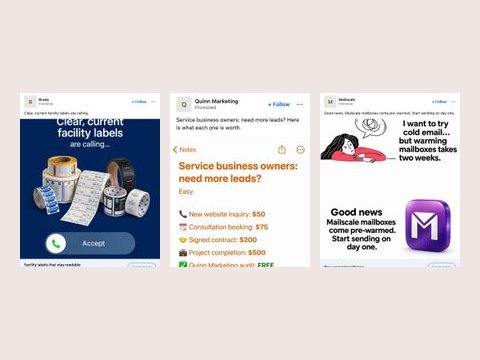
Drop a picture and get a LinkedIn sponsored post mockup: company, Promoted, intro text, headline and button, desktop or mobile. Download a PNG.
Convert AVIF images to PNG in your browser, one file or a batch, transparency kept. Download each PNG or all as a ZIP. Nothing is uploaded.
Convert AVIF images to JPG (JPEG) in your browser: pick the quality, convert a batch, download each JPG or a ZIP. Nothing is uploaded.
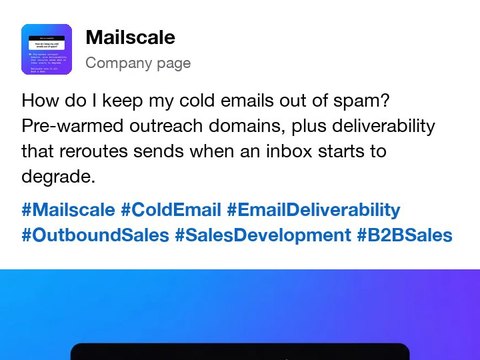
Paste a LinkedIn post and get hashtags for your industry, your role and the topic, each one a single word, with one Copy all.
Your PDF is ready. Now fill it with better ads.
Drop your URL and Selzee researches your brand and the ads working in your market, then makes ads at the right size, in your colours. Free to start, no credit card.
Get started for free