 Add to Chrome
HEIC to PNG Converter (FREE TOOL)
Turn iPhone HEIC photos into lossless PNG files that open in every browser, editor and design tool. Drop one or many. Nothing is uploaded.
Upload HEIC

Built and checked by Marián Cabadaj. Last checked November 2026.
What the facts here come from
Apple Support, Using HEIF or HEVC media on Apple devices for High Efficiency and Most Compatible, iOS 11 and macOS High Sierra, and HEIF using less storage than JPEG.
ISO/IEC 23008-12, High efficiency image file format for HEIF as the MPEG standard, first published in 2017.
W3C, Portable Network Graphics (PNG) Specification, Third Edition for PNG being lossless and having an optional alpha channel.
Can I use, HEIF/HEIC image format for no HEIC support in Chrome, Edge and Firefox, and Safari from 17.
Shopify Help Center, Product media types for PNG as Shopify's first pick, the 20 MB limit and 5000 x 5000 pixels.
The examples on this page were made by the same code the tool runs.
The short answer
- HEIC is the format an iPhone saves photos in when Camera, Formats is set to High Efficiency, the default. Apple added it in iOS 11 and macOS High Sierra (Apple Support, Using HEIF or HEVC media on Apple devices).
- Chrome, Edge and Firefox cannot show a HEIC (Can I use), and Windows Photos asks for an extension first (Microsoft Support). PNG opens everywhere.
- PNG is lossless and has an alpha channel (the W3C PNG specification). Edit it and save it again, and it loses nothing more.
- This converter decodes the HEIC in your browser, keeps every pixel, turns the photo upright and saves a PNG. Nothing is uploaded.
Our articles are still written by HUMANS! Get human written articles in your Google feed.
Add as preferred sourceProduct photos, made into ads
Seven ads Selzee made for brands from their own product photos. Convert the HEIC first, and the photo is ready for an editor or for ads like these.
What HEIC is, and why your iPhone uses it
HEIF, the High Efficiency Image File Format, is a standard from MPEG, the ISO and IEC group that also wrote MP4. It was first published in 2017 as ISO/IEC 23008-12. A HEIF file is a box that holds one or more pictures and their data.
HEIC is a HEIF file whose pictures are compressed with HEVC, the H.265 video codec. That is what an iPhone saves. A photo in HEIC takes less space than the same photo in JPG, which is why Apple made it the default.
Apple says HEIF and HEVC "use less storage space" than JPEG and H.264 at the same visual quality, and that every device on iOS 11 or macOS High Sierra and later can view and edit them (Apple Support, Using HEIF or HEVC media on Apple devices). Off Apple devices, support is thin: no version of Chrome, Edge or Firefox shows a HEIC.
A picture saved from a website can be an AVIF, which uses the same kind of container. For those, use our AVIF to PNG converter.
An iPhone HEIC after conversion
A real iPhone 13 Pro photo, converted with the tool above. Same size, every pixel kept.
HEIC vs PNG vs JPG
| Format | Compression | Transparency | Opens in | Use it for |
|---|---|---|---|---|
| HEIC | Lossy (HEVC) | Yes | Apple devices, Safari 17 and later | Taking and storing photos on an iPhone |
| PNG | Lossless | Yes | Every browser, editor and operating system | Editing, design tools, cut-out products, text graphics |
| JPG | Lossy | No | Every browser, editor and operating system | Small files for ad uploads, email and the web |
Sources: Apple Support, Using HEIF or HEVC media on Apple devices for HEIC, the W3C PNG specification for PNG, Can I use for browser support. Verified 2026-11-05.
When a brand needs PNG
Convert to PNG when you will work on the photo again. A JPG loses a little detail each time you save it. A PNG does not, so a photo that goes through Canva, Photoshop or Figma, and is exported more than once, keeps its detail.
PNG is also the format for a product cut out from its background, for a logo and for any graphic with text on it: sharp edges stay sharp, and the background can stay see-through. For a store, the Shopify Help Center calls PNG "the best file type for most product images", followed by JPEG.
- Editing in Canva, Photoshop, Figma or Affinity.
- Cutting the product out of its background.
- Product photos for a Shopify store (under 20 MB and 5000 x 5000 pixels).
- Screenshots and graphics with text, where JPG blurs the letters.
- Instagram posts: once it is a PNG, our Instagram image resizer cuts it to each Instagram shape.
- Static ads: our guide to static ads shows what to put around the photo.
When JPG is the better pick
Pick JPG instead when the file goes straight into an ad manager or an email and nobody will edit it again. A JPG of the same photo is a fraction of the size. Our HEIF to JPG converter does that, with a quality slider.
To put several photos into one PDF, one per page, use our PNG to PDF converter.
Taking new product shots? See our product photography examples.
How to convert HEIC to PNG
-
Drop your HEIC photos
Choose them, drag them onto the box or paste them. A whole folder of iPhone photos works. Your browser reads the files; they are never uploaded.
-
Wait a second per photo
The decoder loads once, then each photo converts in turn at its full size, upright, with any transparency kept.
-
Download the PNG
One photo downloads as a PNG with the same name. Several download one by one or together as a ZIP.
HEIC to PNG: FAQ
How do I convert HEIC to PNG?
How do I convert HEIC to PNG on Windows?
Does converting HEIC to PNG lose quality?
Why is my PNG so much bigger than the HEIC?
Can I convert several HEIC files to PNG at once?
Is it safe to convert HEIC to PNG online?
Does the PNG keep a transparent background?
How we checked
Last checked: 5 November 2026. The facts about HEIC come from Apple Support, Using HEIF or HEVC media on Apple devices and ISO/IEC 23008-12, the ones about PNG from the W3C PNG specification, and browser support from Can I use, each read at the source that day.
We ran the converter in Chrome, at a laptop width and a phone width, on: a real iPhone 13 Pro HEIC; a HEIF with a see-through half; a portrait HEIC that is stored on its side; a file holding two pictures where the second is the main one; a PNG renamed to .heic; a HEIC cut short; an empty file; and a 50 MB file. Then we opened every PNG it made.
- The size: every PNG has the same width and height as the photo the HEIC holds.
- The rotation: a photo stored on its side comes out upright, turned once, not twice.
- The main picture: in a file with several pictures, the PNG is the one the file marks as main.
- Transparency: the see-through half stays see-through in the PNG.
- Bad files: the renamed PNG, the cut-off HEIC, the empty file and the 50 MB file each get one plain message, and the page keeps working.
- The download: every PNG opens in Chrome and in Preview on a Mac.
- The privacy: the converter's code makes no network request with the photo.
Keep exploring
Turn HEIF and HEIC photos into small JPG files for ad uploads, with a quality slider. Many at once. Nothing is uploaded.
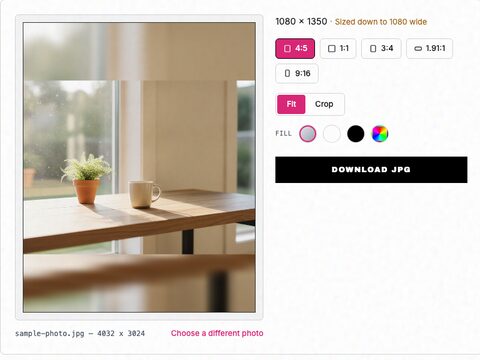
Free Instagram image resizer. Pick 1:1, 4:5, 3:4, 1.91:1 or 9:16, fit the whole photo or crop it, and download it at the exact size Instagram keeps.
Free Facebook image resizer. Pick feed, square, link, story or cover, fit the whole photo or crop it, and download a JPG or PNG at the exact size. Nothing is uploaded.
The photo is ready. Now make the ad.
Drop your URL and Selzee researches your brand and the ads working in your market, then makes ads in your colours. Free to start, no credit card.
Get started for free