 Add to Chrome
 Facebook Ad Downloader (FREE TOOL)
Paste a Meta Ad Library link or the ad's Library ID. Get the ad's video in HD when Meta has it, or its pictures, one file per carousel card.

Built and checked by Marián Cabadaj. Last checked October 2026.
What the ad facts here come from
Meta Business Help Center, About the Meta Ad Library for what the Ad Library is.
Meta Ad Library for the ads and their Library IDs.
ScrapeCreators, Facebook Ad Library ad details for the video, picture and card fields of an ad. A third party: the data source the tool calls.
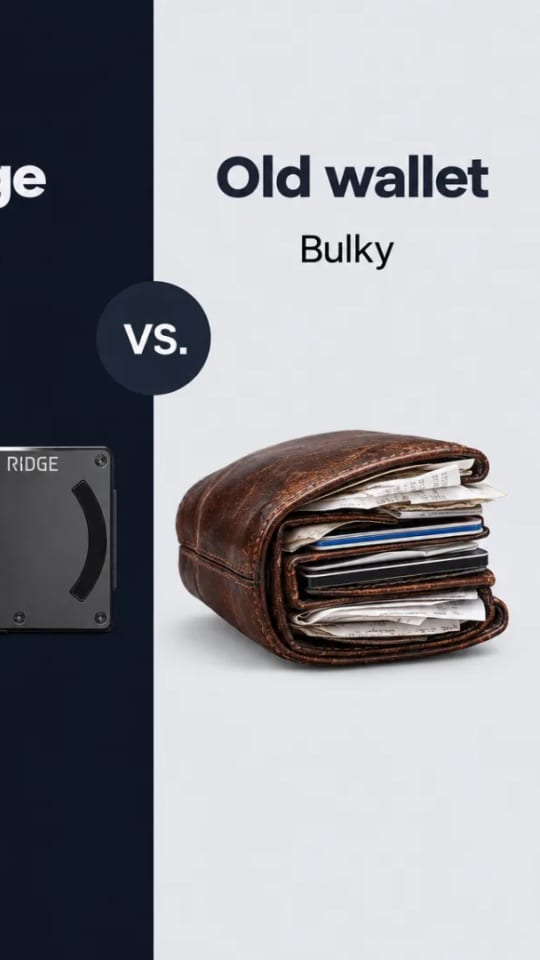
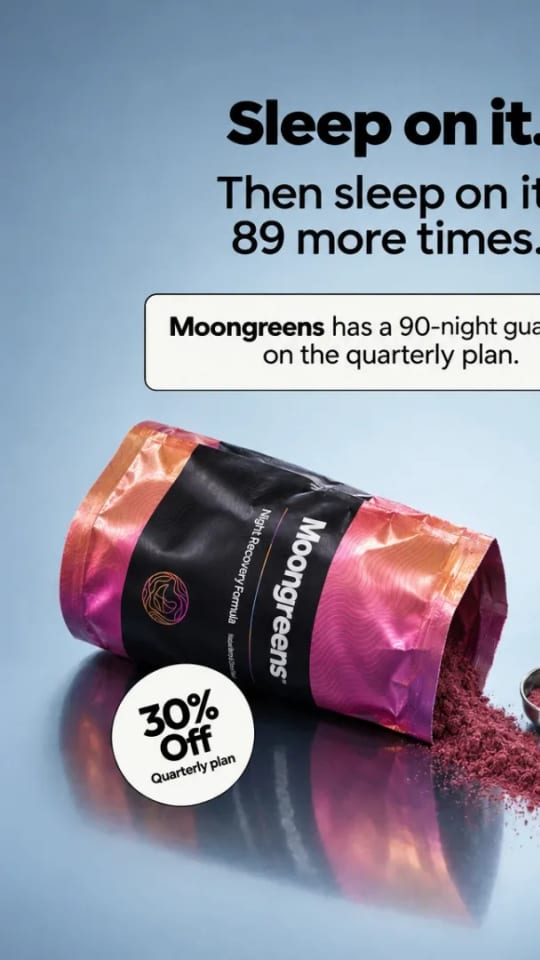
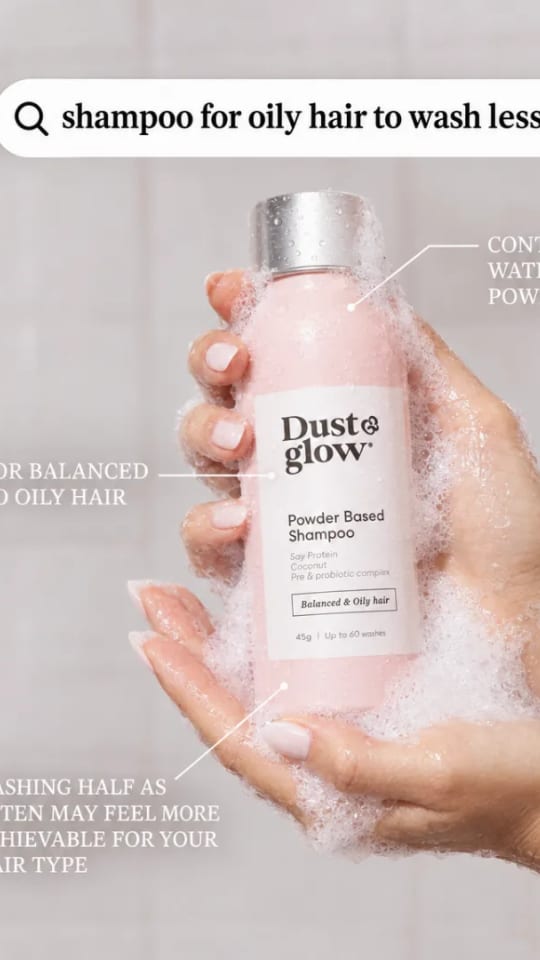
The example pictures on this page are ads from the Selzee gallery.
The short answer
- A Facebook ad downloader saves the creative of one ad from the Meta Ad Library, the public list of ads that run on Facebook, Instagram and Meta's other apps. Paste the ad's link, the one with ?id= in it, or just the Library ID.
- You get every file the ad shows: the video, in HD when Meta lists an HD file, and each picture. A carousel gives one file per card. The Ad Library itself has no download button.
Our articles are still written by HUMANS! Get human written articles in your Google feed.
Add as preferred sourceExample result
Try an example loads a Beauty From Bees video ad from the Meta Ad Library. This is the card you get: the ad's picture, the page name and one Download button per file.
Ads worth saving look like this
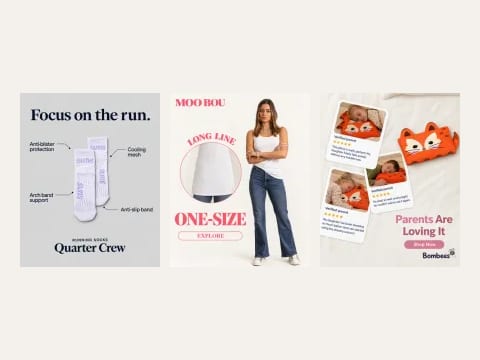
Ads from the Selzee gallery, in the formats you find in the Ad Library: a chat answer, a checklist, a cosy product shot. To find the ads in the first place, start with how to find winning ads in the Meta Ad Library.
What the tool gives for each kind of ad
The fields the tool reads, in the order it reads them.
| Field | What you get | |
|---|---|---|
| Video ad | video_hd_url, else video_sd_url | One MP4, in HD when Meta lists it. The preview picture shows before you download. |
| Image ad | original_image_url | The picture at the size Meta stores it. |
| Carousel ad | cards | One file per card, a video or a picture, in the order of the cards. |
| Text-only ad | none | Nothing to download. The tool says the ad has no picture or video. |
Verified 2026-10-30.
How to download a Facebook ad
-
Find the ad in the Ad Library
Search a brand in the Meta Ad Library and open the ad. Its link ends in ?id= and a number, the Library ID.
-
Paste the link or the ID
The tool reads the public ad and shows each picture and video it has, with the page that runs it.
-
Download each file
Every file has its own Download button. The files are named after the page and the Library ID.
What marketers use it for
Uses for research, briefs and your own archive.
A swipe file of competitor ads
Save the ads your competitors keep running and sort them by angle: price, proof, problem, offer. An ad that runs for months is worth a closer look.
A brief with real examples
Put three saved ads in the brief. A designer reads a finished ad faster than a list of adjectives.
Your own ads, archived
Most ads leave the library when they stop running. Save your own while they are live, and keep the file with the results it got.
Check a format before you test it
Save a carousel or a video from another market and walk through it card by card before you build your own.
Which link works: the Library ID
Every ad in the library has a Library ID, a long number. Open an ad and its link ends in ?id= and that number: facebook.com/ads/library/?id= and the digits. The tool reads the ID from the link, or takes the number on its own. The rest of the link, the search words and the country, does not matter.
A link to a brand's page in the library lists all of its ads, so it does not work here. Open one ad first. For what the library is and what it shows, read what the Meta Ad Library is.
Public ads, copyright and fair use
Meta made the Ad Library public so anyone can see the ads that run on its apps. Meta's page on the Ad Library explains what it shows. Seeing an ad in public does not make it free to reuse.
An ad belongs to the brand that ran it. Save it to study it, and never run a copy of it, its pictures or its words as your own. This is not legal advice.
Spy tools: the best Facebook ad spy tools, compared
Facebook ad downloader: FAQ
How do I download an ad from the Facebook Ad Library?
Can I download a Facebook video ad in HD?
How do I download every card of a carousel ad?
Where do I find the Library ID of an ad?
Does it work for Instagram ads?
Can I download an ad that is no longer running?
Can I use a downloaded Facebook ad in my own ads?
How we checked
Last checked: 30 October 2026. We read Meta's page on the Ad Library and the ScrapeCreators documentation for the endpoint the tool calls, which lists the videos, pictures and cards of an ad.
- Every way to write an Ad Library link or ID is in one test file that the page and the server both read.
- A video ad, a carousel with a video and a picture, and an ad with no files are each in an automated test.
- The download comes from our server, which only fetches a stored address on Meta's own file host. It never takes an address from you.
- A video over 150 MB, a picture over 10 MB, a redirect or a file of the wrong type is refused.
Keep exploring

Enter one brand and open all four public ad libraries at the right place, with what each one will and will not show you.
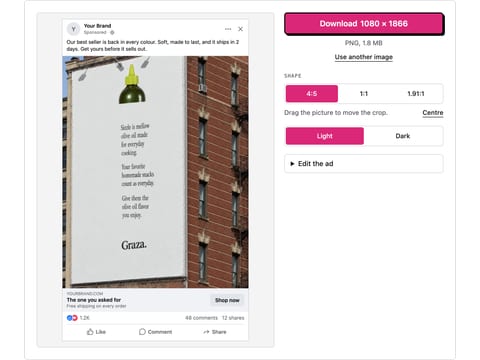
Drop a picture and get a realistic Facebook feed ad mockup: page name, primary text, headline, button and reactions, light or dark. Download a PNG. Nothing is uploaded.
Paste a TikTok video link and save the MP4, without the watermark when TikTok keeps that file. No app, no sign-up.
Studied their ads? Now make yours
Selzee turns your store, your reviews and what wins in your market into ads in your brand. Free to start, no credit card.
Get started for free