 Add to Chrome
 TikTok Video Downloader (FREE TOOL)
Paste the link of one TikTok video. See its cover, size and length, then save it as an MP4, without the watermark when TikTok keeps that file.


Built and checked by Marián Cabadaj. Last checked October 2026.
What the file rules here come from
ScrapeCreators, TikTok Video Info for which file of a video has no watermark, and when TikTok gives none. A third party: the data source the tool calls.
TikTok, Terms of Service for copyright and the rules on other people's content.
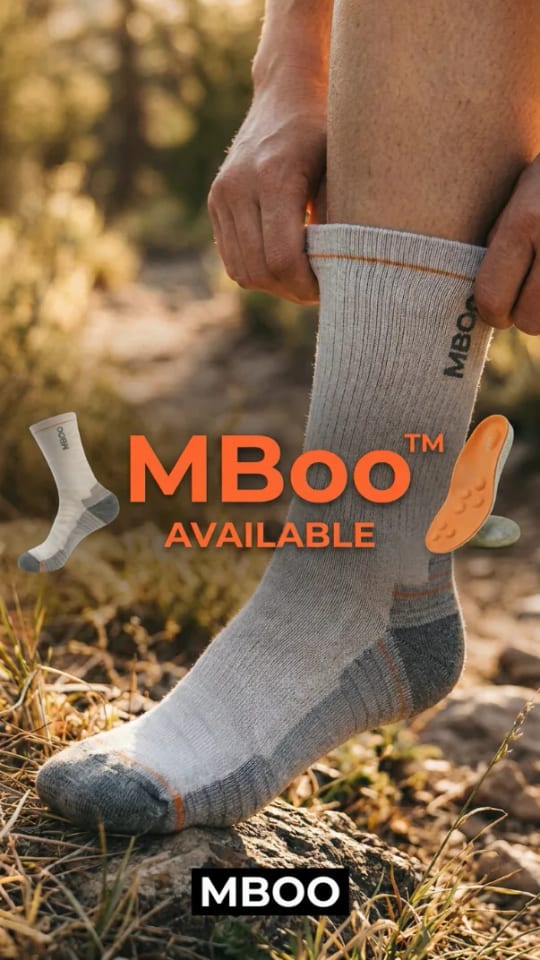
The example pictures on this page are ads from the Selzee gallery.
The short answer
- A TikTok video downloader takes the link of one video and gives you the MP4 file. TikTok can keep two files of a video: one with its moving watermark and one without. The tool takes the one without whenever TikTok has it, the order ScrapeCreators documents for this data.
- When TikTok only has the watermarked copy, the tool says so under the file size. It never hides that fact, and it never removes a watermark from the picture.
Our articles are still written by HUMANS! Get human written articles in your Google feed.
Add as preferred sourceExample result
Try an example loads a public TikTok ad by Missair, a watch band brand. This is the card you get: the cover, the pixel size, the length and one Download button.
Ads a team makes after the research
A saved TikTok is a reference: the hook, the pace, the product shot. These are Selzee gallery ads, the kind of still a team makes after it studies what works. For the text on the video, the TikTok caption generator writes the caption.
The files TikTok can give for one video
In the order the tool takes them.
| Field | What it is | |
|---|---|---|
| No-watermark file | download_no_watermark_addr | The file the tool takes first. No moving TikTok logo. |
| Play file | play_addr | Taken only when TikTok marks the video as having no watermark. |
| Download file | download_addr | The copy with the watermark. The last choice, and the tool tells you when it is the one you got. |
Verified 2026-10-30.
How to download a TikTok video
-
Copy the video link
On a computer, copy the address bar. In the app, tap Share, then Copy link, open that link in your browser and copy the full address. It looks like tiktok.com/@name/video/ and a number.
-
Paste it here
The tool reads the public video and shows its cover, its pixel size, its length and its file size.
-
Download the MP4
One click saves the file, named after the account and the video ID. Download another clears the field.
What marketers use it for
Honest uses, with your own videos or public ones for reference.
A swipe file of hooks
Keep the first three seconds of the videos that stop you. Watch them frame by frame before you brief the next shoot.
A brief your editor can watch
A video file in the brief says more about pace and cuts than a paragraph. Put two or three next to your notes.
Your own videos, backed up
Save the MP4 of your own posts and your clients' posts to cut them into ads or post them elsewhere.
Creator research before you pay
Before you hire a creator for Spark Ads, save a few of their posts and show them to the team.
Why some downloads keep the watermark
TikTok answers each video with a list of files. The ScrapeCreators field list says to use download_no_watermark_addr when it is there, and play_addr only when the video is marked as having no watermark. If neither is there, TikTok did not give a copy without the watermark for that video.
In that case the tool downloads the watermarked copy and says so in one line under the file size. It does not blur, crop or paint over the logo.
Private videos, copyright and fair use
This tool gets public videos only. A private account, a video shared with friends only, or a deleted video gives a "could not find" message. TikTok's Terms of Service say TikTok respects copyright and expects users to do the same.
A video still belongs to the person who made it. Save it for reference, and use your own freely. To put someone else's video in an ad or a post, ask the creator first, or run it as a Spark Ad with their code. This is not legal advice.
Spark Ads: how TikTok Spark Ads work
TikTok video downloader: FAQ
How do I download a TikTok video without the watermark?
Why does my TikTok download still have the watermark?
Can I download a TikTok video from a vm.tiktok.com link?
Does the TikTok video downloader work for private videos?
What format and quality is the TikTok download?
Can I download TikTok photo slideshows?
Is it legal to download TikTok videos?
How we checked
Last checked: 30 October 2026. We read the ScrapeCreators documentation for the endpoint the tool calls, which lists the files of a video and says which one has no watermark, and TikTok's Terms of Service on other people's content.
- Every way to write a TikTok link, short links included, is in one test file that the page and the server both read.
- The file order (no watermark first, the watermarked copy last) is in an automated test.
- The download comes from our server, which only fetches a stored address on a TikTok video host. It never takes an address from you.
- A file over 150 MB, a redirect or a file that is not an MP4 is refused.
Keep exploring
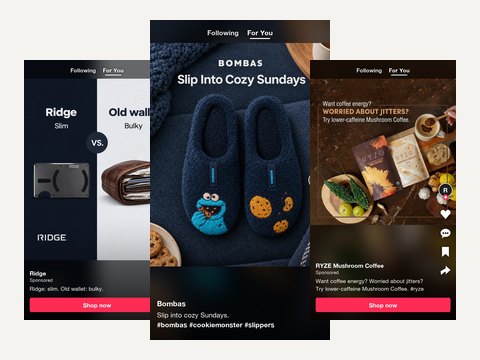
Describe the video and the product and get three TikTok captions with a hook first line, for a post, a Spark Ad or an in-feed ad.
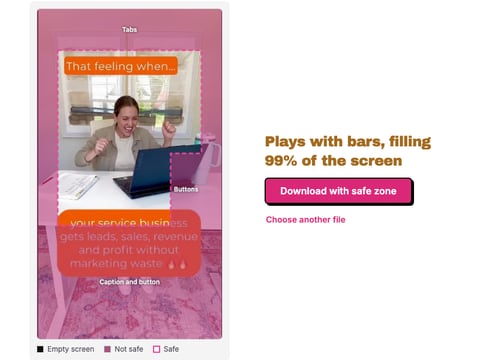
Drop a TikTok ad, image or video, and see what the tabs, buttons and caption cover, drawn on your own frame. Nothing is uploaded.
Paste a TikTok username or profile link and download the avatar in the largest file TikTok keeps, up to 1080 x 1080.
Saved the video? Now make the ad
Selzee turns your store, your reviews and what wins in your market into ads in your brand. Free to start, no credit card.
Get started for free