 Add to Chrome
 LinkedIn Ad Mockup Generator (FREE TOOL)
Drop a picture and see it as a LinkedIn sponsored post: company, followers, Promoted, intro text, headline and button, on desktop or mobile. Download a 1080 wide PNG. Nothing is uploaded.
Upload picture
View
Shape
LinkedIn shows 4:5 pictures on mobile only, so this is the mobile post.
Edit the ad

Built and checked by Marián Cabadaj. Last checked November 2026.
What the sizes here come from
LinkedIn Help, Single image ads advertising specifications for 1.91:1 at 1200 x 628, 1:1 at 1200 x 1200, 4:5 at 720 x 900 on mobile only, JPG, PNG or GIF up to 5 MB, and the text lengths.
The examples on this page were made by the same code the tool runs.
The short answer
- A LinkedIn ad mockup is a picture of your sponsored post as it shows in the LinkedIn feed: company logo and name, followers, "Promoted", the intro text, the picture, the headline with its button, and the reactions. You use it to check or show an ad before it runs.
- LinkedIn recommends 1.91:1 at 1200 x 628 for a horizontal single image ad and 4:5 at 720 x 900 for a vertical one, and vertical pictures serve on mobile only (LinkedIn's single image ad specs).
- Keep the intro text under 150 characters and the headline under 70, or LinkedIn cuts them (LinkedIn's single image ad specs).
- This generator draws all three shapes, on desktop or mobile, and downloads a 1080 wide PNG. Nothing is uploaded.
Our articles are still written by HUMANS! Get human written articles in your Google feed.
Add as preferred sourceEight LinkedIn ad mockups made with this tool
Eight B2B ads from the Selzee gallery, dropped into the generator and saved with Download, on desktop and mobile, in all three shapes.
One ad in LinkedIn's three shapes
The same picture as a 1.91:1, a 1:1 and a 4:5 sponsored post. The shape decides what the crop keeps.
LinkedIn single image ad sizes
The PNG is always 1080 pixels wide. The picture inside it keeps the shape of the file LinkedIn asks for.
| Shape | File in pixels | Where it serves |
|---|---|---|
| 1.91:1 horizontal | 1200 x 628 | Recommended horizontal shape. Desktop and mobile. |
| 1:1 square | 1200 x 1200 | Desktop and mobile. |
| 4:5 vertical | 720 x 900 | Recommended vertical shape. Serves on mobile only. |
Source: LinkedIn's single image ad specs. Files are JPG, PNG or GIF, up to 5 MB. A 1:1.91 vertical picture still runs, with borders added at the sides. Verified 2026-11-02.
How long LinkedIn ad text can be
| Field | Before LinkedIn cuts it | Maximum |
|---|---|---|
| Intro text | 150 characters | 3,000 characters |
| Headline | 70 characters | 200 characters |
| Description | 100 characters | 300 characters |
Source: LinkedIn's single image ad specs. The description shows only when the picture is under 200 pixels wide or the ad runs off LinkedIn on the Audience Network, so the mockup leaves it out. Verified 2026-11-02.
Desktop or mobile: one ad in both feeds
The same ad in both views. On a phone the post is narrower, so the intro text wraps sooner.
The parts of a LinkedIn sponsored post
Every part the generator draws, where it sits, and what to check before the ad runs.
| Part | Where it sits | What to check |
|---|---|---|
| Logo, company name, followers | The top row | Use your real Page name and logo. A blank square reads as a template. |
| "Promoted" | Under the name | LinkedIn's label for a paid post. The mockup always shows it. |
| Intro text | Above the picture | Cut with "...more" after a few lines. The first line has to work alone. |
| Picture | Full width | 1.91:1, 1:1, or 4:5 on mobile. |
| Headline and website | The grey bar under the picture | One line each in the mockup. Keep the headline near 70 characters. |
| Button | Right side of the grey bar | An outlined button. Pick the label you will choose in Campaign Manager. |
| Reactions, comments, reposts | Under the bar | Leave them at 0 to hide the row, or use numbers your Page really gets. |
Verified 2026-11-02.
What a LinkedIn ad mockup is for
A mockup answers one question before you spend: does this ad look right in the LinkedIn feed? B2B ads usually go through more people before they run, so a picture of the finished post saves a round of comments on a loose file.
- Approval: send the post as it will look, with the logo, text and button in place.
- Pitches and decks: show a planned campaign in the feed it was made for.
- Text checks: see where the intro text cuts before you write the final line.
- Shape choice: compare 1.91:1, 1:1 and 4:5 on one picture before you export it.
- Portfolio: show the B2B ads you made, in context.
How to make a LinkedIn ad mockup
-
Drop your picture
Choose a file, drag it onto the box or paste a screenshot. Your browser reads it. It is never uploaded.
-
Pick the view and the shape
Desktop or Mobile, then 1.91:1, 1:1 or 4:5. Drag the picture to choose what the crop keeps.
-
Edit the post and download
Open Edit the ad for the company, followers, intro text, headline, website, button, counts and logo. Then download a 1080 wide PNG.
Real sponsored posts in the LinkedIn Ad Library
Real sponsored posts in the LinkedIn Ad Library, captured on 2 November 2026. Every part the mockup draws is there. For more, see our LinkedIn ad examples.
LinkedIn ad mockup: FAQ
What is a LinkedIn ad mockup?
How do I make a LinkedIn ad mockup?
What size is a LinkedIn single image ad?
How long can LinkedIn ad text be?
Do vertical LinkedIn ads show on desktop?
Is this LinkedIn ad mockup generator free?
Is my picture uploaded?
How we checked
Last checked: 2 November 2026. The shapes, sizes, file limits and text lengths come from LinkedIn's single image ad specs, read at the source that day.
On 2 November 2026 we ran the generator on the eight gallery ads on this page in headless Chrome, at a laptop width and a phone width, in every shape on desktop and on mobile.
- The size: every PNG is 1080 wide, desktop and mobile, and the picture inside it keeps the shape's ratio.
- The 4:5 rule: a vertical picture always draws the mobile post.
- The crop: the picture fills the frame, centred, and a drag moves it only as far as the picture goes.
- The text: three lines of intro text, then "...more". The headline and website stay on one line each.
- The counts: 1240 reads 1,240, and the row is left out when every count is zero.
- The privacy: no network request is made with the picture.
Keep exploring
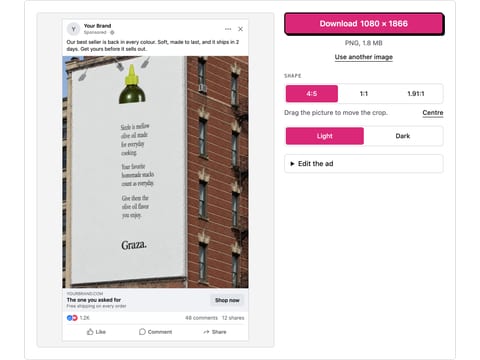
Drop a picture and get a realistic Facebook feed ad mockup: page name, primary text, headline, button and reactions, light or dark. Download a PNG. Nothing is uploaded.
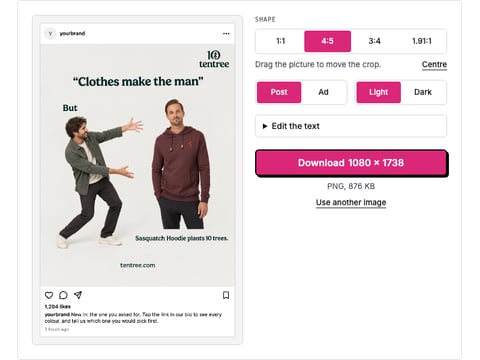
Drop a picture and get a realistic Instagram post or ad mockup: your name, caption, likes, light or dark, 1:1 or 4:5. Download a PNG. Nothing is uploaded.
Paste a LinkedIn post and get hashtags for your industry, your role and the topic, each one a single word, with one Copy all.
Paste a LinkedIn profile link and download the public profile photo in the file LinkedIn shows to people who are not logged in.
A mockup shows the ad. Selzee makes it.
Drop your URL and Selzee researches your brand and the ads working in your market, then makes ads at the right size, in your colours. Free to start, no credit card.
Get started for free