 Add to Chrome
 LinkedIn Profile Picture Downloader (FREE TOOL)
Paste a linkedin.com/in profile link, the name part of it, or a linkedin.com/company page. See the photo or logo LinkedIn shows to people who are not logged in, then download it.


Built and checked by Marián Cabadaj. Last checked October 2026.
What the sizes here come from
LinkedIn Help, Photo won't upload to your profile for the upload limits: 400 x 400 to 7680 x 4320 pixels, 8 MB, PNG or JPG.
LinkedIn Help, Settings for profile photo visibility for who can see a profile photo, and the default of Anyone.
LinkedIn Help, Add or change your profile photo for how to add a profile photo. It gives no size.
ScrapeCreators, LinkedIn profile for the signed 200 x 200 and 400 x 400 files. A third party: the data source the tool calls. We could not check the sizes on LinkedIn ourselves.
The example pictures on this page are Selzee's own mascot, drawn at the sizes LinkedIn hands out.
The short answer
- A LinkedIn profile picture downloader takes a linkedin.com/in link and gives you the profile photo as a file. It gets the file LinkedIn shows to people who are not logged in. In the documented example of the data source the tool calls, that file is 200 x 200 pixels. Other members in the same example show 400 x 400.
- LinkedIn Help asks for an upload of at least 400 x 400 pixels, so the file you get is smaller than the original. When a member has no photo, or hides it from the public, the tool says there is no profile picture.
Our articles are still written by HUMANS! Get human written articles in your Google feed.
Add as preferred sourceWhat you get back
Selzy, the Selzee mascot, as one LinkedIn profile photo. For X, use the X profile picture downloader. To check the wide picture behind the photo, use the LinkedIn banner size checker.
The sizes of one LinkedIn profile photo
Largest first. The tool gets one of the two smaller files, never your upload.
| Pixels | In the address | What it is | |
|---|---|---|---|
| Your upload | 400 x 400 to 7680 x 4320 | none | The range LinkedIn Help allows. The tool cannot get this file. |
| Larger file | 400 x 400 | shrink_400_400 | Shown for five members in the documented example. |
| Smaller file | 200 x 200 | shrink_200_200 | Shown for the profile asked for in the documented example. |
Verified 2026-10-25.
The documented example, not our measurement
What the ScrapeCreators LinkedIn profile example shows, read on 25 October 2026. LinkedIn needs a login for most profiles, so we did not measure it ourselves.
| In the address | Pixels | What it means | |
|---|---|---|---|
| The profile asked for | shrink_200_200 | 200 x 200 | The file the tool downloads. |
| Five other members | shrink_400_400 | 400 x 400 | Contributors, a recommender and a similar profile. |
| One recommender | static.licdn.com | no photo | A placeholder address. The tool says there is no profile picture. |
Verified 2026-10-25.
How to download a LinkedIn profile picture
-
Paste the profile link
A linkedin.com/in link from any country site, with or without tracking parts, or only the name part after /in/. A linkedin.com/company link gives the company logo.
-
See the public photo
Our server asks for the public profile and shows the photo LinkedIn gives to people who are not logged in, with its pixel size.
-
Save the file
One click saves the file named after the profile. Download another clears the field for the next link.
One mascot, from profile photo to ad
Two Selzee ads with Selzy, the Selzee mascot, the character in the profile photos above.
As the face of a post
Here Selzy is the round photo at the top of a text post. At this size the face has to read at a glance, as it does on a LinkedIn comment.
In the background of a bigger idea
Selzy sits on a screen in the shop window while a person holds the offer. The same character, a few pixels high, still says whose ad it is.
What people use it for
Fair uses, with your own photo or with public ones kept for reference.
See your photo as visitors see it
Get the file a buyer or a recruiter sees when they find you through a search engine, not logged in.
Keep a copy of your own photo
Save the photo on your profile, or a colleague's with their permission, when the original file is lost.
Notes before a sales or hiring call
Put a face beside a name in your private notes, so you know who joins the call. Keep the photo in those notes only.
Check that your team looks like one company
Line up the photos of your own team and see whose crop, light or background stands out.
Real faces, personal data and fair use
Most LinkedIn photos are real faces of real people, and many of them are not public figures. A face is personal data in many countries. This tool only gets a photo that the member lets the public see: LinkedIn Help lists who can see a profile photo, from 1st-degree connections only to anyone.
Treat what you download with care. Your own photo is yours to use. Someone else's photo is for reference only, for example in your own notes before a sales or a hiring call. Do not put it in an ad, a post, a list or a product, and ask the person before any other use. This is not legal advice.
Why you get 200 or 400 pixels, not your upload
The address LinkedIn gives for the photo is signed and carries an expiry. A change to the size in that address breaks the signature, so the tool cannot ask for a larger file. It downloads the file as given, which the ScrapeCreators example shows as 200 x 200 for the profile asked for and 400 x 400 for five other members.
LinkedIn Help sets the upload at 400 x 400 pixels or more, so the original is at least as large as either file. A copy scaled up from 200 x 200 has more pixels and no more detail.
Banner sizes: the LinkedIn banner size checker
LinkedIn profile picture downloader: FAQ
How can I download someone's LinkedIn profile picture?
What size is the LinkedIn profile photo I get?
Why does it say there is no profile picture?
Can I see a LinkedIn profile picture without an account?
Does it work with a company page or a post link?
Can I use a LinkedIn photo of someone else?
What size should my own LinkedIn profile photo be?
How we checked
Last checked: 25 October 2026. We could not measure LinkedIn ourselves: most profiles need a login, so we did not download real member photos. The sizes come from the ScrapeCreators documentation for the endpoint the tool calls, and from LinkedIn Help on adding a profile photo, on a photo that will not upload and on photo visibility.
- The documented example: the profile asked for comes back as shrink_200_200, 200 x 200.
- Five other members in the same example come back as shrink_400_400, 400 x 400.
- Every way to write a profile link, country sites and tracking parts included, is in one test file that the page and the server both read.
- The download comes from our server, which only fetches a stored address on media.licdn.com. It never takes an address from you.
- A file over 5 MB, a redirect or a file that is not a picture is refused.
Keep exploring
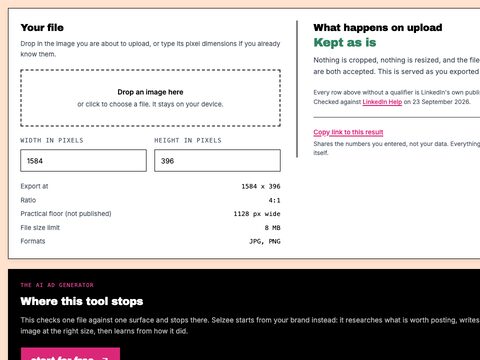
See the 4:1 crop, the 15 percent mobile cut and where your profile photo lands on your banner. Nothing is uploaded.
One thing you know into three LinkedIn posts that read like a person, not a press release.
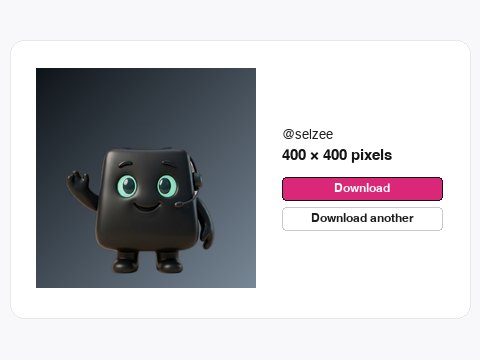
Paste a username or profile link and download the X (Twitter) profile photo at its upload size, usually 400 x 400.
A profile photo is only the start
Turn your comments, reviews and results into posts and ads worth clicking, in your brand. Free to start, no credit card.
Get started for free