 Add to Chrome
 Instagram Transcript Generator (FREE TOOL)
Drop a Reel you saved from Instagram and get every spoken line with its timestamp. Copy the text or download a TXT or SRT file. It runs in your browser, so the video is never uploaded.

Built and checked by Marián Cabadaj. Last checked October 2026.
What this tool is based on
Instagram Help, Manage reels for downloading a reel from its options or sharing menu.
Instagram Help, Who can download your reels for who can download a reel: anyone, for a public account, unless the owner turned it off.
Instagram Help, Save and edit drafts for the music a download leaves out.
Instagram Help, Manage closed captions for Instagram's own automatic captions on Reels.
Meta Business Help, Add captions to your video ad for the SRT file a video ad takes and how to name it.
OpenAI, Whisper tiny model card for the model: 680,000 hours of training audio, 99 languages, 39 million parameters, about 7.5% word error rate on LibriSpeech test-clean.
The examples on this page were made by the same code the tool runs.
The short answer
- An Instagram transcript generator turns the speech in a Reel into text. This one takes the video file itself: save the Reel to your phone or computer, drop it in, and get every line with the second it starts. Copy the text, or download it as a TXT file or as an SRT caption file.
- The speech model is OpenAI's Whisper, trained on 680,000 hours of audio in English and 98 other languages (Whisper model card). It runs in your browser, so the video never leaves your device. The first run downloads the model once, about 64 MB.
- No account, no link and no upload. You can download your own Reels from the options menu, and anyone can download a public account's Reels unless the owner turned that off (Instagram Help).
Our articles are still written by HUMANS! Get human written articles in your Google feed.
Add as preferred sourceWhat does an Instagram Reel transcript look like?
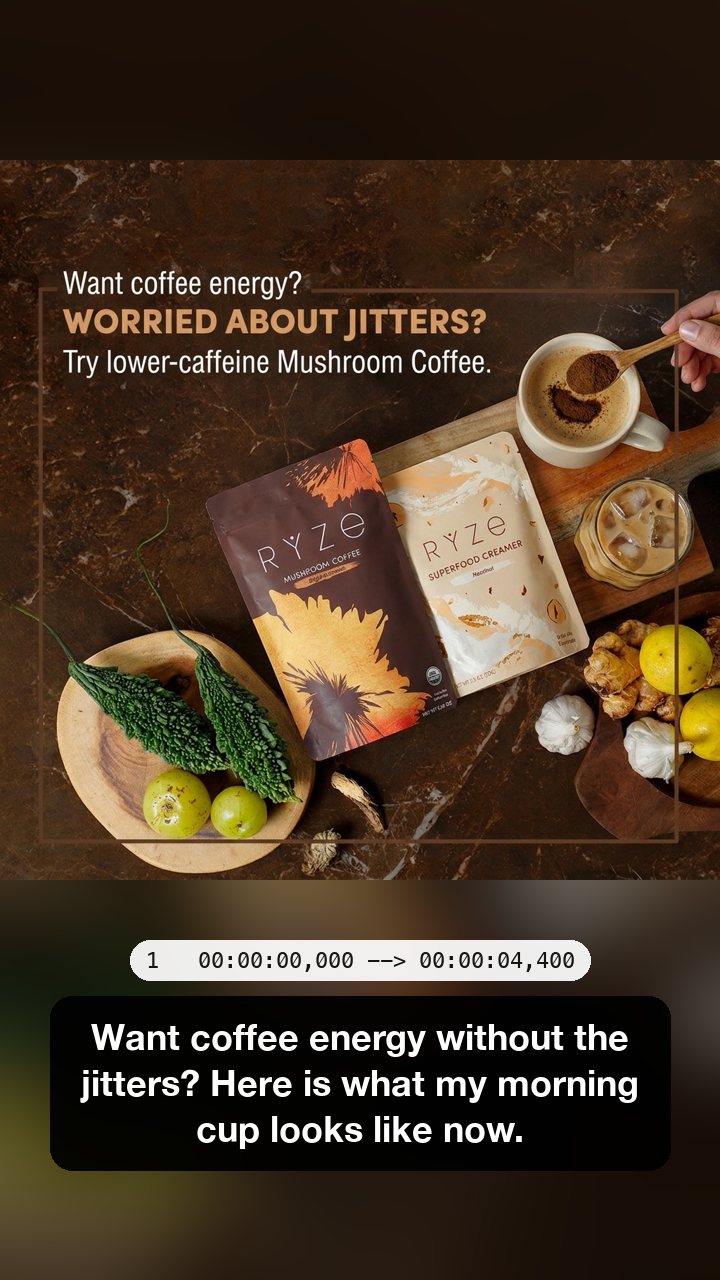
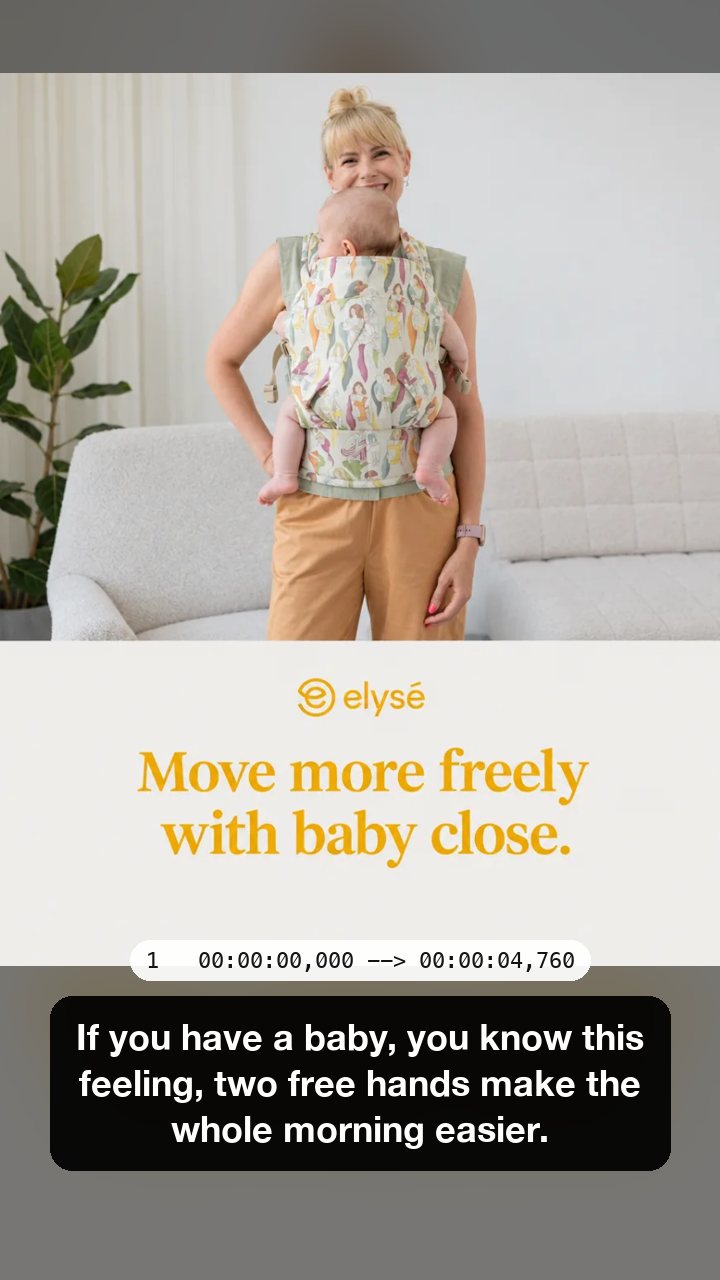
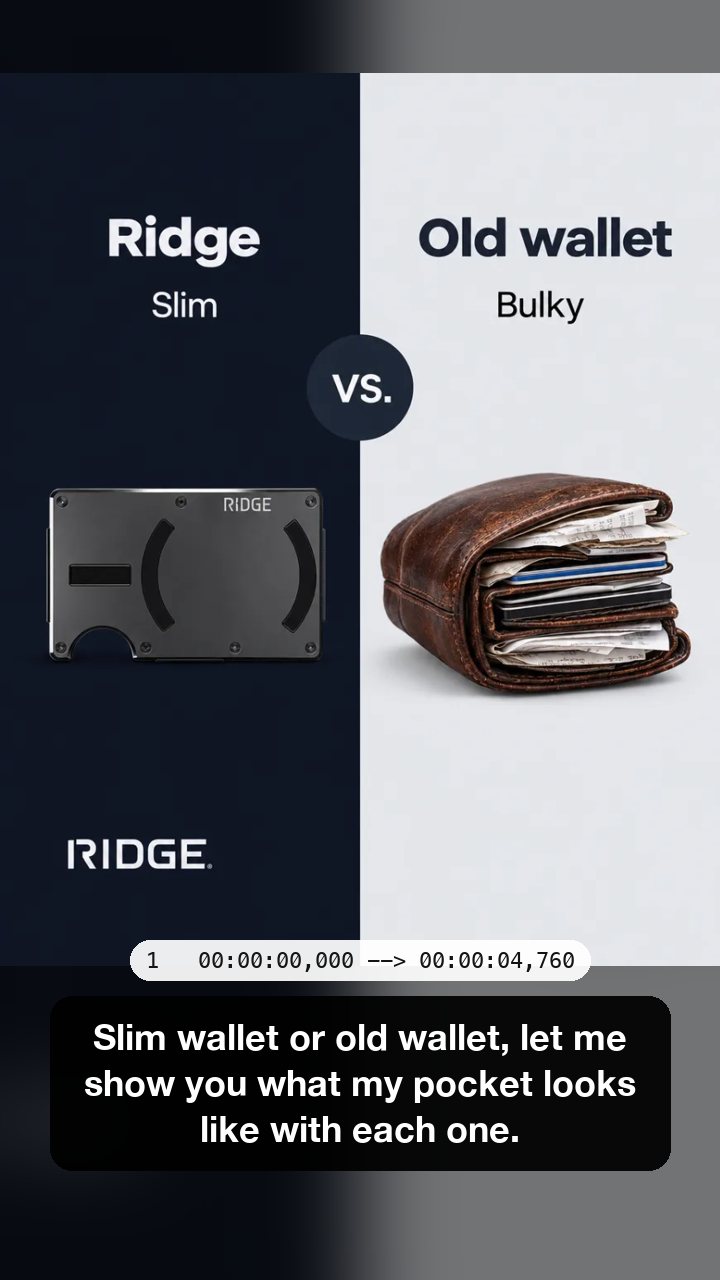
Six Selzee gallery ads made into short Reels with a voiceover we wrote, read by a computer voice and run through this tool. Each caption is one cue of the SRT file it saved, with the cue number and its times above it. The last one is in Spanish: the tool works out the language by itself.
Transcript, timestamps or SRT: which do you need?
One Reel, three ways out. All three come from the same run.
Transcript with timestamps
One line per sentence with the second it starts. Use it to find a moment in a long video, or to quote a line and say where it is.
Plain text
Switch Timestamps off and Copy text or Download .txt gives one paragraph. Use it for a caption, a blog post or notes.
SRT caption file
Numbered cues with a start and an end time, to the thousandth of a second. Video editors and Meta Ads Manager read it as captions.
How do you get the transcript of an Instagram Reel?
-
Save the Reel
On your phone, open the Reel, tap the options or share menu and tap Download. On a computer, use the video file you exported.
-
Drop the video here
MP4, MOV or WebM, up to 200 MB and 10 minutes. The tool reads the sound in your browser and writes the words with their times.
-
Copy or download
Copy the text, or download a TXT file or an SRT caption file. Turn the timestamps on or off for the text.
How do you save a Reel from Instagram first?
Instagram lets you download a reel from the options or sharing menu on the reel itself, the same place you share or save it (Instagram Help, Manage reels). Whether you can download someone else's reel depends on their settings: for a public account anyone can, unless the owner turned downloads off for the account or for that reel (Instagram Help, Who can download your reels).
A download leaves out any music added from Instagram's music library (Instagram Help, Save and edit drafts). For a transcript that helps: the voice comes through without the song on top of it.
Your own reel that is not posted yet works too: save the draft to your camera roll and drop that file. So does any video from your phone, CapCut or Edits. The tool never asks Instagram for anything.
Doesn't Instagram already caption Reels?
Yes, in the app. Instagram uses speech recognition to make closed captions for Reels, and you can turn them on or off, on a phone but not on a computer (Instagram Help, Manage closed captions).
Those captions live on the video. A transcript is the same words as text you keep: you can search it, edit it, paste it into a post or a script, or load it into an editor as an SRT file. Instagram does not give you that text. This tool does.
Why drop a file instead of pasting a link?
Most transcript tools ask for a link. This one asks for the file, and that changes what it can do.
| This tool | Link-based transcript tools | |
|---|---|---|
| What you give it | A video file you saved | A link to a public Reel |
| Where the video goes | Nowhere: it is read in your browser | The tool fetches it from Instagram on its own server |
| Unposted drafts and videos from other apps | Yes, any MP4, MOV or WebM | No, it needs a post with a link |
| A Reel from a private account | Yes, if you have the file | No, a server cannot open it |
| First run | Downloads the speech model once, about 64 MB | Nothing to download |
Verified 2026-10-26.
How accurate is the transcript?
Whisper tiny, the model the tool runs, has 39 million parameters. On LibriSpeech test-clean, a set of clearly read audiobooks, OpenAI's model card reports a word error rate of about 7.5%: roughly one word in 13 wrong (Whisper model card). A Reel with music, noise or fast talk scores worse.
We picked the small model on purpose. It is the one that downloads fast and runs on a normal laptop or phone without a server. When we compared the models on six test Reels, a larger one (whisper base) heard English a little better but took twice as long, and was worse on the Spanish one.
- Read the transcript once before you post it. Names, brand words and numbers are where it slips.
- One voice and no music under it gives the cleanest result.
- A word it gets wrong is usually a word that sounds close, so it is quick to spot.
What does a mistake look like?
Two cues from our test Reels, as the tool wrote them.
"Ten miles in" became "and miles in"
The first word, said fast, came out as a sound-alike. The rest of the cue is right.
"Clothes make the man" became "The folks make the man"
A phrase it did not expect. The next three cues of the same Reel came out right.
What can you do with a Reel transcript?
Captions for the next post
Your best line is already in the video. Paste it into the caption, then polish it with the Instagram caption generator.
Captions on a video ad
Meta Ads Manager takes an SRT file as captions for a video ad, named like ad.en_US.srt with the language and country code (Meta Business Help).
Hooks and scripts
Transcribe a Reel that worked and you have its hook word for word. Turn it into new ones with the hook generator, or a full script with the video script generator.
A blog post or a newsletter
Edit the plain text into a post and the same idea reaches people who read rather than watch. Keep the timestamps to link back to the moment in the Reel.
Who uses an Instagram transcript generator?
Creators
Turn your Reels into captions, posts and scripts without typing what you already said.
Brands and marketers
Pull the exact words from a Reel that sold, and reuse them in ads and on the product page.
Editors and agencies
Get an SRT file to style captions in your editor, and send clients a text version to approve.
Instagram transcript generator: FAQ
How do I get a transcript of an Instagram Reel?
Can you get a transcript of an Instagram video?
Does Instagram have auto captions?
How do I convert an Instagram Reel to text?
Can I transcribe someone else's Instagram Reel?
What languages does it work in?
Is my video uploaded?
How we checked
Last checked: 26 October 2026. The download, the music and the captions come from Instagram Help (Manage reels, Who can download your reels, Save and edit drafts, Manage closed captions), the SRT file name from Meta Business Help, and the model figures from the Whisper model card, all read at the source that day.
On 26 October 2026 we made eight test Reels and ran each through the tool in headless Chrome: seven from Selzee gallery ads, with a voiceover we wrote and read with a computer voice (six in English, one in Spanish), and one of 22 seconds. Every frame and screenshot on this page is that output, unedited. In the same run we tried a 60 second clip, a German clip, a photo, an MP3 and a file over 200 MB.
- Timing, on a laptop: a 10 second test clip gave its transcript 15 seconds after the drop on a first visit, the 64 MB model download included, and 4 seconds once the model was cached. A 60 second clip took 11 seconds.
- Language: the Spanish and German clips came out in Spanish and German without being told.
- The files: the SRT cues are numbered, timed to the millisecond and open as captions; the TXT matches the screen.
- The limits: a photo, an MP3 and a file over 200 MB are refused with a message, and nothing runs.
- The privacy: after the drop, the only requests go to Hugging Face for the model, and there are none on a later visit.
Keep exploring
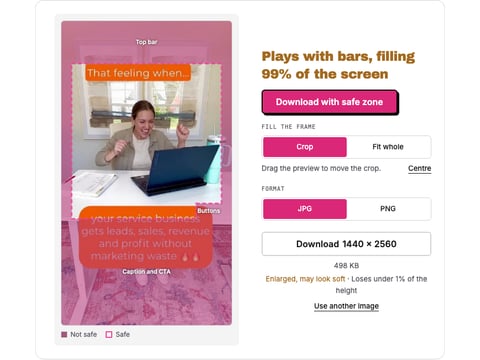
Drop a reel, a cover or a Reels ad and see what the caption, the buttons and the top bar cover, drawn from Meta's own figures. Nothing is uploaded.
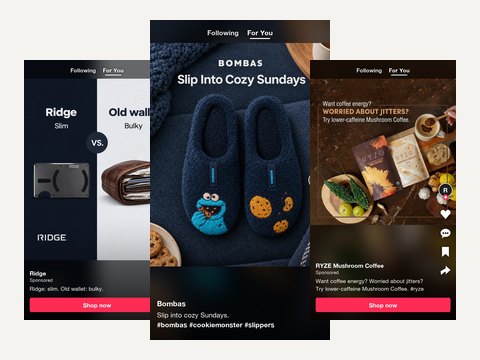
Describe the video and the product and get three TikTok captions with a hook first line, for a post, a Spark Ad or an in-feed ad.
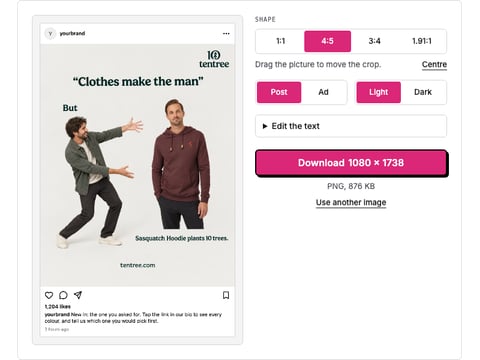
Drop a picture and get a realistic Instagram post or ad mockup: your name, caption, likes, light or dark, 1:1 or 4:5. Download a PNG. Nothing is uploaded.
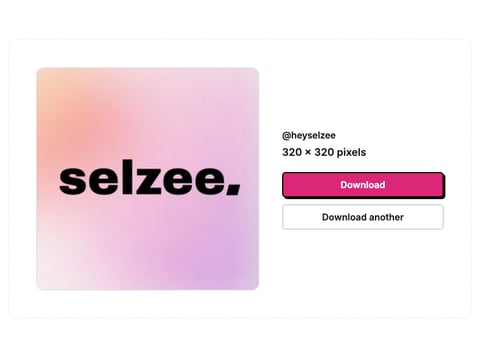
Paste an Instagram username or profile link and download the profile picture in the largest file Instagram keeps, up to 1080 x 1080.
The words are the hook. Selzee makes the ad.
Drop your URL and Selzee researches your brand, your reviews and the ads working in your market, then makes static ads at the right size, in your colours. Free to start, no credit card.
Get started for free