 Add to Chrome

Instagram Reels Safe Zone Checker (FREE TOOL)
Drop a reel, a cover or a Reels ad, as an image or a video. See what the top bar, the buttons and the caption cover, drawn on your own frame. Nothing is uploaded.
Upload reel
No file? Type a size
Fill the frame
Format
Details and full spec
- Ratio
- 9:16
- Minimum
- 500 px wide
- Safe area (Meta's ad guidance)
- 14% top, 35% bottom, 6% each side, 40% bottom on the right 21%
- Video file size limit
- 4 GB
- Video formats
- MP4, MOV
- Image formats
- JPG, PNG

Built and checked by Marián Cabadaj. Last checked October 2026.
What the sizes here come from
Meta's Reels ads guide, video for 9:16 at 1440 x 2560, MP4 or MOV up to 4 GB, the 250 and 500 pixel floors, and the 14%, 35% and 6% to keep clear.
Meta's Reels ads guide, image for a still: JPG or PNG up to 30 MB, 500 pixels wide or more.
Meta Business Help Center, text overlays and the safe zone for the button corner (40% on the right 21%), the 40% for a disclaimer, and the zoom on taller phones.
Instagram Help, Reel size and aspect ratios for an organic reel: 1.91:1 to 9:16, 720 pixels, and the 420 x 654 cover.
The examples on this page were made by the same code the tool runs.
The short answer
- The Instagram Reels safe zone is the part of a 9:16 reel that Instagram's own buttons and text leave clear. Meta asks you to keep 14% of the top, 35% of the bottom and 6% of each side free of text and logos (Meta's Reels ads guide).
- Meta's own diagram adds one corner: the right 21% of the frame stays clear for the bottom 40%, where the like, comment and share buttons sit (Meta Business Help Center).
- On a 1440 x 2560 reel, that is 86 pixels each side, 358 at the top and 896 at the bottom. The safe zone keeps about 44% of the frame. On a 1080 x 1920 reel it is 65, 269 and 672 pixels.
- The Instagram safe zone and the IG reel safe zone are other names for the same zone. Meta publishes it for Reels ads. Instagram publishes no separate figure for an organic reel.
Our articles are still written by HUMANS! Get human written articles in your Google feed.
Add as preferred sourceFree Instagram Reels safe zone template
An Instagram Reels safe zone template is a transparent PNG you put over your reel in Canva, CapCut, Premiere or Figma. Ours is drawn by code from the same numbers as the checker above. The pink bands are what Instagram covers. The dashed line marks what stays clear. The top bar, the buttons and the caption are named where they sit.
Put it on the top layer of a 9:16 canvas, design under it, and hide it before you export. Take the 1440 x 2560 file for Meta's ad size, or the 1080 x 1920 file for the size most phones record.
Reels safe zone template, 1440 x 2560
Transparent PNG, Meta's ad size, free, no sign-up
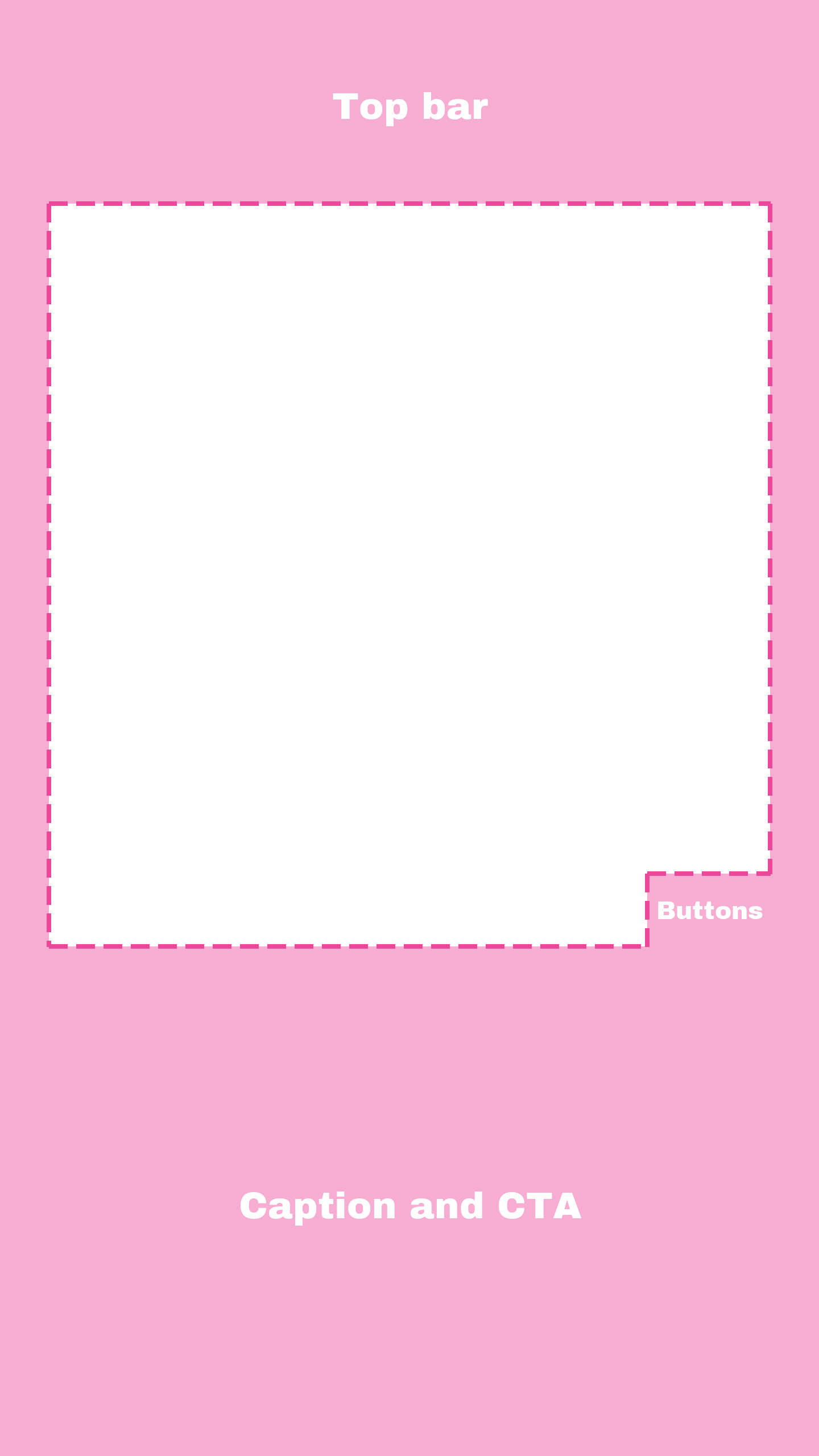
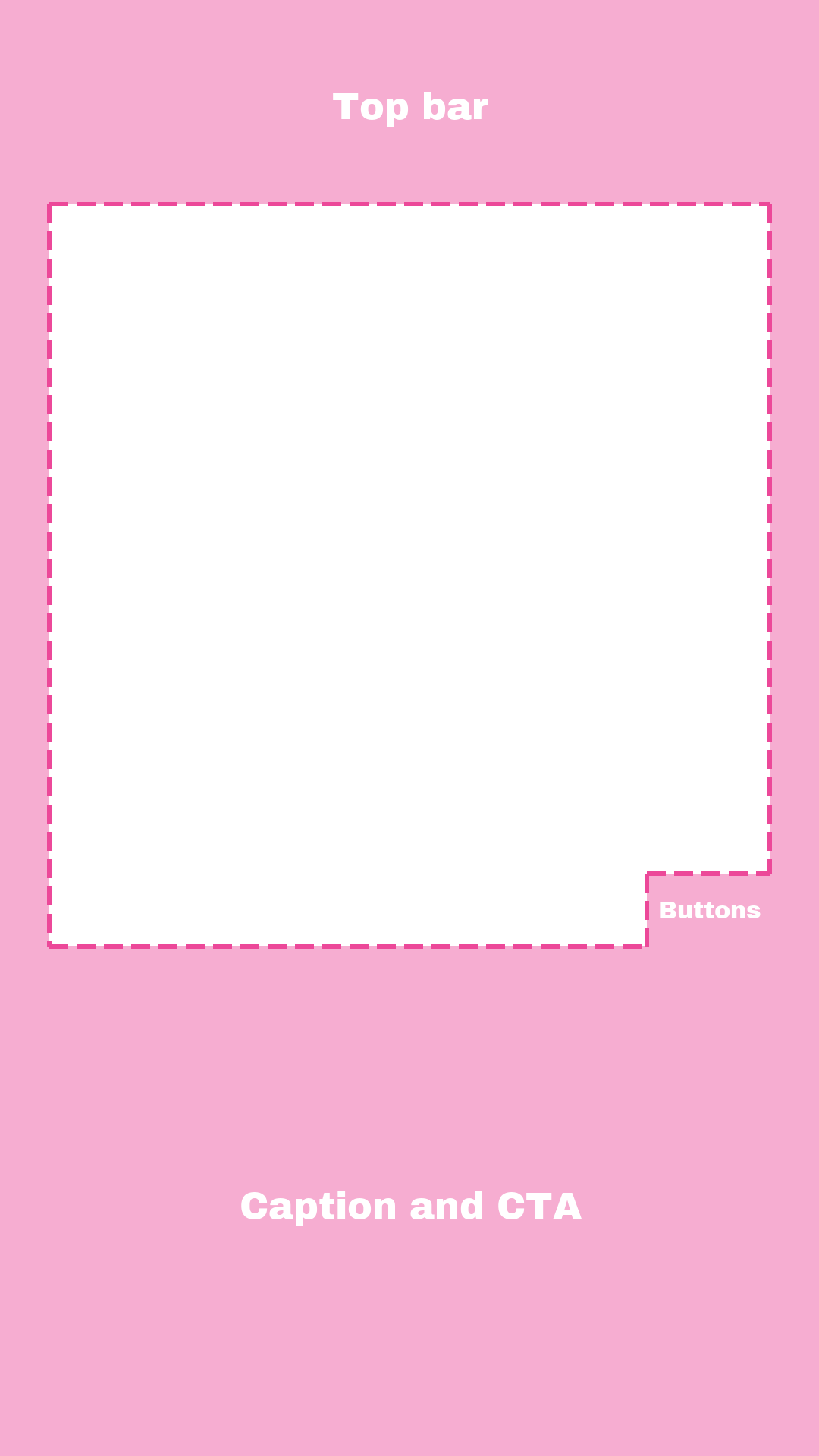
Six ads with the Reels safe zone drawn
Six ads from the Selzee gallery, run through the checker and saved with Download with safe zone. The pink is what Instagram covers. Four are 9:16, one is 4:5 and one is square, so you can see how a reused feed ad plays.
Instagram Reels safe zone dimensions and specs
What the checker grades against, and what Meta and Instagram publish beside it.
| Figure | |
|---|---|
| Export at | 1440 x 2560 (Meta's Reels ads figure) |
| Ratio | 9:16 |
| Minimum | 500 px wide |
| Safe area | 14% top, 35% bottom, 6% each side, 40% bottom on the right 21% (Meta's ad guidance) |
| Video file size limit | 4 GB |
| Video formats | MP4, MOV |
| Image formats | JPG, PNG |
| Safe zone at 1080 x 1920 | 65 each side, 269 top, 672 bottom, buttons from y 1152 on the right 227 |
| With a disclaimer | keep the bottom 40% clear (Meta) |
| Short video ad | 250 px wide or more, under 30 seconds (Meta) |
| Primary text | 44 characters recommended (Meta) |
| Organic reel | 1.91:1 to 9:16, 720 px or more (Instagram Help) |
| Reel cover | 420 x 654 (Instagram Help) |
Sources: Meta's Reels ads guide for video and for images, Meta's safe zone help article and Instagram Help, Reel size and aspect ratios. Feed post shapes are in the Instagram size checker. Verified 2026-10-20.
Reels ads and organic reels: one published zone
Meta publishes one Reels safe zone, and it is for ads. The Reels ads guide gives 14%, 35% and 6%. The help article on text overlays and the safe zone adds the right corner for the buttons, and asks for the bottom 40% when an ad carries a disclaimer.
Instagram publishes no safe zone figure for an organic reel. Its Reel size page gives only the shape (1.91:1 to 9:16), the 720 pixel floor and the 420 x 654 cover. So the checker draws one zone, Meta's, and has no organic switch. An organic reel has no ad button, but it has the same caption, audio line and buttons, so the ad zone is the safe plan for both.
Meta adds one more warning. On a phone taller than 9:16, Instagram may zoom the reel to fill the screen and crop the edges, or show it with black bars. Keep words well inside the dashed line, not on it.
Reels vs Stories vs TikTok safe zones
The same 9:16 frame, three different interfaces on top of it.
| Instagram Reels | Instagram Stories | TikTok | |
|---|---|---|---|
| Top | 14% (269 px) | 14% (269 px) | 240 px |
| Bottom | 35% (672 px) | up to 35% (672 px) | 660 px |
| Each side | 6% (65 px) | 6% (65 px) | 120 px |
| Right side buttons | right 227 px from y 1152 | none | 180 px column from y 840 |
| Source | Meta, for ads | Meta, for ads | measured on TikTok's file |
All at 1080 x 1920. Stories: Meta's Stories ads guide. TikTok: the TikTok safe zone checker, measured on TikTok's own file. Check a story in the Instagram story size checker. Verified 2026-10-20.
Four real ads, four results
Measured on 20 October 2026, at the size the Selzee gallery serves each file.
Quinn Marketing, 603 x 1080
Plays with bars at 99% of the screen. The opening line is clear. The offer box sits under the caption and the buttons.
SuperSummary, 603 x 1080
Plays at 99% of the screen. The headline is clear. The last two lines of the checklist sit in the caption band.
Arabian Aromas, 870 x 1080
A 4:5 feed ad. It plays at 70% of the screen, with space above and below. The bottom of the picture goes under the caption.
GymBeam, 1024 x 1024
A square ad. It plays at 56% of the screen. The word EASY is clear, and the glass sits in the caption band.
How to check an Instagram reel
-
Drop the reel in
Drop an image, a cover or a video, or paste a screenshot. Your browser reads it, so nothing leaves your device.
-
Read the zone on your frame
The top bar, the buttons and the caption band are shaded on your own reel, with a dashed line round what stays clear.
-
Download it
Save the frame with the zone drawn, for your editor. An image can also be cropped or fitted to 1440 x 2560 and saved as a JPG or PNG.
Why check the safe zone before you post
Instagram draws its interface over every reel, and the parts it covers are the parts a design reaches for first.
About 56% of the frame is not yours
The top, the bottom, the sides and the button corner add up to 56% of a 9:16 reel.
The bottom is where the offer usually goes
The bottom 35% holds the name, the caption, the audio line and, on an ad, the button.
The buttons sit over the right edge
Like, comment and share run down the right side, so right-aligned text under them is hidden.
How to make a reel that survives the safe zone
-
Build on a 9:16 canvas
Use 1440 x 2560 for an ad, or 1080 x 1920. Any other shape plays smaller, with bars.
-
Keep the hook below the top 14%
That is 269 pixels on a 1080 x 1920 reel.
-
Keep the offer above the bottom 35%
On a 1080 x 1920 reel, the caption and the audio line sit below y 1248.
-
Leave the right corner empty
From y 1152 down, the right 227 pixels belong to the buttons.
-
Write a short primary text
Meta recommends 44 characters of primary text for a Reels ad. Put the long story in the reel, not under it.
Who this checker is for
Brands running Reels ads
An offer under the call to action is money spent on a line nobody reads.
Creators posting reels
A hook under the top bar is lost in the first second, the one that counts.
Teams reusing TikTok and Story cuts
Each app covers different parts, so a frame that was safe on one can fail on another.
What the checker tells you
Every check returns the same four things, whichever file you drop in.
The verdict
Kept as is, plays with bars, too small, too large or the wrong file type, for this exact file.
The safe zone
Drawn on your own frame: the top bar, the buttons, the caption band and the side margins.
The download
Your frame with the zone drawn, as a PNG. For an image, also the reel itself at 1440 x 2560, as a JPG or PNG.
The spec
Every Meta size, type and limit the verdict used, one click under the result.
Instagram Reels safe zone: FAQ
What is the Instagram Reels safe zone?
What are the Instagram Reels safe zone dimensions?
Is there a free Instagram Reels safe zone template?
What size is an Instagram Reel?
Is the Instagram safe zone the same for Reels and Stories?
Why is the text on my reel covered?
Does Meta publish a safe zone for organic reels?
What size is an Instagram Reel cover?
Watch: safe zones for vertical video
How we checked these figures
Last checked: 20 October 2026. The sizes, file types and limits come from Meta's Reels ads guide for video and for images. The right corner comes from the diagram in Meta's help article on the safe zone, which marks 40% on the right 21% of the frame. The organic shape, floor and cover size come from Instagram Help. We read every page at the source that day.
We then ran the checker on the six gallery ads on this page, on a 1080 x 1920 PNG and on two test clips, a 1080 x 1920 MP4 and a 1920 x 1080 MP4, on 20 October 2026.
- The zone: 14% top, 35% bottom, 6% each side, and 40% on the right 21%, all from Meta.
- The shape: 9:16 fills the screen. A wider file plays smaller, with bars.
- The floor: 500 pixels wide for a still and for a video ad of 30 seconds or more.
- The file: MP4 or MOV up to 4 GB for a video, JPG or PNG up to 30 MB for a still.
- The templates: drawn by code from the same numbers, and tested against them.
Keep exploring
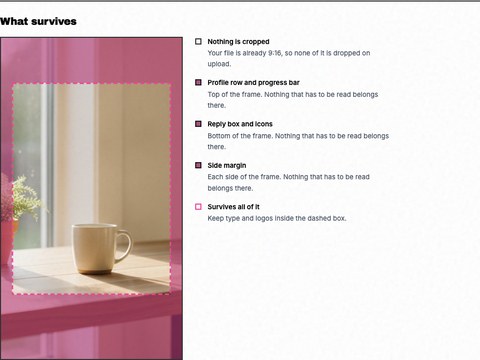
See the 9:16 crop and the safe zones the profile row and reply box cover, drawn on your own story. Nothing is uploaded.
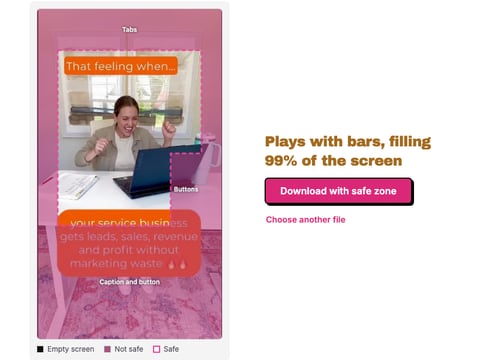
Drop a TikTok ad, image or video, and see what the tabs, buttons and caption cover, drawn on your own frame. Nothing is uploaded.
Drop one image in and see what Instagram does to it in every format, with the crop drawn on your photo, then download the fixed file. Nothing is uploaded.
Drop a picture and get a realistic Instagram post or ad mockup: your name, caption, likes, light or dark, 1:1 or 4:5. Download a PNG. Nothing is uploaded.
The safe zone is the easy part
Knowing where the words go takes one template. Having words worth putting there every week is the hard part. Turn your comments, reviews and results into ads in your brand. Free to start, no credit card.
Get started for free