Free tool
YouTube Thumbnail Downloader (FREE TOOL)
Paste a YouTube link, get every size of its thumbnail. Nothing is uploaded.


The short answer
- A YouTube thumbnail downloader saves the picture YouTube shows for a video in every size YouTube stores, up to five, and the largest is 1280 x 720. There is no 4K thumbnail, even for a video uploaded in 4K.
- Three of them, 640 x 480, 480 x 360 and 120 x 90, are 4:3, so on a widescreen video they carry black bars above and below the picture.
- Older or low-resolution videos often have no 1280 x 720 file at all; the tool then shows the largest one that exists.
Get Selzee's guides in your Google results.
Add Selzee as a preferred sourceOne thumbnail, three of its sizes
The same Diary Of A CEO video as YouTube serves it. The 4:3 file really does carry those bars. To check a thumbnail of your own against YouTube's upload rules, use the YouTube thumbnail size checker; channel art has its own rules in the YouTube banner size checker.



Every size YouTube stores
The five files behind every YouTube thumbnail, largest first.
| Pixels | Shape | What it is | |
|---|---|---|---|
| Full HD | 1280 x 720 | 16:9 | The largest file YouTube keeps. Missing on some older or low-resolution uploads. |
| Standard | 640 x 480 | 4:3 | On a widescreen video, the picture with black bars above and below. |
| High | 480 x 360 | 4:3 | Bars too on a widescreen video. It was there on every video we checked. |
| Medium | 320 x 180 | 16:9 | No bars. A small 16:9 copy. |
| Small | 120 x 90 | 4:3 | A tiny preview. Bars too on a widescreen video. |
Verified 2026-09-29.
Three real videos, checked one at a time
Each link was pasted on its own into this tool on 29 September 2026.

MrBeast, I Survived The Most Extreme Places On Earth
All five sizes exist, from 1280 x 720 down to 120 x 90. The 640 x 480 file carries black bars above and below the picture.

Me at the zoo (2005)
The first video on YouTube. Its largest thumbnail is 480 x 360, and the 1280 x 720 and 640 x 480 files do not exist.

Alex Hormozi, This Video Should Be Required Viewing for Business Owners
All five sizes exist here too. The 1280 x 720 file is 16:9 with no bars, so it drops into a slide without any cropping.
How to download a YouTube thumbnail
-
Paste one link
A normal video link, a Shorts link, a youtu.be link or just the video id. The thumbnail appears as you type.
-
See every size that exists
The tool asks YouTube for each size and shows only the ones that are really there, with the title and the channel.
-
Download all, or one size
Download all gives one ZIP with every size of that video. Each size also has its own Download button.
Which size to download
For a mood board, a competitor review or a slide, take the largest file, 1280 x 720. It is 16:9 with no bars, so it drops into anything widescreen without cropping.
For a small preview in a list or a doc, 320 x 180 is enough and far lighter.
Skip the 4:3 files (640 x 480, 480 x 360 and 120 x 90) for widescreen use: on most videos they carry black bars you would have to crop off. They are only worth it when the largest file does not exist.
Why some videos have no HD thumbnail
YouTube does not make the 1280 x 720 thumbnail for every video. Ask for it on a video that lacks it and YouTube answers with an error and a small grey placeholder. A tool that does not check that answer shows you the grey box as if it were the thumbnail.
In our checks the missing files belonged to old or low-resolution uploads. YouTube does not publish the rule, so this tool does not guess: it asks for every size and shows only the ones that come back.
YouTube thumbnail downloader: FAQ
What sizes of a YouTube thumbnail can I download?
Up to five: 1280 x 720, 640 x 480, 480 x 360, 320 x 180 and 120 x 90. The 640 x 480, 480 x 360 and 120 x 90 files are 4:3, so on a widescreen video they carry black bars above and below the picture.
Can I download a YouTube thumbnail in 4K?
No. YouTube stores thumbnails up to 1280 x 720, even for a video uploaded in 4K. A site that offers a 4K thumbnail is scaling a smaller file up.
Why is there no HD version of this thumbnail?
YouTube does not create the 1280 x 720 file for every video. In our checks it was missing on old or low-resolution uploads, like the first video on YouTube. The tool shows the largest size that exists instead of a grey placeholder.
Does it work for YouTube Shorts?
Yes. Paste the Shorts link and the tool reads the video id from it, the same way as for a normal video.
Can I reuse a thumbnail I downloaded?
No, not without permission. A thumbnail belongs to the person who made the video. Use it to study what works, and ask the creator before you publish it anywhere yourself.
Is anything uploaded when I download a thumbnail?
No. Your browser asks YouTube for the files directly. The link and the images never reach the Selzee servers.
Can I download the thumbnails of several videos at once?
One video at a time. Paste a link, press Download all for a ZIP of every size of that video, then paste the next link.
What is the URL of a YouTube thumbnail?
A thumbnail is a JPG at i.ytimg.com/vi/, then the video id, then a file name: maxresdefault.jpg is 1280 x 720, sddefault.jpg is 640 x 480, hqdefault.jpg is 480 x 360, mqdefault.jpg is 320 x 180 and default.jpg is 120 x 90. The first video on YouTube, for example, has its 480 x 360 file at i.ytimg.com/vi/jNQXAC9IVRw/hqdefault.jpg.
Why does a YouTube thumbnail have black bars?
Three of the five files are 4:3: 640 x 480, 480 x 360 and 120 x 90. A widescreen video is 16:9, so its picture sits inside the 4:3 file with black bars above and below. The 16:9 files, 1280 x 720 and 320 x 180, have none.
Watch: downloading a YouTube thumbnail
How we checked these sizes
Last checked: 29 September 2026. Every size on this page was measured by downloading YouTube's own thumbnail files, and each video's title and channel come from YouTube oEmbed. We ran the downloader on five real videos, including the first video on YouTube.
Sizes for other platforms are in the social media image size checker, and how a video performed is the YouTube engagement rate calculator's job.
- The tool asks YouTube for every size and shows only the ones that come back.
- A missing size is caught from YouTube's answer, so a grey placeholder is never shown as a thumbnail.
- Title and channel come from YouTube, not from us.
- Nothing is uploaded: your browser asks YouTube directly.
- The five example videos above were run through the tool on 29 September 2026.
Keep exploring
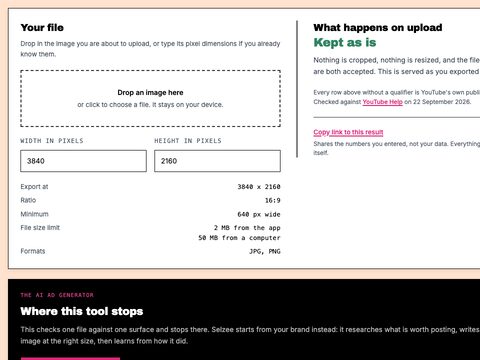
YouTube Thumbnail Size Checker
Drop a thumbnail in and see what YouTube does to it, against the current 3840 x 2160 spec. Nothing is uploaded.
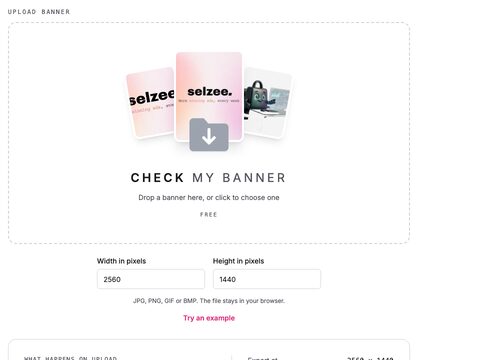
YouTube Banner Size Checker
See the 2560 x 1440 crop and the 1235 x 338 safe area YouTube keeps on every device, drawn on your own banner. Nothing is uploaded.
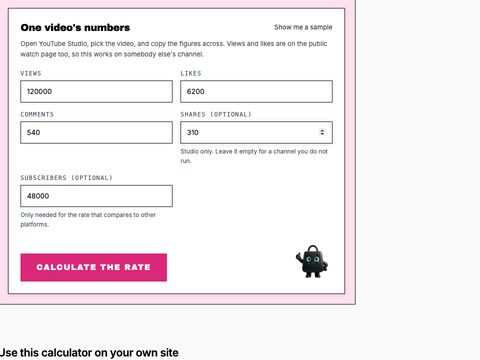
YouTube Engagement Rate Calculator
Calculate a YouTube engagement rate by views and by subscribers, with the interactions per 1,000 views and the comment share.

Trending Ads
What actually makes an ad trend, where to find genuinely current examples, and how to adapt a trending ad's structure without copying its execution.
Know what to put in your own thumbnails
Selzee reads your comments, reviews and results, then designs posts and ads worth clicking, in your brand. Free to start, no credit card.
Get started for free