Free tool
Instagram Profile Picture Size Checker (FREE TOOL)
Drop your photo in and see what the round crop hides before you upload it. Instagram publishes no size, so every figure here is labelled. Nothing is uploaded.

Upload photo
No file? Type a size
JPG, PNG or HEIC. The file stays in your browser.
Details and full spec
- Ratio
- 1:1
- Practical floor
- 110 px wide
- Formats
- JPG, PNG, HEIC
The short answer
- An Instagram profile picture is the small round image beside your name on your profile, posts and comments. Instagram publishes no size for it; size guides such as Expert Photography cite 320 x 320 pixels, a 1:1 square, and this checker does not flag a larger square such as 1080 x 1080.
- What is certain is the shape: Instagram shows the picture as a circle cut from the square, which hides about 21% of it, all in the corners. Keep the face or logo in the middle.
Get Selzee's guides in your Google results.
Add Selzee as a preferred sourceOne picture, two shapes
The Selzee profile picture, run through this checker. For a feed post rather than a profile picture, use the Instagram image resizer; to see what a story covers, use the Instagram story size checker.
Every profile picture figure
What the checker grades against. Instagram publishes none of these, so each one says where it comes from.
| Figure | |
|---|---|
| Export at | 320 x 320 (widely cited, not published) |
| Ratio | 1:1 |
| Practical floor | 110 px wide (not published) |
| Formats | JPG, PNG, HEIC (not published) |
Verified 2026-09-24.
Three files, three results
Checked with this tool on 29 September 2026.
Our picture, 2000 x 2000
Kept as is. Square, so nothing is cut before the circle, and the circle hides only empty corners.
A phone photo, 1080 x 1350
Cropped on upload. The square cut loses 20% of its height, then the circle takes the corners.
A tiny file, 100 x 100
Below 110 pixels, the on-screen size some guides list, so it is shown larger than the file and looks soft.
How to check a profile picture
-
Drop the picture in, or type the size
The checker reads the file in your browser, so nothing leaves your device and nothing is uploaded.
-
See the square cut and the circle
Both are drawn on your own picture, with every problem listed, worst first, and the corners marked.
-
Download a square that fits
If the file needs a fix, one button hands it back cut to a centred square.
Why check a profile picture before you upload
It is the smallest image on your profile and the one people see most often.
Square logos lose their corners
A logo designed edge to edge in a square loses about a fifth of itself to the circle, and text near the corners goes first.
Portrait photos lose the top and bottom
A 4:5 photo from your camera roll loses 20% to the square before the circle takes the corners.
Nobody publishes the numbers
Instagram gives no size, so the checker shows the one thing that is certain, the round crop, on your own photo.
Instagram publishes no profile picture size
Search for the Instagram profile picture size and you get 320 x 320 in most of the top results, often next to 110 x 110, as in this guide. Instagram's own help page on changing the picture gives the steps and no numbers at all. The figures come from guides repeating each other, which is why this page labels them.
The shape needs no source. Every profile shows the picture as a circle, and a circle inside a square covers pi over four of it, about 79%. The other 21% is the four corners, which is where square logos keep their edges and where a tight headshot keeps the top of the head.
The feed: the Instagram post checker
The full-screen format: the story checker
How to export one that survives the circle
-
Export a square
Guides cite 320 x 320 and this checker does not flag a larger square, like 1080 x 1080. A square means you decide the crop.
-
Keep the subject inside the circle
Centre the face or the logo, with space around it. Anything near a corner is hidden by the circle.
-
Make it readable when it is small
Some guides list about 110 pixels on screen. One bold shape or one face reads at that size; a logo with a tagline does not.
-
Use JPG or PNG
Both are safe choices for a still image with a face or a logo in it, and neither adds a step for you.
-
Check it before you upload
The checker shows the circle on your own photo, so you can move the subject before anyone sees it.
Who this checker is for
Brands putting a logo in the circle
Wordmarks and square logos lose corners and edges, and the checker shows exactly which ones on your own file.
Founders and creators using a headshot
A photo cropped tight to the head loses the top of it to the circle, so leave room above the hair.
Designers handing a picture to someone else
The person who uploads a picture rarely made it, so one check before handover saves a second export.
What the checker tells you
Every check returns the same four things, so the answer has the same shape whichever file you drop in.
The verdict
Cropped, scaled up or clean. One line that says what happens to this exact file on its way into the circle.
The problems
All of them, worst first, not only the first one. A file can be off-centre and too small at once.
The preview
The circle on your own photo, with the square cut dimmed and the corners the circle hides marked.
The fix
Export a centred square. It says what to export again, and where a new export will not help because the detail is missing.
Frequently asked questions
What size is an Instagram profile picture?
Why is my Instagram profile picture cut off?
Does Instagram publish an official profile picture size?
How big is the profile picture on screen?
Is my photo uploaded when I check it?
Is an Instagram profile picture a circle or a square?
Why is my Instagram profile picture blurry?
What file type is best for an Instagram profile picture?
Watch: fitting a profile picture in Instagram's circle
How we checked these figures
Last checked: 24 September 2026. Instagram Help on changing a profile picture gives steps and no size, shape or file type, which is why every figure here is labelled as a convention; the circle needs no source, because a circle inside a square covers pi over four of it. We ran the checker on three files on 29 September 2026.
Sizes for every other surface are in the social media image size checker, and the free Instagram caption generator writes the caption for it.
- A non-square file is cut to a centred square first.
- The circle then hides about 21% of the square, all in the corners.
- A file under 110 pixels wide is flagged as soft.
- A larger square, like 1080 x 1080, is not flagged.
- Sizes and file types are labelled "not published".
Keep exploring
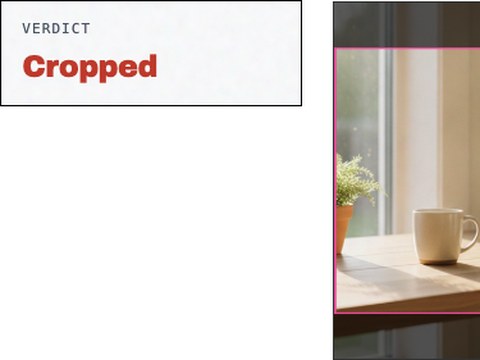
Drop an image in and see whether Instagram keeps, resizes or crops it, with the cut drawn on your own file. Nothing is uploaded.
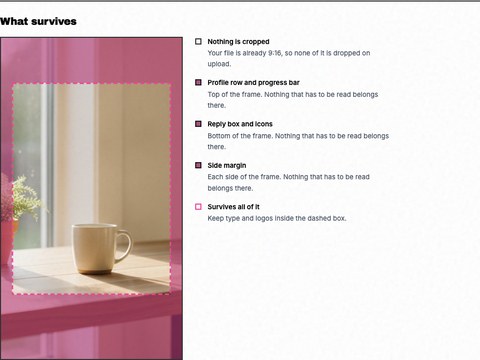
See the 9:16 crop and the safe zones the profile row and reply box cover, drawn on your own story. Nothing is uploaded.
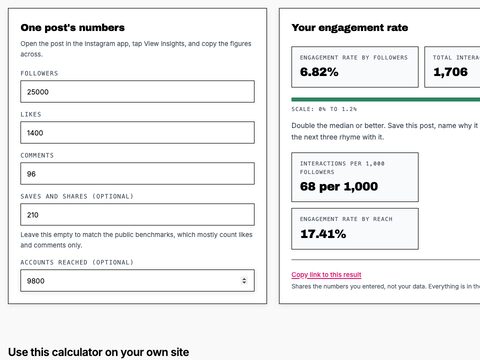
Calculate your Instagram engagement rate by followers and by reach, graded against the published all-industry median.

Drop your URL and Selzee researches your brand, your reviews and the Instagram ads your competitors run, then builds three ads from what it finds.
A picture is only the start
Turn what is going viral in your niche into Instagram posts in your own brand. Free to start, no credit card.
Get started for free