 Add to Chrome
 Instagram Comment Generator (FREE TOOL)
Type a username and a comment and get the Instagram Reels reply sticker or a comment row, light or dark, with or without the verified badge, as a transparent PNG at 2x or 3x. Nothing is uploaded.



Make my Instagram comment
Edit the text

Built and checked by Marián Cabadaj. Last checked October 2026.
What this tool is based on
TechCrunch, Instagram now lets users reply to comments with Reels (2021) for the Reels reply sticker: the comment shows in the reply Reel as a sticker. A third party: Instagram announced it in a post on X.
Instagram Help Center, verified badges for what the verified badge means: Instagram confirmed the account is the real presence of the person or brand.
Meta, Instagram Reels ads guide for 9:16 Reels and the top 14% and bottom 35% to keep free of text.
NapoleonCat, Instagram character count for the 2,200 character comment and the 30 character username. A third party: Instagram does not publish these. The picture keeps 300 characters, our choice.
FTC, final rule banning fake reviews and testimonials (2024) for the ban on fake reviews and on fake indicators of social media influence.
The examples on this page were made by the same code the tool runs.
The short answer
- An Instagram comment generator makes a picture of an Instagram comment. This one draws the "Reply to jess.wears's comment" sticker that Instagram puts on a Reel made as a reply to a comment, and a plain comment row with the username, an optional verified badge, the time and the likes. You download a PNG with a transparent background and lay it over a Reel, a story or an ad.
- Instagram added video replies to Reels in December 2021: you reply to a comment with a Reel, and the comment shows in the video as a sticker (TechCrunch).
- The PNG is drawn at 2x or 3x. At 3x the comment row is 1080 pixels wide, the full width of a 1080 x 1920 Reel.
- It makes mockups for your own ads and content. It does not post anything, and it is not for faking engagement on real posts or putting words in a real person's mouth.
Our articles are still written by HUMANS! Get human written articles in your Google feed.
Add as preferred sourceSix Instagram reply-to-comment ads made with this tool
Six static ads from the Selzee gallery, each laid out as a 9:16 Reel still with a sticker this tool drew on top. Every comment is a sample question we typed for the example, the kind of question the ad answers.
Reels sticker or comment row: which one do you need?
The two things the generator draws, each on a Selzee gallery ad.
Reels reply sticker
The card Instagram puts on a reply Reel: the small profile picture and "Reply to jess.wears's comment" on top, the comment in bold under them. Put it in the upper half, where the eye lands first.
Comment row
One comment as it shows under a post: profile picture, username, the verified badge if you want it, the time, the comment, Reply and the heart with its likes. At 3x it is 1080 wide.
What is a reply-to-comment Reel on Instagram?
A reply-to-comment Reel is a Reel made as an answer to one comment. You tap Reply on the comment, pick the Reels camera and record, and the comment goes on the video as a sticker. Instagram launched it as Reels Visual Replies in December 2021, a year after TikTok added the same idea (TechCrunch).
The sticker tells the viewer that the video is an answer, and to what. Making the same video for TikTok? The TikTok comment generator draws the TikTok version of the sticker and comment row.
How do brands use a comment graphic in ads and Reels?
Brands use a comment graphic to open an ad on a question a buyer would ask, and to show the words real customers use. Here are four ways it shows up in Instagram ads and Reels.
"Reply to comment" Reels
Take a real question from your comments, put it on the first frame and answer it in the video. The viewer knows in one second what the Reel is about.
Social proof in a feed ad
A comment row on a 4:5 feed ad shows the words your buyers use. Use real comments from your own posts, with the author's OK, never made-up praise.
A hook on a static ad
A sticker works on a still too. Keep the picture and change the question, and one ad becomes several hooks to test.
Objections, one by one
Price, size, fit, shipping, "does it work". Each objection gets its own sticker and its own short answer video.
Where should the comment sit on a Reel?
Meta asks for 9:16 Reels and asks you to keep the top 14% and the bottom 35% of the screen free of text, because the profile, the caption and the buttons sit there (Meta Reels ads guide). That leaves the middle 51% for your sticker or comment row. Check your layout with the Instagram Reels safe zone checker before you export.
Short of questions to answer? The hook generator turns your product and real customer reviews into hooks you can type into the sticker.
How do you make a fake Instagram comment?
-
Type the username and the comment
The username goes in "Reply to jess.wears's comment". It is written the way Instagram shows it: lower case, no spaces. The comment takes up to 300 characters, emoji included.
-
Pick the look
Reels sticker or comment row, light or dark, 2x or 3x. On a comment row, add the verified badge, the likes and the time. Add a profile picture, or keep Instagram's grey default.
-
Download and place it
Download the PNG and drop it on your Reel, story or ad in any editor as an overlay. The background is transparent.
Is this fake engagement?
This generator makes mockups for your Reels, ads and pitch decks, built on the questions your customers really ask. It does not post comments, add likes or touch a real account, and it is not a tool for fake engagement on real posts.
Do not make a comment look like it came from a real person who never wrote it, do not add a verified badge to someone else's name, and do not present a made-up comment as a review. In the US the FTC's 2024 rule bans fake reviews and testimonials, and buying or selling fake indicators of social media influence (FTC). The examples on this page use sample questions on Selzee's own gallery ads. This is not legal advice.
What size is the Instagram comment PNG?
The PNG grows with the comment: every extra line adds the same height.
| Width in pixels | Height in pixels | Fits | |
|---|---|---|---|
| Reels sticker, 2x | up to 584 wide | 156 for one line, plus 40 a line | A sticker on a 720 x 1280 Reel |
| Reels sticker, 3x | up to 876 wide | 234 for one line, plus 60 a line | A sticker on a 1080 x 1920 Reel |
| Comment row, 2x | 720 wide | 168 for one line, plus 36 a line | The full width of a 720 x 1280 Reel |
| Comment row, 3x | 1080 wide | 252 for one line, plus 54 a line | The full width of a 1080 x 1920 Reel |
Meta asks for Reels ads in 9:16 in its Reels ads guide. Instagram takes up to 2,200 characters in a comment (NapoleonCat, a third party: Instagram does not publish it); the picture keeps 300, because a longer one no longer reads on a phone. Verified 2026-10-26.
Light or dark: which one fits your Reel?
One ad, one question, both looks.
Light
A white card with black text, Instagram's light mode. It reads on most Reels and on a dark or busy picture.
Dark
A dark card with white text, Instagram's dark mode. Use it on a bright picture.
How do you make the comment look real?
-
Write it like a comment
Lower case, short and a little rough. People type fast on a phone.
-
Ask one question
One question per sticker. Your Reel is the answer, so make the question one it can answer.
-
Use a believable username
A username like jess.wears reads as a person; "yourname" reads as a template.
-
Keep it out of the edges
Put the sticker below the top 14% and above the bottom 35%, where Instagram's buttons and caption sit.
-
Match the light
Light on a dark or busy Reel, dark on a bright one. The text must read in one glance.
Who is this generator for?
Brands running Instagram ads
Turn the questions in your real comments into new hooks for the same Reel or static ad.
Creators and UGC editors
Drop a clean, transparent sticker on a client video without a screenshot.
Agencies
Show a client the hook on the Reel before you shoot the reply.
Instagram comment generator: FAQ
How do I make a fake Instagram comment?
How do you reply to a comment with a Reel on Instagram?
Is there an Instagram comment template?
Can I add a verified badge to an Instagram comment?
Is it legal to make a fake Instagram comment?
How many characters can an Instagram comment be?
Is this Instagram comment generator free?
How we checked
Last checked: 26 October 2026. The Reels sticker comes from TechCrunch's report on Reels Visual Replies, the badge from the Instagram Help Center, 9:16 and the safe zone from Meta's Reels ads guide, the 2,200 and 30 character limits from NapoleonCat and the rule on fake reviews from the FTC, all read at the source that day.
On 26 October 2026 we made the 15 pictures on this page with the generator and ran it in headless Chrome at a laptop width and a phone width. We typed a short comment, a comment of nearly 400 characters, a comment of emoji, an empty username, a username with spaces and capitals, and a username and a comment full of HTML and script tags.
- The size: every PNG is the layout times 2 or 3, and the comment row at 3x is 1080 wide.
- The background: the corners of the sticker are fully transparent.
- The text: a long comment wraps and stops at 300 characters, and an emoji is never cut in half.
- The username: spaces go, capitals turn lower case, and a long one ends in an ellipsis before it hits the badge or the time.
- The safety: markup in a username or a comment is drawn as letters and never runs.
- The privacy: no network request is made with the text or the picture.
Keep exploring
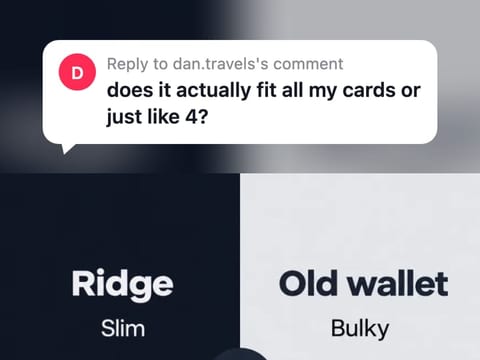
Type a name and a comment and get the TikTok "Reply to comment" sticker or a comment row as a transparent PNG at 2x or 3x. Nothing is uploaded.
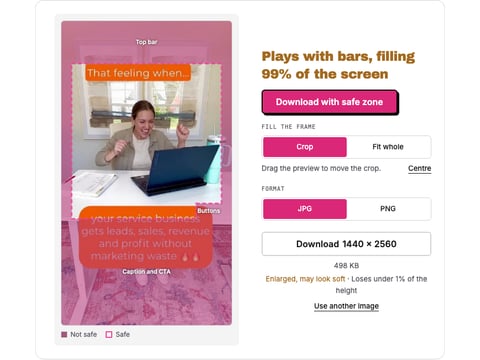
Drop a reel, a cover or a Reels ad and see what the caption, the buttons and the top bar cover, drawn from Meta's own figures. Nothing is uploaded.
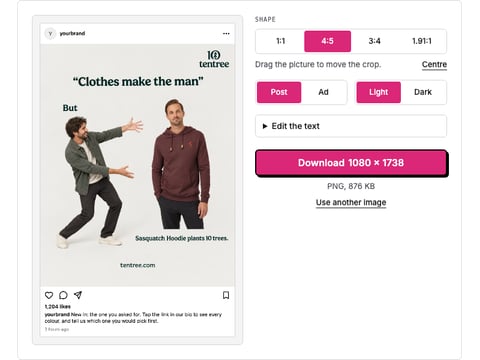
Drop a picture and get a realistic Instagram post or ad mockup: your name, caption, likes, light or dark, 1:1 or 4:5. Download a PNG. Nothing is uploaded.
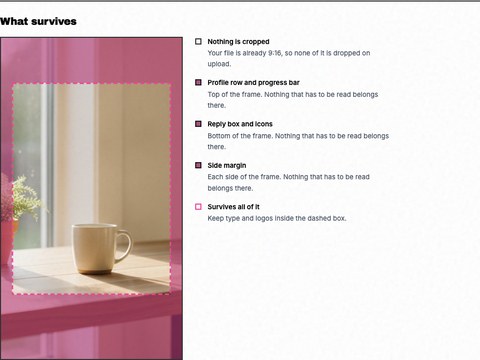
See the 9:16 crop and the safe zones the profile row and reply box cover, drawn on your own story. Nothing is uploaded.
A comment is the hook. Selzee makes the ad.
Selzee finds formats printing money right now and remakes them for your brand. New ads every day. Free to start, no credit card.
Get started for free