 Add to Chrome
 TikTok Comment Generator (FREE TOOL)
Type a name and a comment and get the TikTok reply sticker or a comment row as a transparent PNG, light or dark, at 2x or 3x. Nothing is uploaded.

Make my TikTok comment
Edit the text

Built and checked by Marián Cabadaj. Last checked October 2026.
What this tool is based on
TikTok Newsroom, Reply to comments with video for the reply sticker: the comment goes on the reply video as a sticker, and the video posts to the comments and the profile.
TikTok Ads, creative best practices for 9:16 video of at least 720p, the UI safe zone, the DIY look and the hook in the first 6 seconds.
NapoleonCat, TikTok character count for the 150 character limit of a comment. A third party: TikTok does not publish it.
The examples on this page were made by the same code the tool runs.
The short answer
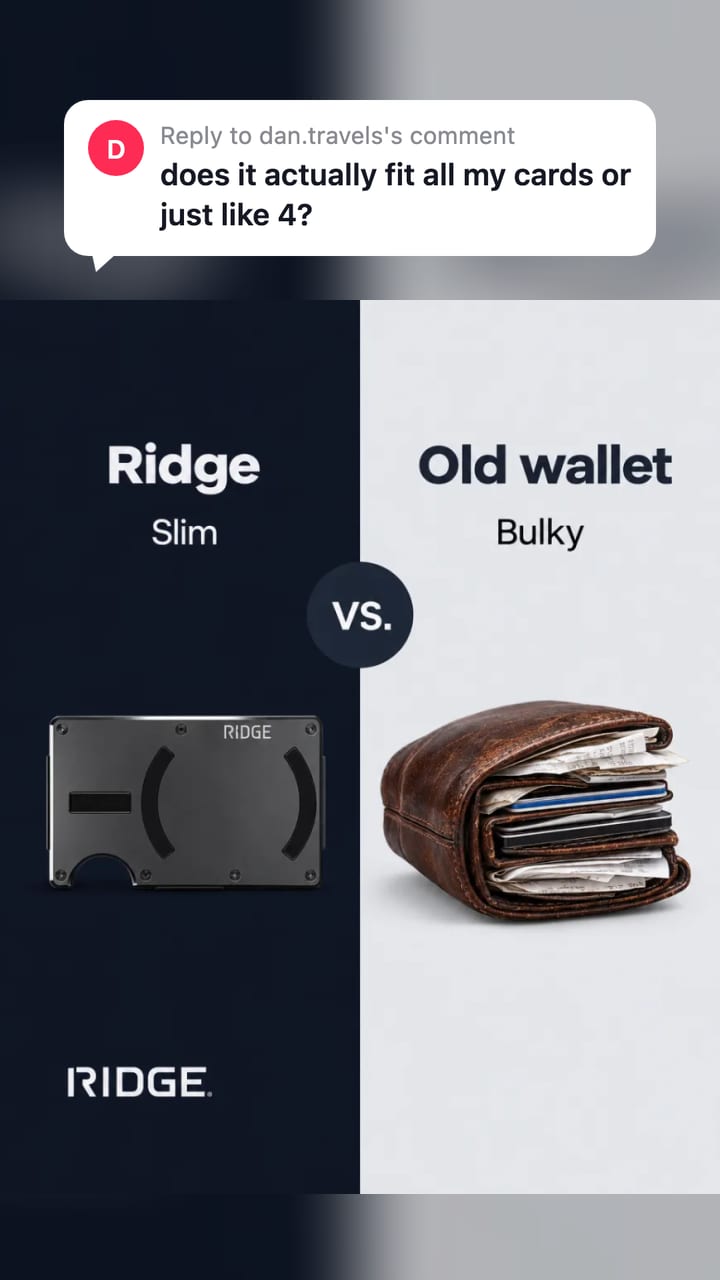
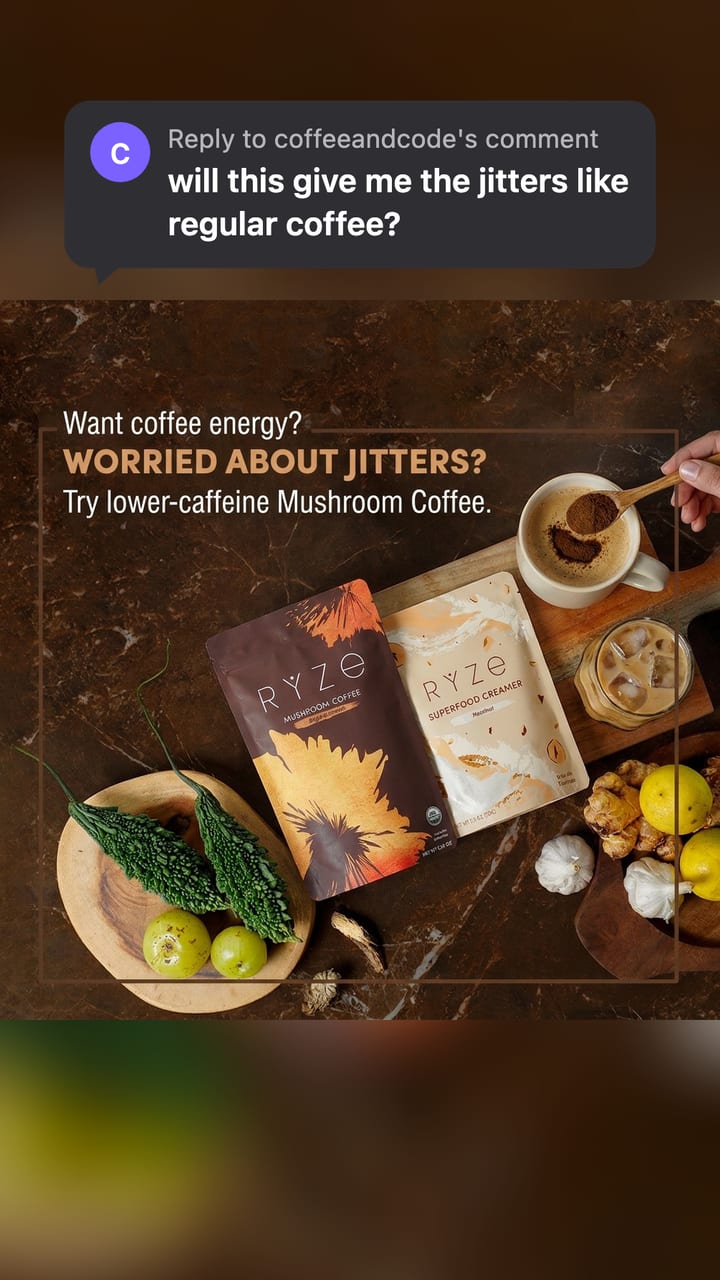
- A TikTok comment generator makes a picture of a TikTok comment. This one makes the "Reply to maya's comment" sticker that TikTok puts on a video made as a reply to a comment, and a plain comment row. You download a PNG with a transparent background and lay it over a video or an ad.
- TikTok added replies with video in June 2020: you pick a comment, record, and the comment goes on the video as a sticker, so viewers see what you answer (TikTok Newsroom).
- The PNG is drawn at 2x or 3x. At 3x the comment row is 1080 pixels wide, the full width of a 1080 x 1920 video. A comment holds up to 150 characters, the limit TikTok sets (NapoleonCat, a third party: TikTok does not publish it).
- No account, no watermark, and nothing is uploaded. Use it for your own videos and ads, never to fake what other people said.
Our articles are still written by HUMANS! Get human written articles in your Google feed.
Add as preferred sourceSix reply-to-comment ads made with this tool
Six static ads from the Selzee gallery, each with a sticker this tool drew laid on top, as a 9:16 still. Every comment is a sample question we typed for the example, the kind of question the ad answers.
Reply sticker or comment row
The two things the generator draws, each on a Selzee gallery ad.
Reply sticker
The bubble TikTok puts on a reply video: the avatar, "Reply to maya's comment" and the comment in bold. Put it near the top, where the eye lands first.
Comment row
One comment as it shows under a video: avatar, name, comment, time, Reply and the heart with its likes. At 3x it is 1080 wide.
Reply to comment on TikTok: how the format works
A reply-to-comment video is a TikTok video made as an answer to one comment. You tap the comment, record, and the comment goes on the video as a sticker. When the video is posted, it shows in the comments and as a new video on your profile (TikTok Newsroom).
The same format holds if you searched "reply to comment TikTok": the sticker is the part that tells the viewer this video is an answer, and to what.
Why reply-to-comment ads work for TikTok ads and UGC
A reply-to-comment ad opens on a question a viewer could have asked, so the first second already says what the video is about. TikTok asks advertisers to put the hook in the first 6 seconds and to go for a DIY look that fits in with what people post (TikTok creative best practices). A comment sticker does both.
Short of questions to answer? The hook generator turns your product and real customer reviews into hooks you can type into the sticker.
- The hook is a real objection: price, size, taste or "does it work". The video answers it.
- It looks like a post, not an ad, so it sits in the feed beside what people already watch.
- One ad can carry many hooks: keep the video and change the comment.
- It works on a still or a slideshow too: every picture on this page is a static ad with a sticker on top.
How to make a fake TikTok comment
-
Type the name and the comment
The name goes in "Reply to maya's comment". The comment takes up to 150 characters and emoji.
-
Pick the look
Reply sticker or comment row, light or dark, 2x or 3x. Add a profile picture, or keep the coloured initial.
-
Download and place it
Download the PNG and drop it on your video or ad in any editor as an overlay. The background is transparent.
Use it for your own content
Use the generator for your own content: your videos, your ads and the questions your customers really ask. Do not make a comment look like it came from a real person who never wrote it, and do not use one to mislead a buyer. The examples on this page use sample questions on Selzee's own gallery ads.
TikTok comment template sizes
The PNG grows with the comment: every extra line adds the same height.
| Width in pixels | Height in pixels | Fits | |
|---|---|---|---|
| Reply sticker, 2x | up to 608 wide | 140 for one line, plus 40 a line | A sticker on a 720 x 1280 video |
| Reply sticker, 3x | up to 912 wide | 210 for one line, plus 60 a line | A sticker on a 1080 x 1920 video |
| Comment row, 2x | 720 wide | 172 for one line, plus 40 a line | The full width of a 720 x 1280 video |
| Comment row, 3x | 1080 wide | 258 for one line, plus 60 a line | The full width of a 1080 x 1920 video |
TikTok asks for 9:16 video of at least 720p in its creative best practices. Before you place the sticker, check where the buttons and the caption sit with the TikTok safe zone checker. Verified 2026-10-21.
Light or dark
One ad, one question, both looks.
Light
A white bubble with dark text. It reads on most videos and on a dark or busy picture.
Dark
A dark bubble with white text. Use it on a bright picture, or to match a viewer in dark mode.
How to make the comment look real
-
Write it like a comment
Lower case, short and a little rough. People type fast on a phone.
-
Ask one question
One question per sticker. Your video is the answer, so make the question one it can answer.
-
Use a believable name
A name like maya.cooks reads as a person. yourname reads as a template.
-
Keep it near the top
Put the sticker in the upper third, clear of the buttons and the caption at the bottom.
-
Match the light
Light on a dark or busy video, dark on a bright one. The text must read in one glance.
Who this generator is for
Brands running TikTok ads
Turn the questions in your real comments into new hooks for the same video.
UGC creators and editors
Drop a clean, transparent sticker on a client video without a screenshot.
Agencies
Show a client the hook on the video before you shoot the reply.
TikTok comment generator: FAQ
How do I make a fake TikTok comment?
How do you reply to a comment with a video on TikTok?
Is there a TikTok comment template?
What size is the TikTok comment PNG?
Is it legal to make fake TikTok comments?
Can I use a TikTok comment sticker in an ad?
Is this TikTok comment generator free?
How we checked
Last checked: 21 October 2026. The sticker comes from TikTok's Newsroom post on replies with video, the 9:16 and 720p figures from TikTok's creative best practices, and the 150 character limit from NapoleonCat, all read at the source that day.
On 21 October 2026 we made the twelve pictures on this page with the generator and ran it in headless Chrome at a laptop width and a phone width. We typed a short comment, a 300 character comment, a comment of emoji, an empty name, and a name and a comment full of HTML and script tags.
- The size: every PNG is the layout times 2 or 3, and the comment row at 3x is 1080 wide.
- The background: the corners of a reply sticker are fully transparent.
- The text: a long comment wraps and stops at 150 characters, and an emoji is never cut in half.
- The safety: markup in a name or a comment is drawn as letters and never runs.
- The privacy: no network request is made with the text or the picture.
Keep exploring
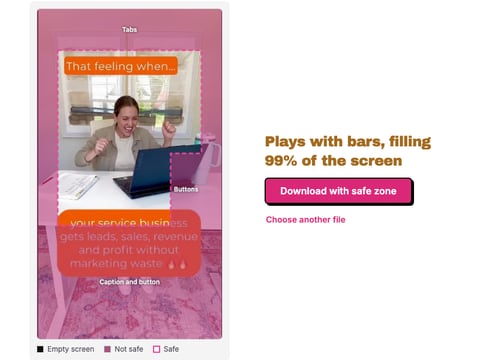
Drop a TikTok ad, image or video, and see what the tabs, buttons and caption cover, drawn on your own frame. Nothing is uploaded.
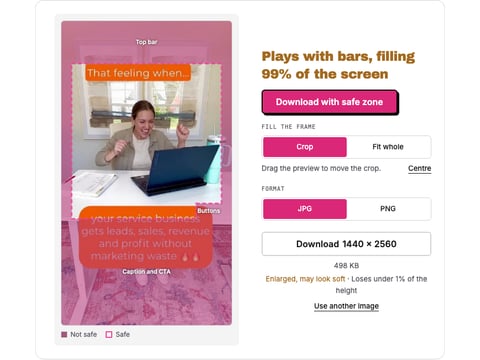
Drop a reel, a cover or a Reels ad and see what the caption, the buttons and the top bar cover, drawn from Meta's own figures. Nothing is uploaded.
Paste a TikTok username or profile link and download the avatar in the largest file TikTok keeps, up to 1080 x 1080.
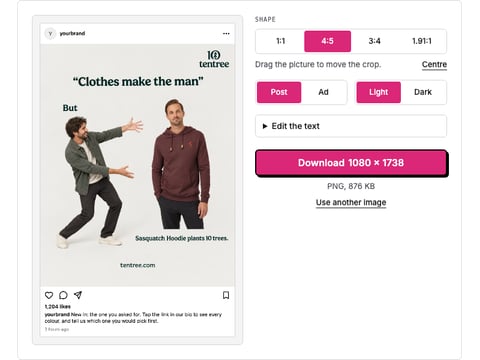
Drop a picture and get a realistic Instagram post or ad mockup: your name, caption, likes, light or dark, 1:1 or 4:5. Download a PNG. Nothing is uploaded.
A comment is the hook. Selzee makes the ad.
Drop your URL and Selzee researches your brand, your reviews and the ads working in your market, then makes static ads at the right size, in your colours. Free to start, no credit card.
Get started for free