
YouTube Description Generator (FREE TOOL)
Say what your video covers. You get three descriptions ready to paste: the lines viewers see before "Show more", a summary, your own chapters and links, and three hashtags.
- Free
- No login
- No credit card
More details (optional)
One timestamp per line, starting at 0:00. They go in as you typed them; the tool never makes one up.
What you type is sent to an AI model to write the descriptions. Nothing is published.
This is as far as the tool gets with what you typed.
Add any one of these and run it again:
That is the free batch for this page. Reload for another set, or start free with Selzee .

Built and checked by Marián Cabadaj. Last checked October 2026.
What the rules here come from
YouTube Help, Tips for video descriptions for the 5000 character limit, the two parts around "Show more", the first lines and the keyword advice.
YouTube Help, Video chapters for the chapter rules: 00:00 first, at least three in ascending order, 10 seconds minimum.
YouTube Help, Find playlists and videos using hashtags for up to three hashtags by the title and the 60 hashtag ceiling.
YouTube Help, Edit video settings for the 100 character title limit and the invalid characters rule.
YouTube Data API, the videos resource for which characters are invalid: the less-than and greater-than signs.
The examples on this page were made by the same code the tool runs.
The short answer
- A YouTube description generator writes the text under a video from what the video covers. YouTube Help says to use the first few lines to describe your video, because they are what viewers see before "Show more".
- A description holds 5,000 characters. This tool writes the opening lines, a summary and 3 hashtags, then adds your own chapters and links as you typed them.
- Chapters need a first timestamp of 00:00, at least three in ascending order, and 10 seconds or more each. The tool tells you when yours break a rule.
- The same tool works if you searched youtube video description generator or ai youtube description generator.
Our articles are still written by HUMANS! Get human written articles in your Google feed.
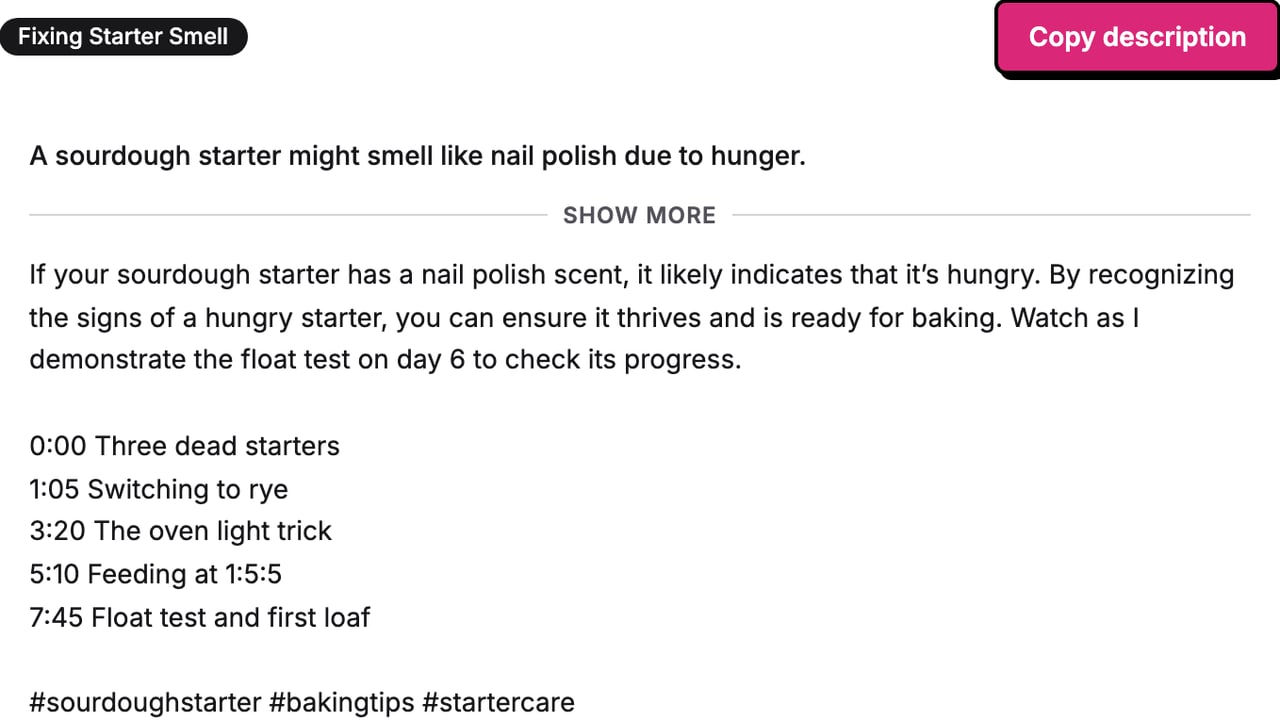
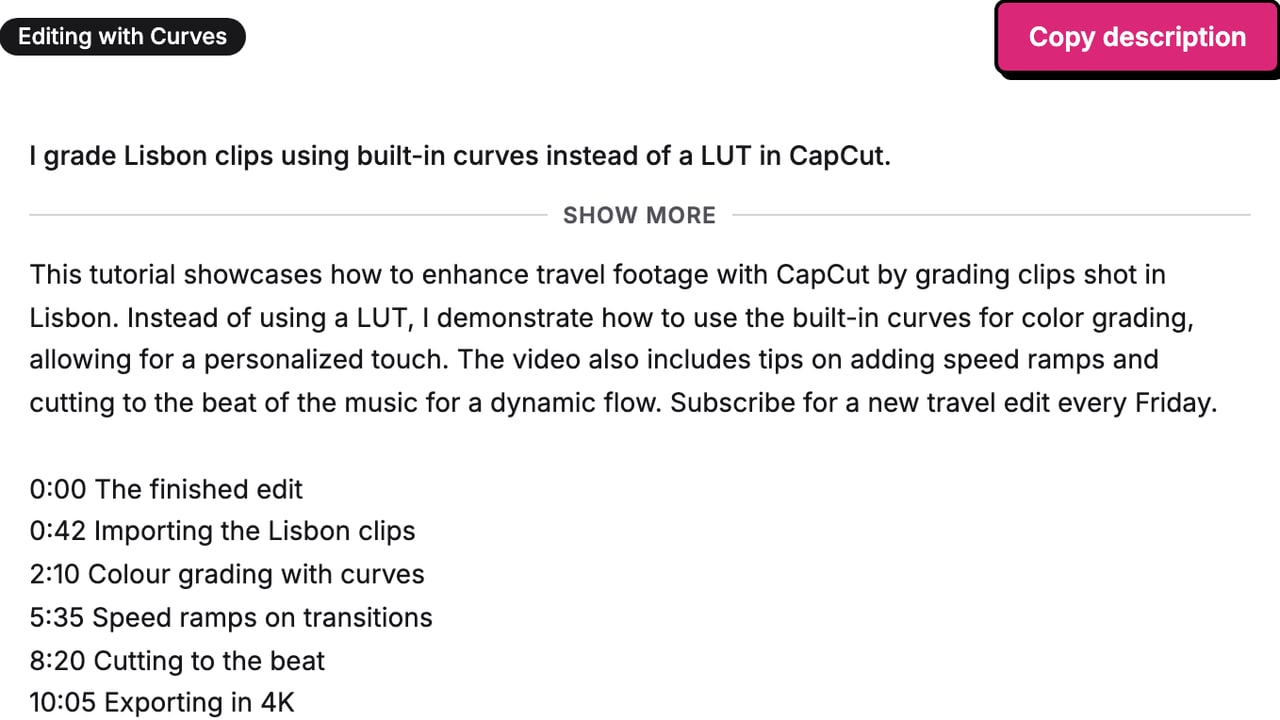
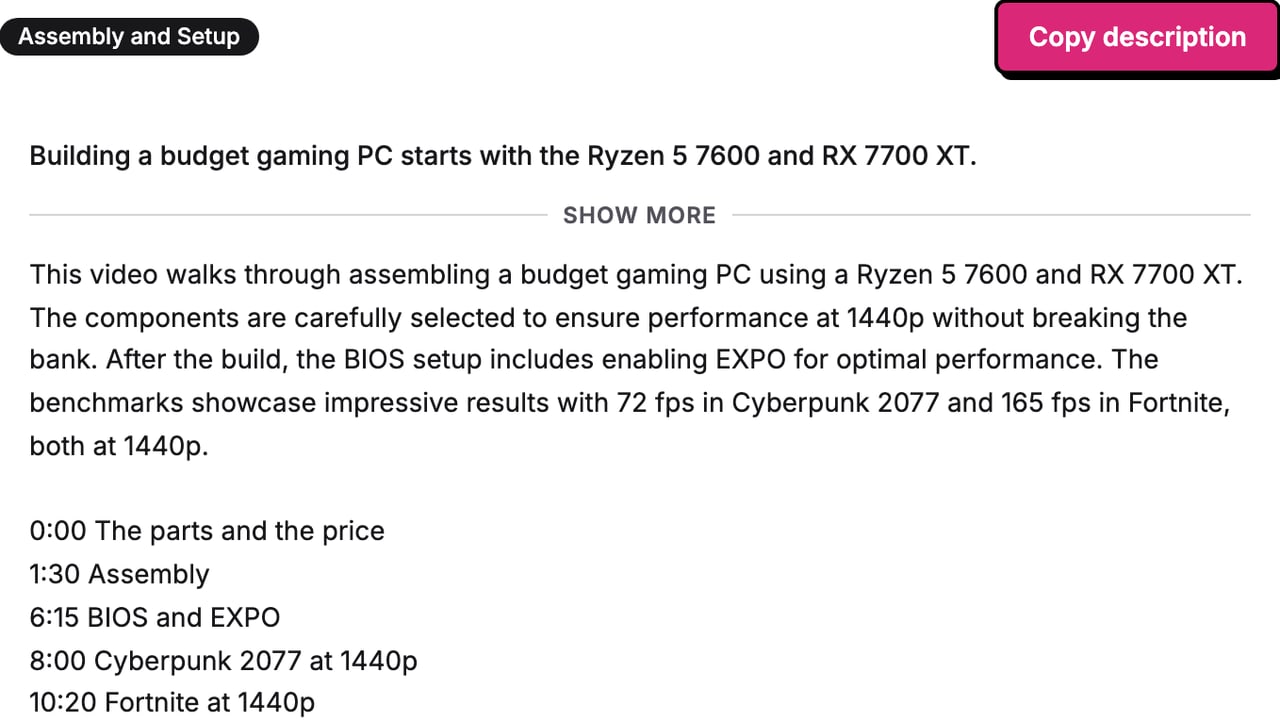
Add as preferred sourceDescriptions for three different videos
Each was written by this tool from a title and a few sentences on the video. The tags for the same videos come from the YouTube tag generator.
What YouTube shows before Show more
YouTube Help splits a description into two parts: what viewers see before they click "Show more" on a computer or "more" on a phone, and what they see after. It suggests using the first few lines to describe the video, because that is what viewers read first, and keeping channel information for the second part.
That is why every draft here opens with one or two sentences on what this video gives the viewer, with the main keyword once, before anything else. The tool shows the fold in the result, so you can read the opening the way a viewer will.
How much of the text shows before the fold depends on the screen and the page, and YouTube does not publish a number. Keep the point of the video in the first sentence and it survives any cut.
The YouTube description rules this tool follows
What the generator writes to, read from YouTube Help and the YouTube Data API on 13 October 2026.
| Rule | What YouTube says | Source |
|---|---|---|
| Length | 5,000 characters | YouTube Help, Tips for video descriptions |
| First lines | What viewers see first, before "Show more" | YouTube Help, Tips for video descriptions |
| Chapters | First at 00:00, at least 3, ascending, each 10 seconds or longer | YouTube Help, Video chapters |
| Hashtags | Up to 3 show by the title; over 60 and YouTube ignores them all | YouTube Help, hashtags |
| Characters | No < or > signs | YouTube Data API, videos resource |
| Keywords | 1 or 2 main words, a unique description per video | YouTube Help, Tips for video descriptions |
Verified 2026-10-13.
How to use the YouTube description generator
-
Say what the video covers
The title, then a few sentences on the steps, tools, places and result. This box is the material for every line.
-
Add chapters and links
Optional. Paste your timestamps and links. They go in exactly as typed, and the tool checks the chapters.
-
Copy one and paste it
Three drafts come back, each built on a different part of the video. Copy the one you would publish.
Where the description goes in YouTube Studio
-
Open the video in YouTube Studio
Sign in to YouTube Studio, choose Content in the left menu, then click the video.
-
Paste into Description
Replace what is in the Description box with the copied text. Your timestamps become chapters there.
-
Save
Click Save. Manual chapters in the description replace the automatic ones YouTube would make.
YouTube channel description: what changes
A channel description is the text in your channel header, edited in YouTube Studio under Customization, then Profile. It describes every video, not one, so chapters and hashtags do not apply.
To draft one here, type the channel name as the title and what every video on the channel covers in the big box. Keep the opening lines and the summary, and delete the hashtags. The same first-lines rule holds: say what a viewer gets from the channel in the first sentence.
Why use a description generator
The fold decides if anyone reads on
Viewers see the first lines before "Show more". Three openings to choose from beat one you rewrote at midnight.
Chapters and links stay yours
The model never writes a timestamp or a URL. Yours are copied in word for word, so nothing points to the wrong place.
The chapter rules are checked for you
A first timestamp that is not 0:00 or a 5 second chapter means no chapters. The tool says so before you publish.
Three hashtags, not thirty
YouTube shows up to three by the title and ignores every hashtag past 60. The tool writes three.
How to get a description worth publishing
-
Type the real video into the box
Name the tool, the place, the numbers. A description built on "editing tips" reads like every other one.
-
Check the opening lines out loud
If the first sentence would fit any video, pick another draft. That sentence is the description for most viewers.
-
Keep each description unique
YouTube Help asks for a unique description per video. Run the tool again for the next video instead of reusing one.
-
Do not stack keywords
One or two main words, used naturally. YouTube does not allow repetitive sentences in the description, and a keyword list is one.
-
Start chapters at 0:00
And give each one at least 10 seconds. Otherwise YouTube shows the timestamps as text, not as chapters.
Who this description generator is for
Creators who publish every week
The description is the last box before publish. A draft built on the video beats a template you forgot to edit.
Tutorial and how-to channels
Chapters matter most on long how-to videos. The tool keeps your timestamps and checks them against YouTube's rules.
Brands posting product videos
Links and a clear ask belong in the description. The tool places yours and writes the opening around the product.
What every draft gives you
Four parts, in the order YouTube shows them, with the length counted for you.
The opening lines
One or two sentences under 150 characters that say what this video gives the viewer, with your main keyword once.
The summary
One paragraph on what the video shows, in order, ending on your ask if you typed one.
Your chapters and links
Copied in as typed, never invented. Lines without a timestamp are left out, and the tool says how many.
Three hashtags and a count
Specific to the video, with no spaces, plus the length against YouTube's 5,000 character limit.
YouTube description generator: FAQ
How long can a YouTube description be?
What should I put in a YouTube description?
How do I add chapters to a YouTube video description?
How many hashtags should I put in a YouTube description?
Does a YouTube description help with search?
Can I write a YouTube channel description with this tool?
Why did the tool not write my links or timestamps?
Is this YouTube description generator free?
Watch: setting up a YouTube description
How we checked
Last checked: 13 October 2026. The length, the first-lines advice and the keyword advice come from YouTube Help, Tips for video descriptions; the chapter rules from Video chapters; the hashtag display from the hashtags page, each read at the source.
- The chapter check was worked by hand on seven cases, including a 5 second chapter, exactly 10 seconds and a timestamp past one hour, and the tool agrees with every one.
- We recorded 10 live runs on one test video and checked each for the opening under 150 characters, the summary length, three hashtags, the chapters and links word for word, and no URL or timestamp from the model.
- A different model from the one that writes the descriptions graded every run for specificity, the opening lines and invented facts.
- Typical, boundary and hostile inputs ran through the real page: an empty form, broken chapters, a non-English video and an instruction typed into the covers box.
- The three example descriptions above were generated by this tool on 13 October 2026.
Keep exploring
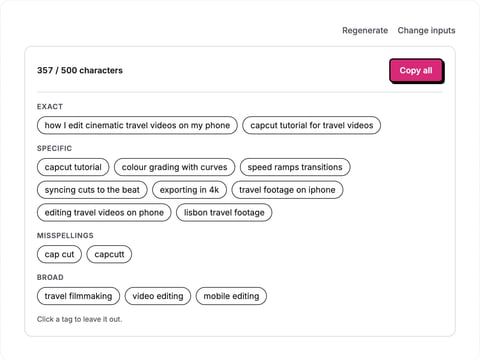
Type a video title and topic and get YouTube tags from specific to broad, counted against the 500 character limit, ready to paste.
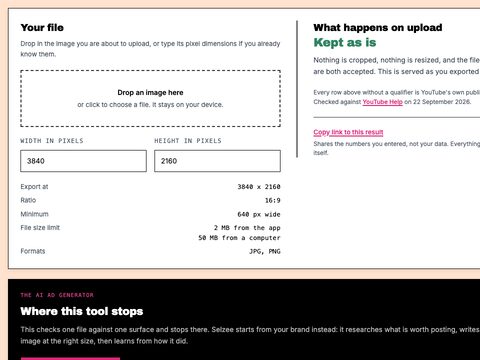
Drop a thumbnail in, see what YouTube does to it, and resize it to 1280 x 720, 4K or Shorts under the size limit. Nothing is uploaded.
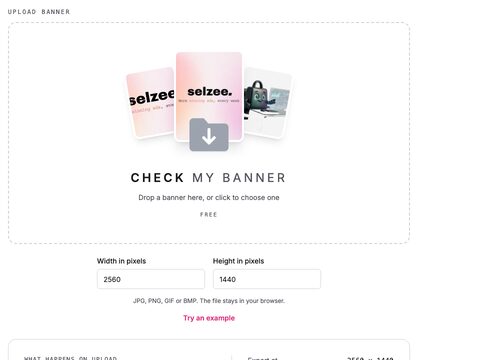
See the 2560 x 1440 crop and the 1235 x 338 safe area YouTube keeps on every device, drawn on your own banner. Nothing is uploaded.
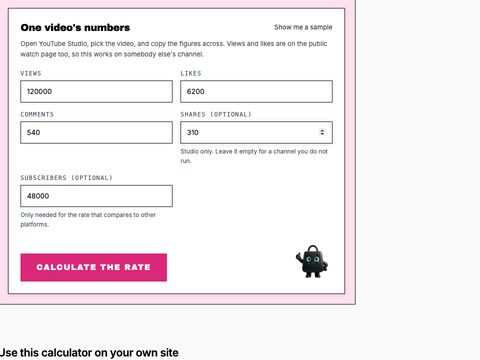
Calculate a YouTube engagement rate by views and by subscribers, with the interactions per 1,000 views and the comment share.
The video is live. Now the ads.
Selzee finds formats printing money right now and remakes them for your brand. New ads every day. Free to start, no credit card.
Get started for free