Trying to boost your Shopify conversions without a clear plan is like throwing darts in the dark. You might get lucky, but you'll probably miss the mark. Real, sustainable growth comes from a methodical approach—diagnosing the real problems before you start trying to fix them.
It's time to stop guessing and start building a data-driven strategy.
Stop Guessing Why Customers Abandon Your Shopify Store
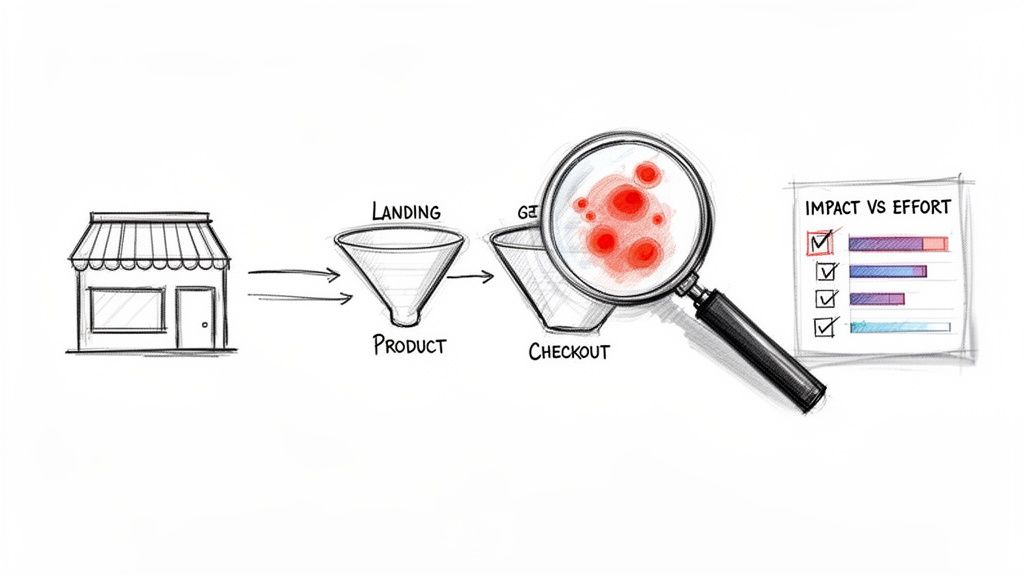
If you have a nagging feeling you’re leaving money on the table, you are. The first step in plugging your leaky sales funnel is to swap assumptions for cold, hard data. Too many Shopify merchants burn time and cash on "optimizations" that do nothing for the bottom line because they were based on a hunch, not analytics.
This isn't just another checklist. This is your battle plan. We're going to pinpoint the exact moments of friction that are costing you sales and build a prioritized list of fixes that actually move the needle.
Establish Your Performance Baseline
Before you change a single element on your site, you need to know your numbers. This baseline is your source of truth, the benchmark you'll use to measure whether your changes are working.
The average Shopify store conversion rate limps along at around 1.4% to 1.8%. The top 10% of merchants, however, consistently hit 4.7% or higher. That massive gap is your opportunity.
These are the core metrics you need to live and breathe:
- Overall Conversion Rate: The big picture—what percentage of all visitors become customers?
- Add to Cart Rate: How many people who view a product page actually add it to the cart? Low numbers here scream "product page problems."
- Checkout Abandonment Rate: Of the people who start checking out, how many bail? This tells you if your checkout process is a smooth runway or a frustrating mess.
- Conversion Rate by Device: Is your mobile experience an afterthought? A low mobile rate (average is 1.2% vs. 1.9% on desktop) is a huge red flag.
- Conversion Rate by Traffic Source: Find out which channels (Google Ads, organic, social) send you visitors who are ready to buy versus those who just browse.
Conversion Rate Benchmarks Your Shopify Store Must Target
To put those numbers in context, it's crucial to understand where you stand. The difference between an average store and a top-tier performer is staggering, and knowing the target helps you set realistic goals.
| Performance Tier | Average Conversion Rate | Key Focus Area |
|---|---|---|
| Top 10% | 4.7% or higher | Advanced personalization and A/B testing |
| Top 20% | 3.2% | Streamlining checkout and building social proof |
| Average | 1.8% | Improving product page clarity and mobile UX |
| Bottom 20% | 0.6% or lower | Fixing basic usability issues and trust signals |
Aiming to jump just one tier can fundamentally change your business. A store moving from the "Average" to the "Top 20%" nearly doubles its revenue from the same amount of traffic. That’s the power of focused optimization.
Hunt for Friction Points and High-Exit Pages
With your baseline set, it's time to put on your detective hat. Your mission is to find the exact pages where people get confused, frustrated, or just give up and leave. This is where you combine the what with the why.
Quantitative data from Shopify Analytics and Google Analytics tells you what is happening. You're looking for the smoking gun—pages with sky-high exit rates or massive drop-offs in your funnel reports. For example, if you see a terrifying 70% drop-off between the "Add to Cart" and "Initiate Checkout" steps, you've found your prime suspect.
Key Takeaway: Don't get hypnotized by your overall conversion rate. Segment, segment, segment. A store-wide 2% rate could be hiding a fantastic 5% from desktop organic search and a disastrous 0.5% from mobile social ads. The devil is always in the details.
Qualitative data tells you why it's happening. Tools that provide heatmaps and session recordings are pure gold here. You can literally watch where users click, how far they scroll, and where their mouse hovers in indecision. This is how you spot the broken links, confusing navigation, or weak value propositions that data tables can't show you.
To get straight to the source, implementing effective user testing for websites is a game-changer. It bridges the gap between what the data says and what a customer is actually thinking, giving you an incredible advantage. By layering these insights together, you'll have a crystal-clear, prioritized list of problems just waiting to be solved.
Turn Product Page Browsers into Buyers
Alright, let's get real. Your product page is where the sale is won or lost. It’s your virtual sales floor, your digital fitting room, and your best salesperson all rolled into one. If this page doesn't connect with a shopper, you can pour all the money in the world into ads, and it won't matter.
We need to dig into the psychological triggers that flip the switch in a shopper's brain, turning a casual "just looking" visit into a decisive "I need this now" purchase.
A killer product page does more than just show off an item; it sells a solution. It answers questions before they're asked, builds rock-solid trust, and makes clicking that "buy" button feel like the smartest, easiest decision they'll make all day. This is a critical battleground for conversion optimization Shopify merchants often ignore while they obsess over the homepage.
Craft Copy That Sells an Outcome, Not Just a Product
This is the most common—and most expensive—mistake on product pages: writing copy that drones on about features instead of painting a picture of the benefits.
Your customer doesn't want a "waterproof jacket"; they want the freedom to hike in a downpour and stay bone-dry. They don't want a "high-pigment lipstick"; they want a vibrant look that lasts through dinner and drinks without a single touch-up.
Features are about what your product is. Benefits are about what your customer's life will be with your product.
To nail this, get inside your customer's head. What problem are they desperate to solve? What desire are they trying to fulfill? Once you answer those questions, the copy practically writes itself.
- Before (Feature-focused): "This serum contains 1.5% pure hyaluronic acid."
- After (Benefit-focused): "Get deeply hydrated, visibly plump skin and watch fine lines fade in just one week. Our 1.5% pure hyaluronic acid serum is like a big drink of water for your skin, leaving you with a lasting, youthful glow."
If writing benefit-driven copy feels like a major chore, you can get a serious head start. Using a free product description tool can generate several compelling variations in seconds. This gives you fresh angles to A/B test against your old copy to see what truly connects with your audience.
Use Social Proof to Crush Doubt
Online shoppers are skeptical. They’ve been burned by shoddy products and over-the-top marketing claims. Your job is to dismantle that skepticism with a tidal wave of social proof. The moment a potential buyer sees that people just like them have already bought and loved your product, their purchase anxiety melts away.
Here's the proof: A study from the Spiegel Research Center found that displaying reviews can increase conversion rates by as much as 270%. Even having as few as five reviews can make a purchase almost four times more likely compared to a product with zero reviews.
Here’s how you layer on social proof to make it impossible to ignore:
- Customer Reviews & Ratings: This is table stakes. Don't hide them. Put them right up top, directly under the product title.
- User-Generated Content (UGC): Get your customers to send in photos of themselves using your product. A gallery of real, happy people is infinitely more convincing than a perfect, sterile studio shot.
- Testimonials & Quotes: Find the absolute best lines from your top reviews and blow them up as blockquotes on the page. One powerful, emotional quote can do more heavy lifting than a dozen five-star ratings.
- Trust Badges & "As Seen On" Logos: If you’ve been featured in the press or have security badges (like from McAfee or Norton), show them off! They're an instant stamp of approval from a third party.
Design Your Page for Maximum Impact
The layout of your product page isn't just about aesthetics; it's about psychology. It’s about strategically guiding your customer's eyes straight to that "Add to Cart" button. Every single element on the page needs to serve that one ultimate goal.
Most importantly, the non-negotiable stuff has to be "above the fold"—what a visitor sees without having to scroll at all.
Here’s your above-the-fold checklist:
- Crystal-Clear Product Name: No clever names nobody understands. It should be descriptive and obvious. For stores with huge catalogs, a product name optimizer can be a game-changer for getting found in search.
- High-Quality Photos & Video: Show it all. Every angle, in use, and in a real-world context.
- Obvious Price & Promotions: Don't make people hunt for the price. Ever.
- Instant Social Proof: Those star ratings need to be immediately visible.
- An Unmissable Call-to-Action (CTA): Your "Add to Cart" button needs to scream for attention. Make it big, bold, and use a contrasting color that pops right off the page.
Nailing this layout ensures that a shopper who's ready to buy can get all the info they need to pull the trigger—fast.
If you're ready for the next level, you can see how to bring all of this together with AI in our interactive demo of AI-driven optimization. By fusing persuasive copy, undeniable social proof, and a smart, frictionless layout, you’ll transform your product page from a simple catalog entry into a relentless, high-performing sales machine.
Your 90-Day Sprint From Leaky Funnel to Revenue Machine
Conversion optimization isn't a magic button you press once. It's a disciplined, systematic process of plugging leaks, building trust, and scaling what actually works. It's time to ditch random tweaks and gut feelings. This is your practical, 90-day roadmap to transform that leaky funnel into a predictable revenue machine.
We're going to break this down into three intense, 30-day sprints, each with a crystal-clear mission.
This isn’t just theory. One fashion retailer implemented 15 specific CRO tactics over three months and saw a 325% explosion in their conversion rate, jumping from a painful 0.8% to a healthy 3.4%. Another electronics store that went all-in on mobile-first design and AI-driven personalization watched their mobile conversions soar by an incredible 367%, climbing from 0.6% to 2.8%.
This journey is all about guiding your customer through a psychological process, as this timeline shows. It’s about building trust, adding social proof, and then making the call to action an absolute no-brainer.
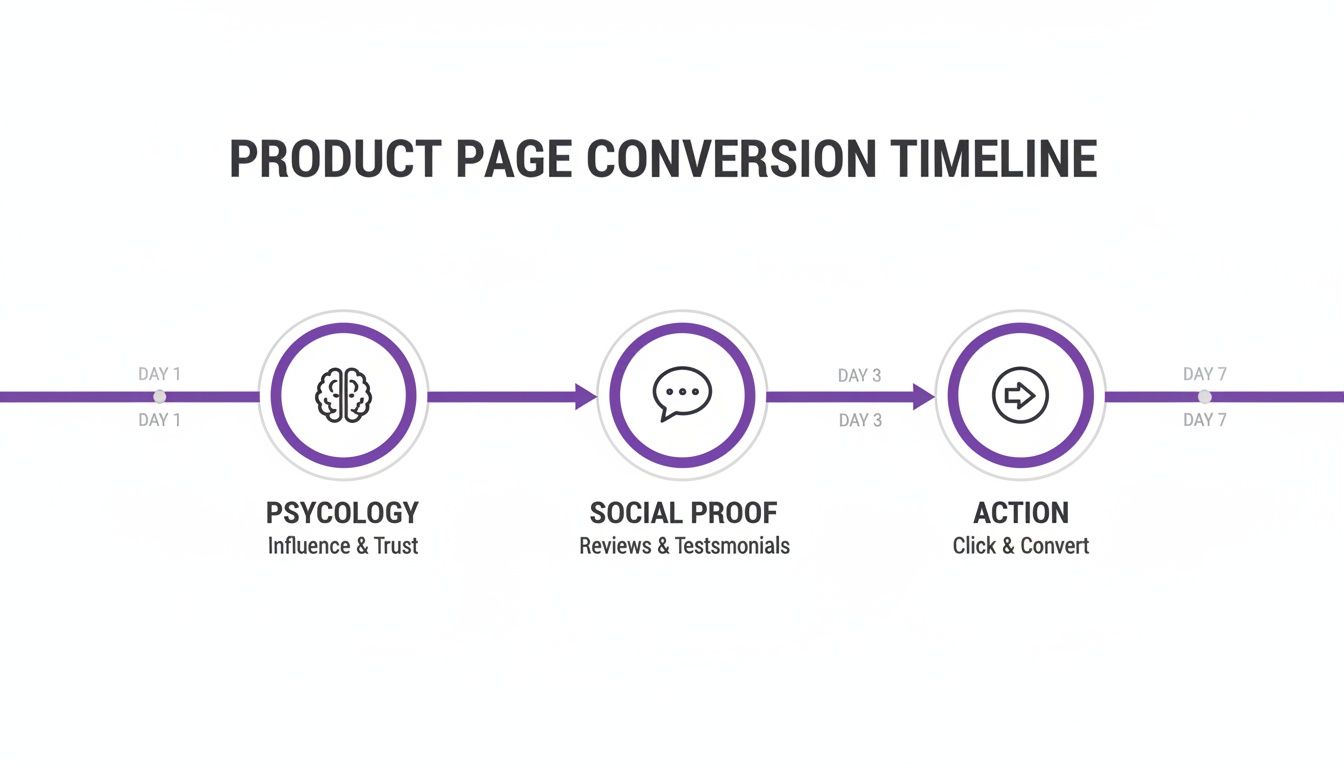
Winning a customer is never a single event; it's a series of small wins where you build both an emotional connection and a logical reason to buy.
Days 1-30: Foundational Fixes
Your first month is all about triage. We’re hunting for the low-hanging fruit—the blatant conversion killers that are costing you money right now. If you ignore these, any future work is just putting lipstick on a pig.
The mission here is simple: eliminate friction. Make your store fast, intuitive, and ridiculously easy to use, especially on a phone.
- Obsess Over Site Speed: Every second counts. A one-second delay in page load time can tank your conversions by 7%. Use Google PageSpeed Insights to diagnose the problems, then crush those oversized image files, minify your code, and get your browser caching in order.
- Audit Your Mobile-First Design: Stop thinking of your mobile site as a shrunken-down version of your desktop site. For most of your customers, it is the main experience. Actually pull out your phone and go through the entire purchase path. Is it clunky? Are the buttons tiny? Is the text a pain to read? Fix it. Now.
- Streamline Your Navigation: Can a new visitor find what they're looking for in three clicks or less? If not, your navigation and search are broken. Simplify your menu with clear category names and make sure that search bar is front and center, delivering laser-focused results.
Days 31-60: Persuasion and Trust
With the technical foundation solid, sprint two is all about psychology. This is where we build unshakable confidence and soothe the anxieties that make people abandon their carts. You have to proactively answer their objections and make your value proposition impossible to ignore.
Shoppers don't buy from websites; they buy from brands they trust. Every single element on your site either builds that trust or chips away at it. There is no middle ground.
Here’s where you’ll focus your energy:
- Build a Killer Abandoned Cart Sequence: This is more than just one "Hey, you forgot this!" email. Create a 3-5 email sequence that tackles common objections head-on. The first is a simple reminder, the second can offer help or show off some reviews, and the third can introduce a small, time-sensitive incentive to nudge them over the finish line.
- Plaster Your Site with Trust Badges: Secure checkout badges (SSL, McAfee, Norton), money-back guarantees, and clear warranty info are non-negotiable. Place them everywhere—your footer, your product pages, and all over your checkout process.
- Make Shipping and Returns Obvious: Ambiguity is a conversion killer. Is shipping free? How much is it? How long does it take? Your shipping policy needs to be incredibly easy to find and understand. Don't make people hunt for it.
- A/B Test Your Core Value Proposition: Get a testing tool and experiment with the headlines on your key pages. Does "Free Shipping on All Orders" perform better than "Handcrafted in the USA"? Don't guess. Test it.
Days 61-90: Personalization and Scaling Wins
The final 30 days are about using data and smart automation to scale what's working. You've fixed the leaks and built a foundation of trust. Now it's time to create a personalized, one-to-one experience for every shopper.
This is where AI-driven tools like Selzee become your secret weapon. Instead of a static, one-size-fits-all website, you can offer real-time, context-aware support that guides your most valuable shoppers right to the checkout.
Imagine a customer hesitating on a product page. An AI assistant can pop up to answer a specific question about sizing, suggest the perfect accessory to increase their order value, or even offer a unique, one-time discount to seal the deal. You’re essentially scaling the high-touch experience of a personal shopper to every visitor on your site, 24/7.
This final phase is all about doubling down on your wins and using intelligent automation to drive serious growth. To really pour gasoline on the fire, make sure you're weaving these 10 proven e-commerce conversion rate optimization tips into your 90-day sprint.
Put an AI Sales Pro on Your Digital Shop Floor
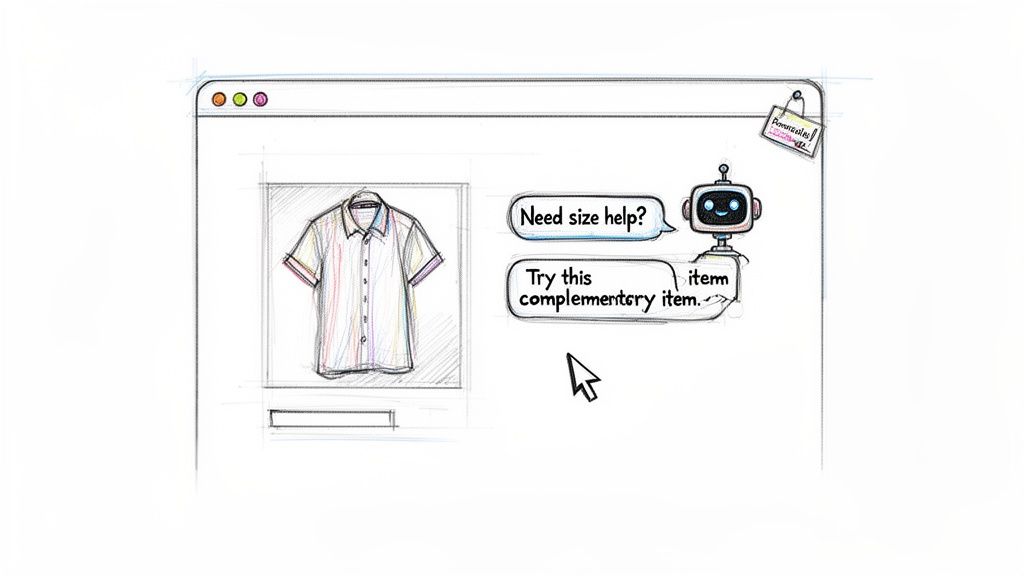
Here's a hard truth: your static product pages are leaking sales. Today's biggest CRO wins aren't about tweaking button colors; they're about transforming your silent website into an active, intelligent sales floor. This is exactly where AI-powered shopping assistants are a game-changer for Shopify stores.
Forget one-size-fits-all pages. Imagine having a dynamic, one-to-one conversation with every shopper, guiding them from "just browsing" to "just bought." This isn’t about replacing the human touch—it’s about scaling it 24/7 to scoop up revenue you’d otherwise miss while you sleep.
From "I'm Not Sure" to a Confident "Buy Now"
Think about your best in-store salesperson. They're masters at reading body language, answering questions on the spot, and making genuinely helpful suggestions. An AI assistant like Selzee does the exact same thing, but for every visitor on your site simultaneously.
Let's say a shopper is hovering over the "add to cart" button for a dress, clearly hesitating. Instead of letting them get frustrated and click away, the AI can proactively jump in:
- Solve the fit issue: "Not sure about the fit? Let me help you find the perfect size right now."
- Style it for them: "This dress pairs beautifully with our leather crossbody bag. Want to take a look?"
- Instant answers: A customer wonders, "Is this machine washable?" They get an immediate, correct answer instead of digging through product details or, worse, just leaving.
This kind of real-time problem-solving is a cornerstone of how modern conversion optimization Shopify stores are pulling ahead of the competition. It smashes through purchase friction at the very peak of a customer's buying intent.
Key Takeaway: An unanswered question is a lost sale. Every second a customer spends hunting for an answer dramatically increases the chance they'll abandon their cart. Conversational AI closes that gap instantly.
Become a Personal Shopper to Boost Average Order Value
Answering questions is one thing, but a truly smart AI is your secret weapon for cranking up that Average Order Value (AOV). By understanding what a customer is looking at, what’s already in their cart, and their browsing patterns, it can make ridiculously relevant upsell and cross-sell recommendations.
This isn't about blasting visitors with annoying, generic pop-ups. We’re talking about smart, helpful suggestions that feel like a VIP personal shopping experience.
Check out these examples:
- Someone adds a high-end camera to their cart. The AI can chime in with, "Great choice! Most photographers pair this with our high-speed memory card and a protective case to get started right away."
- A shopper is browsing skincare serums. The assistant can offer a perfectly curated bundle: "You can save 15% by getting this serum as part of our complete morning routine kit."
This is how you graduate from a simple transaction to a curated experience that adds real value. You're not just selling a product; you're helping them build the perfect solution. To see this in action, check out this case study on how an AI beauty assistant lifts conversions.
Find Your High-Intent Shoppers and Close the Deal
Not all traffic is created equal. Selzee can analyze behavior—like time on page, number of products viewed, and scroll depth—to pinpoint the shoppers who are this close to buying.
Once it identifies these hot leads, the AI can engage them with a personalized offer or priority support to nudge them over the finish line. It can turn a hesitant browser into a happy customer by offering a one-time free shipping upgrade or a small, strategic discount. This targeted, data-driven approach means your best offers go to the people most likely to convert, maximizing ROI without devaluing your brand. It’s the final, crucial step in turning conversations into cash.
Measure What Matters For Continuous Growth
You can't improve what you don't measure. All the A/B tests, copy tweaks, and AI chats in the world are just shots in the dark without a rock-solid way to track what’s actually working. This final piece of the puzzle is about moving beyond vanity metrics like traffic and obsessing over the numbers that truly dictate your profitability.
This is where you close the loop. You turn your efforts into a non-stop cycle of testing, learning, and getting better. This data-first approach is what separates the stores that get lucky once from the ones that grow consistently, quarter after quarter.
Build Your CRO Dashboard
Forget drowning in dozens of pointless metrics. Your time is too valuable for that. A focused CRO dashboard, whether you build it in Shopify Analytics or Google Analytics, should give you a clear, immediate snapshot of your store's financial health.
These are the non-negotiable Key Performance Indicators (KPIs) you need to be tracking weekly:
- Conversion Rate (by device and traffic source): Where are your buyers coming from, and what device are they on? A killer conversion rate from desktop organic search but a dismal one from mobile social ads tells you exactly where to focus your energy next.
- Average Order Value (AOV): How much is a typical customer spending each time they check out? This KPI is your best friend for boosting revenue without needing a single extra visitor.
- Customer Lifetime Value (CLV): This is the long game. Knowing what a customer is worth over their entire relationship with your brand is critical for making smart decisions on ad spend and retention.
- Cart Abandonment Rate: What percentage of shoppers add items to their cart but bail before paying? A high number here is a massive red flag screaming that something is broken in your checkout process.
- Revenue Per Visitor (RPV): This ties it all together. RPV calculates the average cash generated from every single person who lands on your site, giving you a powerful metric to gauge the overall impact of your changes.
Expert Tip: Don't just look at the numbers—look for the story they're telling. A sudden drop in AOV could mean a new discount code is too generous. A climbing RPV might show that your product page optimizations are genuinely paying off.
Go Beyond the Numbers with Qualitative Feedback
Your analytics tell you what is happening, but they can't tell you why. Why did 50 people abandon their cart on the shipping page yesterday? Was the cost a shock? Was the form a pain to fill out on a phone? The numbers alone just can’t give you that answer.
This is where getting qualitative data becomes your secret weapon. It provides the human context behind the data points.
- Session Recordings: Tools like Hotjar or Microsoft Clarity let you watch anonymous recordings of real user sessions. It’s like looking over their shoulder. You can literally see where people get stuck, rage-click in frustration, or hesitate for a full minute before giving up.
- On-Site Surveys & Polls: Ask simple, direct questions at key moments. A one-question poll on your thank-you page asking, "What almost stopped you from buying today?" can uncover priceless insights about friction points you never even knew existed.
Combining the "what" from your analytics with the "why" from user feedback creates a complete picture. It ensures your next round of optimizations is aimed at solving real customer problems, not just guessing.
The impact of layering these strategic fixes can be massive. For instance, just improving site speed can deliver a 0.4-0.7 percentage point lift. Product page enhancements often yield a 15-25% conversion increase. When you follow a structured 90-day plan, you can see a 35-55% overall improvement by compounding these fixes, which you can read more about in this detailed analysis of Shopify conversion rates.
The Continuous Loop of Improvement
Think of your CRO dashboard not as a report card, but as a compass. It tells you where to go next. The whole process should be a simple, repeatable loop: Analyze your KPIs to spot an opportunity or a problem, use qualitative feedback to form a hypothesis about why it's happening, run a test to see if you're right, and then measure the impact right back on those core KPIs.
This is the engine of sustainable growth. By tracking the right things, you ensure every action you take is a deliberate step toward building a more profitable, customer-loving Shopify store.
To make sure your numbers are spot-on, it's always a good idea to calculate your conversion rate with our free tool and compare it against what your platform's dashboard is telling you.
Got Questions? Let's Talk Shopify CRO
Diving into a full-blown Shopify conversion optimization strategy can feel overwhelming. Let's tackle some of the most common questions from Shopify merchants who are ready to get serious about turning clicks into customers.
How Long Does This Actually Take? When Will I See Results?
There's no magic wand here, but results tend to show up in waves. You can feel the impact from the foundational fixes almost instantly—things like boosting your site speed or fixing a broken link in your checkout. These are quick wins that can stop the bleeding within a few days.
For more strategic work, like A/B testing a new product description or dialing in your abandoned cart emails, you need patience. Any good test needs to run long enough to hit statistical significance, which usually means two to four weeks, depending on your traffic volume.
If you follow a comprehensive plan, like the 90-day sprint we've discussed, you’ll see wins along the way. But the big, game-changing lift in your overall conversion rate? You should expect to see that take shape after the first 60-90 days, once you've stacked up a few successful experiments across your store.
What are the Biggest CRO Mistakes Shopify Stores Make?
The biggest blunders are usually the easiest to avoid, yet they cost stores a fortune in lost revenue. Here are the top offenders:
- Shooting from the Hip: This is the number one sin. Making changes based on your gut feeling or what you think looks nice is a one-way ticket to wasted time and money. Always let data from analytics, heatmaps, and real customer feedback lead the way.
- Homepage Obsession: I've seen merchants tweak their homepage endlessly while completely ignoring their product pages and checkout flow. The real money is made (or lost) on those deeper pages where customers make their buying decisions.
- Forgetting About Mobile: With well over half of all e-commerce sales happening on a phone, a slow or clunky mobile site is an absolute conversion killer. Mobile-first isn't just a buzzword; it's the price of admission.
- Doing Too Much at Once: When you throw a dozen changes at a page all at once, you have zero idea what actually worked. Was it the new headline? The button color? That new testimonial? Test one significant change at a time so you can pinpoint exactly what moved the needle.
Should I Hire an Agency or Try to Do This In-House?
This comes down to three things: your time, your team's expertise, and your budget.
If you have a marketing person (or team) who lives and breathes analytics and A/B testing, running CRO in-house can work. You've got all the data you need right in Shopify Analytics and Google Analytics to get started.
Reality Check: Real CRO is a dedicated discipline, not just another task to add to someone's to-do list. If your team is already swamped, asking them to take on CRO without the proper time and resources is a recipe for burnout and mediocre results.
On the other hand, if your team is lean or doesn't have deep analytical chops, bringing in a specialized CRO agency or a sharp consultant can pay for itself quickly. They bring battle-tested strategies, experience, and a fresh set of eyes that can spot opportunities your team might have missed completely.
How Much Traffic Do I Need to Start A/B Testing?
There isn’t a single magic number, but the core idea is that you need enough traffic to get a trustworthy result in a reasonable amount of time (aim for under four weeks).
A solid rule of thumb is to look for pages that get at least 1,000 converting visitors per month. And pay attention to that wording—it's converting visitors for a specific goal, not just your total page views.
But what if you don't have that kind of traffic yet? Don't sweat it. Instead of tiny A/B tests, focus on making big, bold changes based on CRO best practices and direct customer feedback from surveys or session recordings. For a lower-traffic site, a total overhaul of a product page will tell you a lot more than tweaking the color of a button.
Ready to put all this into action? The next step is getting your store geared up to engage customers the second they land on your site. Selzee puts an AI sales expert on your digital shop floor, ready to answer questions, make smart recommendations, and guide your most motivated shoppers straight to checkout, 24/7.