You have traffic. People are visiting your store. But if those visitors aren't converting into customers, you're facing the most common and frustrating plateau for Shopify merchants. This isn't a traffic problem; it's a conversion problem, and it's costing you money every single day.
This guide is about plugging the hidden leaks silently draining revenue from your store. We'll skip the basics and dive straight into the proven tactics that turn browsers into buyers.
Why Your Shopify Conversion Rate Is Stuck
If you have steady traffic but flat sales, you're not alone. The issue isn't getting people in the door; it's convincing them to buy.
The numbers tell the story. The average Shopify store converts just 1.4% of its traffic. But top-tier stores? They hit 4.7% or higher—more than triple the average. In niches like beauty, that number can climb to 6.8%. You can dig into these industry benchmarks to see where you stand.
That gap isn't magic; it's a massive opportunity. It’s the difference between a store that's just getting by and one that's scaling aggressively. This guide is your playbook for closing that gap.
Finding the Leaks in Your Funnel
Conversion blockers are the silent killers of your sales. They aren't always glaring website bugs. More often, they're subtle points of friction that accumulate until a shopper gives up and leaves. Our mission is to hunt them down and eliminate them.
Key takeaway: Stop guessing why customers are leaving. A methodical, diagnostic approach removes the guesswork and pinpoints the exact changes that will actually increase revenue.
Your Diagnostic Framework: What's Really Broken?
Before changing anything, you must diagnose the problem. Think like a mechanic running diagnostics on a car—they don't replace the engine for a rough idle; they find the faulty spark plug and fix that. We'll do the same for your store.
Most conversion roadblocks hide in a few key areas:
- Speed & Mobile: How does your site perform on a spotty 4G connection? Can a customer navigate your mobile menu with one thumb?
- Product Page Persuasion: Do your descriptions sell an outcome, or just list specs? Is there enough social proof (reviews, UGC) to build trust?
- Checkout Friction: Are you ambushing customers with surprise shipping fees? Forcing account creation? Do you offer the express payment options they expect, like Shop Pay or Apple Pay?
Tackling these areas systematically is the first step in taking your store's performance from average to exceptional. Use this checklist to run a quick self-diagnostic.
Shopify Conversion Rate Diagnostic Checklist
| Conversion Blocker | Common Symptoms | Quick Fix Action |
|---|---|---|
| Slow Site Speed | High bounce rate on mobile. Page load times over 3 seconds. | Compress images with a tool like TinyPNG. Limit the number of installed Shopify apps. |
| Confusing Navigation | Visitors don't move past the homepage. Low "pages per session" in analytics. | Simplify your main menu to 5-7 clear categories. Ensure your search bar is prominent and works well. |
| Lack of Social Proof | Low add-to-cart rate on product pages. High cart abandonment. | Install a reviews app like Yotpo or Loox. Feature customer photos (UGC) on product pages. |
| Surprise Shipping Costs | High checkout abandonment rate (the #1 killer!). | Display shipping costs upfront on the product or cart page. Offer a free shipping threshold (e.g., "Free shipping on orders over $50"). |
| Forced Account Creation | Another major cause of checkout abandonment. | Enable guest checkout. Make account creation optional after the purchase is complete. |
| Poor Mobile Experience | Over 70% of traffic is mobile, but only 30% of sales. | Test your site on a real phone. Are buttons easy to tap? Is text readable without zooming? Simplify your mobile layout. |
This checklist covers the low-hanging fruit—the issues that consistently cost merchants money. Fixing even one or two can have an immediate impact on your bottom line.
Turn Your Product Pages Into Persuasion Engines
Your product page is your final sales pitch. It's where a browser decides to become a customer—or bails. If this page fails, every dollar you spent on ads, SEO, and social media is wasted. To seriously improve your Shopify conversion rate, stop treating these pages like catalogs and start engineering them for conversion.
Forget generic feature lists. Nobody buys "100% organic cotton"; they buy the feeling of soft, breathable fabric. People don't want a "lithium-ion battery"; they want the freedom of a phone that lasts all day. That is the essence of benefit-driven copywriting.
Write Copy That Sells an Outcome, Not Just a Product
The single biggest mistake merchants make is writing product descriptions that read like a factory spec sheet. It's boring, and it doesn't sell. Your job is to connect your product's features to the customer's real-world problems and desires.
Start with a powerful, benefit-focused headline. Follow with a short paragraph that agitates their main pain point. Then, use scannable bullet points to break down the core benefits.
- Translate Features into Benefits: Don't say "waterproof." Write "Keeps your gear bone-dry through any downpour, guaranteed."
- Use Sensory Language: Make them feel ownership. Words like "silky," "crisp," and "vibrant" create a tangible experience.
- Answer "So What?": For every feature, ask "so what?" and then answer it. "Our blender has a 1200-watt motor" becomes "Our blender's 1200-watt motor pulverizes ice in seconds, so you get perfectly smooth shakes every time."
This shift—from what your product is to what it does for them—is the difference between a description that informs and one that converts.
Build Unshakeable Trust with Social Proof
You can write the most persuasive copy in the world, but shoppers will always trust other customers more. Social proof is your ultimate sales tool because it lets your happiest buyers do the selling for you. The data is clear: 93% of consumers say online reviews directly influence their purchase decisions.
But just slapping star ratings on the page isn't enough. Weave social proof deep into the product page experience.
Pro Tip: Don't just show star ratings. Feature detailed reviews that tell a story. A review that says, "This backpack was perfect for my 3-day hike; it held everything and was comfortable the whole time," is infinitely more powerful than "Great product!"
Take it further with User-Generated Content (UGC). Nothing feels more authentic than photos and videos from real customers using your product. It's relatable, trustworthy, and incredibly convincing. Tools like Loox or Yotpo are excellent for automating the collection and display of this content.
Create Authentic Urgency and Scarcity
Urgency and scarcity are psychological triggers that leverage fear of missing out (FOMO) to drive action. Used correctly and honestly, they can significantly lift conversions. Used poorly, they erode trust and make you look cheap. The key is authenticity.
Scarcity Tactics That Work:
- Real-Time Stock Levels: Displaying "Only 3 left in stock!" is a powerful motivator when inventory is genuinely low.
- Limited Edition Drops: If you sell limited-run products, make that exclusivity a core part of your marketing. This is gold for apparel, collectibles, and collaborations.
Urgency Tactics That Work:
- Countdown Timers for Sales: Use timers for real promotions, like a flash sale or holiday offer. "Sale ends in 02:15:43" pushes on-the-fence buyers to act.
- Shipping Cutoff Timers: A timer saying "Order in the next 1h 30m for same-day shipping" provides a helpful service while creating natural urgency.
Avoid fake timers that reset on refresh or dishonest "low stock" alerts for products you have in abundance. Today's customers see right through these gimmicks, killing your credibility. Your goal is to guide, not deceive.
Winning the Battle for Site Speed and Mobile Experience
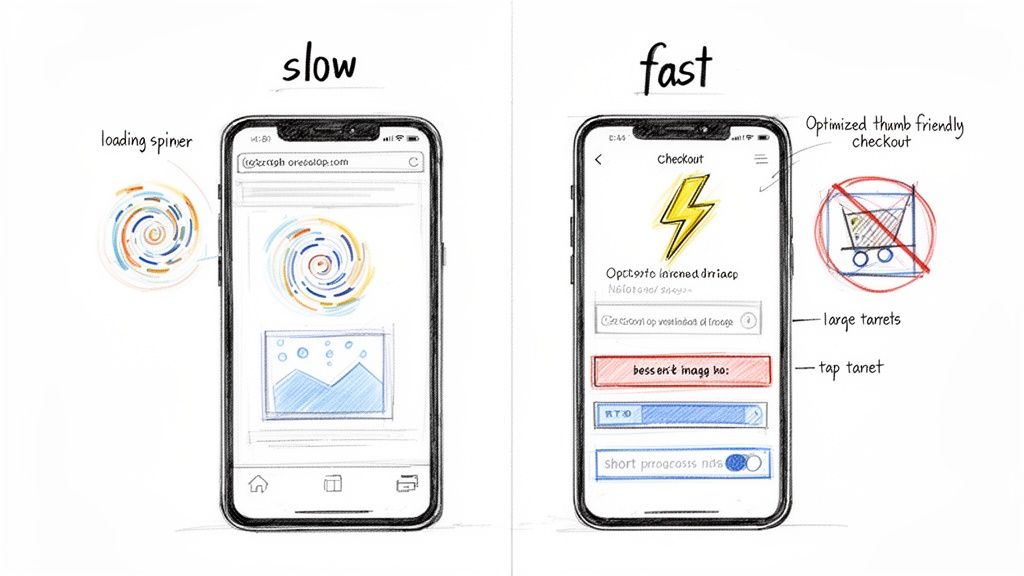
A slow, clunky mobile site is a conversion killer. Period. Every second a customer waits for your page to load, you are losing revenue.
This isn't a minor inconvenience; it's a gaping hole in your sales funnel.
The data is painful. Shopify merchants see a desktop conversion rate of around 3.9%, but that plummets to just 1.8% on mobile. With most traffic now coming from phones, this gap represents a massive untapped opportunity. Closing it is often the single most impactful action you can take to boost performance.
Diagnosing Your Speed Killers
Before fixing anything, you must know what’s holding you back. Forget guesswork; get a real diagnosis.
Your first stop is Google’s PageSpeed Insights. Enter your store’s URL, and it will generate a detailed report for both mobile and desktop, providing a prioritized to-do list. Pay attention to the red and orange warnings—they're your low-hanging fruit.
The same culprits slow down most Shopify stores:
- Bloated Images: High-resolution, uncompressed image files are speed demons and almost always the biggest problem.
- App Overload: Every app adds code (JavaScript/CSS) to your site. A few poorly built apps, or just too many, can bog everything down.
- Clunky Themes: Some themes are built heavier than others. A bloated, feature-packed theme can create a sluggish user experience.
An Action Plan for a Faster Mobile Experience
You've got your report. Now it's time to act. You don’t need to be a developer to make a huge difference.
Image Optimization Is Non-Negotiable
Start here. This is your biggest and easiest win.
- Compress Everything: Use a Shopify app or a free online tool to shrink the file size of every image on your site. The goal is the smallest possible file size without a noticeable drop in quality.
- Use the Right Format: Use JPEGs for product photos. Use PNGs when you need a transparent background. Explore modern formats like WebP for superior compression.
For a deeper dive, this guide on image optimization for web to boost site speed is an invaluable technical resource.
Pro Tip: Conduct an app audit every quarter. If an app isn't actively being used or driving revenue, uninstall it. Be ruthless. Old app code is often left behind, so cutting the fat is crucial.
Think Thumb-First Design
A fast site is useless if it's difficult to navigate on a phone. Design for someone scrolling with one hand while waiting in line for coffee.
- Simplify Your Navigation: A clean hamburger menu is your best friend. Make sure "Shop," "Search," and your cart are large, obvious, and easy to access.
- Make Buttons Tappable: Is your "Add to Cart" button large enough for a thumb to hit without mis-tapping? Add ample space around calls-to-action.
- Streamline Your Forms: Keep forms, especially at checkout, as short as possible. Enable all available express checkout options (Shop Pay, Apple Pay, Google Pay) to minimize typing.
Tackling site speed and the mobile journey is a critical first step in any effective CRO strategy.
Deploy an AI Sales Assistant to Drive Revenue
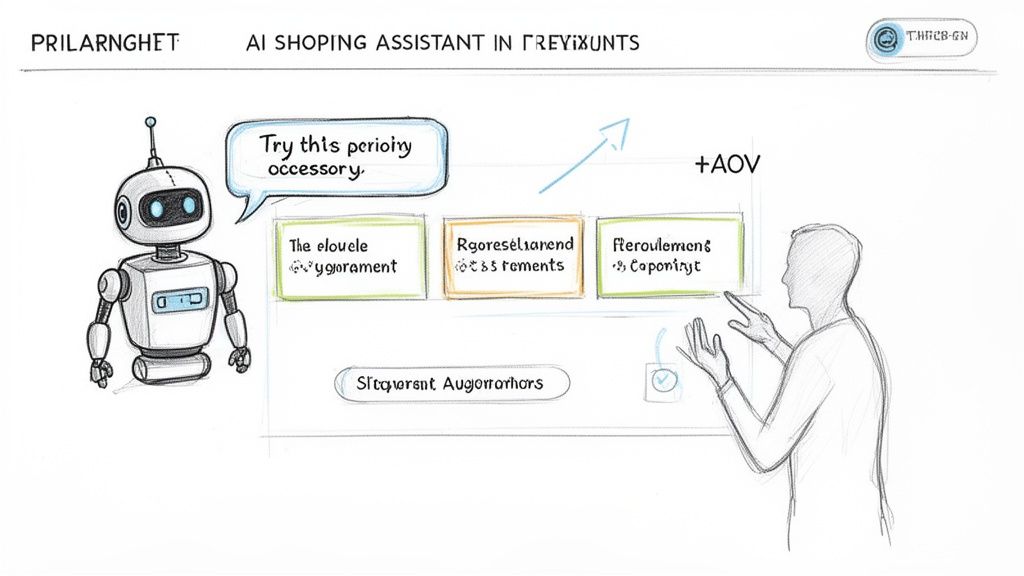
Let's talk about that chat bubble on your site. For too long, it’s been a passive, reactive tool—a digital customer service rep waiting for a question. While fine for basic support, it does nothing to generate revenue.
To truly improve your Shopify conversion rate, you need to stop thinking like a support agent and start thinking like your best salesperson. This means embracing a proactive AI sales assistant. This isn't just a chatbot; it's a dedicated sales expert on your digital shop floor 24/7, ready to engage every visitor.
Modern AI tools turn on-site chat into a legitimate revenue channel. They serve up instant, personalized product recommendations, handle pre-sale questions, and actively guide shoppers to checkout.
From Reactive Support to Proactive Sales
The critical shift is moving from defense to offense. A traditional chatbot is defensive, waiting for a problem like, "Where's my order?" An AI sales assistant plays offense, actively seeking opportunities to start helpful conversations that lead to a sale.
Consider a customer browsing your skincare collection. A standard bot does nothing. A smart AI sales assistant jumps in with, "Looking for something to tackle dry skin? Our Hyaluronic Acid Serum is a customer favorite for mega hydration!"
That perfectly-timed engagement is a game-changer. This technology learns from every interaction, becoming smarter and more effective over time. Stores making this switch consistently see a double-digit lift in both Average Order Value (AOV) and overall conversion. Your chat widget transforms from a cost center into a profit machine.
Real-World Scenarios That Drive Conversions
Here’s what this looks like in practice:
- Fashion & Apparel: A shopper adds a dress to her cart. The AI assistant immediately chimes in: "Great choice! Customers love pairing that dress with our leather crossbody bag and these block heels for a complete look." It's a natural upsell that feels like genuine styling advice.
- Beauty & Cosmetics: A visitor is overwhelmed on your foundation page. The AI can start a quiz-like chat: "Finding the perfect shade is tough! What's your skin type and undertone?" Based on the answers, it presents the top 2-3 matched products. See how one brand used an AI Beauty Assistant to personalize the shopping journey and crush sales goals.
- Home Goods & Furniture: Someone is looking at a sofa. The AI can field complex questions like, "Is this fabric pet-friendly?" and then follow up with, "We also have a matching ottoman and accent chairs in that collection."
In each scenario, the AI isn't waiting. It’s actively finding opportunities, removing friction, and increasing potential cart value.
What to Look for in an AI Sales Platform
Not all chat tools are created equal. A basic support bot cannot execute these sales-focused plays. When evaluating a true AI sales assistant like Selzee, look for features that directly increase your bottom line.
The goal is to create a seamless, guided shopping experience that feels personal and intuitive. Your AI should act as a concierge, anticipating needs and making the path to purchase as smooth as possible.
This table highlights the difference between the old support model and the new revenue-first approach.
Traditional Support Chat vs AI Sales Assistant
| Feature | Traditional Support Chat | AI Sales Assistant (like Selzee) |
|---|---|---|
| Primary Goal | Resolve support tickets and answer basic FAQs. | Proactively increase conversion rate and AOV. |
| Interaction Style | Reactive: Waits for the customer to ask a question. | Proactive: Initiates conversations based on user behavior. |
| Core Function | Answering questions based on a pre-set script. | Offering personalized product recommendations and guidance. |
| Personalization | Generic, one-size-fits-all responses. | Learns from interactions to tailor suggestions in real-time. |
| Business Impact | Reduces support costs. | Directly generates new revenue. |
When you deploy an AI sales assistant, you're not just adding a feature. You're fundamentally changing how you engage with online customers, giving every visitor a personal shopper ready to help them find what they need and buy with confidence.
Make Your Checkout Process Effortless
The checkout is where all your hard work pays off. It's also the single leakiest part of your sales funnel. A shocking 18% of shoppers will abandon their cart here simply because the process is too long or complicated.
Every field, every unexpected cost, every confusing step is another chance for them to second-guess their purchase and leave. To boost your Shopify conversion rate, your checkout must be an express lane—fast, simple, and seamless. This isn't about design; it's about pure efficiency. Your mission is to get customers from "Add to Cart" to "Thank You" as quickly as possible.
Stop Forcing People to Create an Account
This is one of the most common and damaging mistakes. Forcing a customer to create an account before they can buy is a conversion death sentence.
From the customer's perspective, it feels like homework and an unnecessary commitment. You must offer a prominent guest checkout option. You can still encourage account creation, but do it smartly. Offer it as an optional step after the sale is complete, framed with benefits like easy order tracking or access to member-only deals.
The Magic of One-Click Checkouts
We live in an Amazon world where speed is paramount. The less your customers have to type, the better. Express and one-click checkout options are your secret weapons.
Integrating payment methods like Shop Pay, Apple Pay, Google Pay, and PayPal is no longer a "nice-to-have"—it's a requirement. These services let people complete a purchase with a fingerprint or a single click, autofilling all their shipping and payment details.
By enabling express payment options, you're not just offering convenience; you're borrowing the trust and security customers already have with these major platforms. This instantly reduces friction and hesitation.
This single tweak can have a massive impact on your cart abandonment rate, especially on mobile, where entering credit card numbers and addresses is a major pain point.
Be Radically Transparent About Costs
The number one reason for cart abandonment is surprise costs. Nothing makes a customer flee faster than an unexpected shipping fee on the final payment screen.
It feels like an ambush and shatters trust. To avoid this, be upfront about all costs long before the final page.
- Shipping Calculator: Place a simple shipping calculator on your cart page.
- Announcement Bar: Use the top of your site to display shipping policies (e.g., "Free shipping on all orders over $75!").
- Product Pages: If possible, mention shipping cost estimates directly on your product pages.
Total transparency builds confidence. When a customer knows exactly what they will pay from the start, they move through checkout feeling secure, not suspicious. Eliminate surprises and pave a smooth path to the sale.
Adopt a Data-Driven Optimization Mindset
Lasting improvements come from data, not guesswork. To grow your store consistently, you must build a continuous cycle of optimization fueled by real numbers. This is the shift from making random changes to making informed decisions that boost your bottom line.
The alternative is flying blind. You might get lucky with a tweak, but you’ll never understand why it worked or how to replicate that success. A data-driven approach removes ego and forces you to listen to what your customers are telling you with their actions.
Demystifying A/B Testing
Your best tool is A/B testing (or split testing). The concept is simple: compare two versions of a webpage to see which performs better. Version A goes to one group of visitors, Version B to another. You then measure which one drives more sales, sign-ups, or whatever your goal is.
A common mistake is testing trivial elements, like button color shades. You'll waste weeks for meaningless results. Instead, go for big swings. To properly improve your Shopify conversion rate, focus your tests on high-impact areas first.
- Headlines: Test a benefit-driven headline against a feature-focused one.
- Calls-to-Action (CTAs): Test "Add to Cart" vs. "Buy Now" vs. "Get Yours Today."
- Product Imagery: Do customers respond better to clean studio shots or immersive lifestyle photos?
- Page Layouts: Test a long, detailed product page against a clean, tabbed layout.
Pro Tip: Never run a test without a solid hypothesis. Don't just "test the button." Frame it like this: "We believe changing the CTA from 'Add to Cart' to 'Buy Now' will create more urgency and lift add-to-carts by 5%." This forces strategic thinking.
Looking Beyond the Conversion Rate
Your overall conversion rate is your North Star, but it doesn't tell the whole story. Obsessing over this one number can make you miss critical clues. Monitor a handful of key performance indicators (KPIs) to get a complete picture of your funnel's health.
Our conversion rate calculator can help you make sense of the numbers and see how small changes can have a huge revenue impact. This graphic illustrates the biggest conversion killers that appear in checkout KPIs.
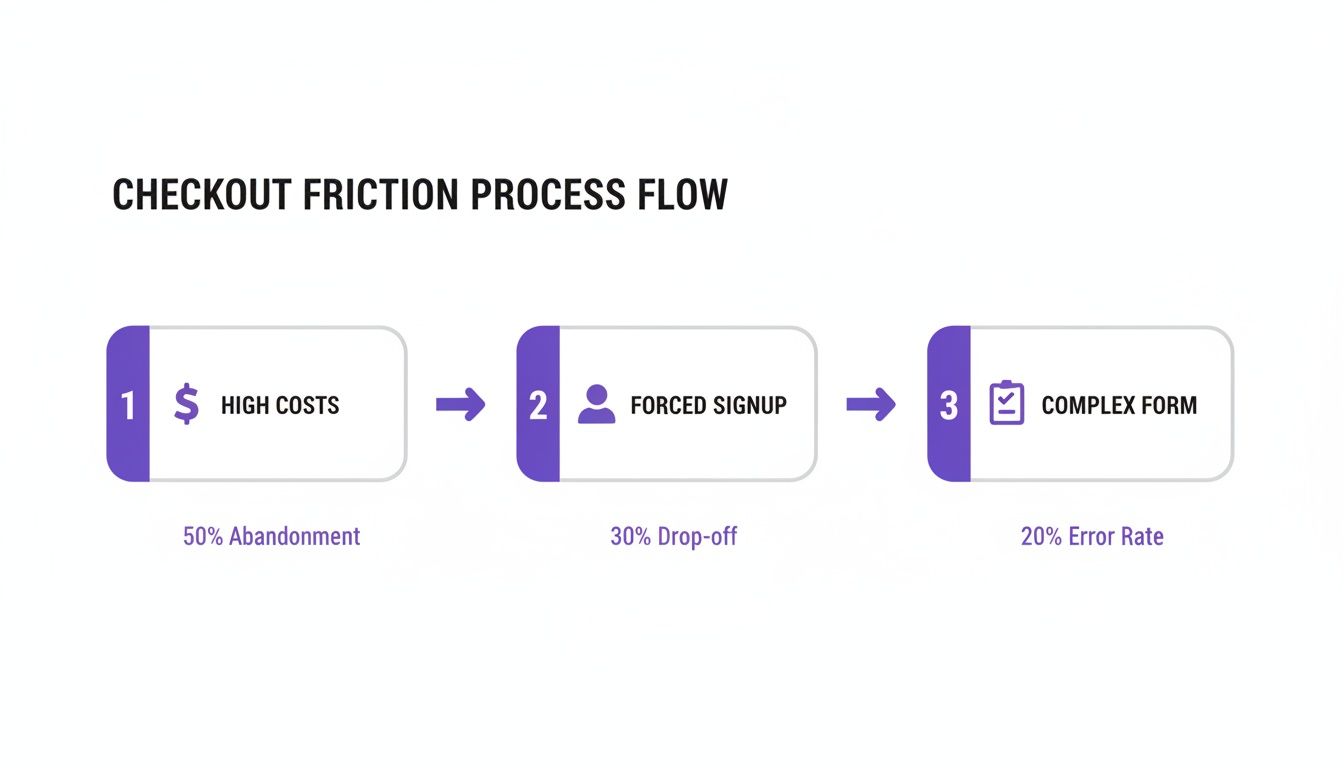
Surprise costs, forced account creation, and clunky forms are clear roadblocks that send customers running.
Core KPIs to Watch Like a Hawk
- Add to Cart Rate: What percentage of visitors add a product to their cart? A low rate here signals problems on your product pages—weak copy, poor images, or a lack of social proof.
- Checkout Initiation Rate: Of those who add an item to their cart, how many start the checkout process? A large drop-off here often points to friction on the cart page itself, like surprise shipping costs.
- Average Order Value (AOV): How much does the average customer spend? This is your profitability lever. Increasing AOV with smart upsells can often have a bigger impact on your bottom line than chasing a tiny conversion rate lift.
By tracking these metrics together, you stop guessing and start diagnosing. You can pinpoint exactly where your funnel is leaking and focus your energy on fixing the real problems.
Answering Your Top Shopify Conversion Questions
Let's tackle the most common questions about Shopify CRO.
What's a "Good" Conversion Rate for a Shopify Store?
While the Shopify average is around 1.4%, a "good" rate is 3% or higher. Top-performing stores often hit 4.7% or more.
However, context is critical. A high-ticket furniture store might be happy with 2%, while a fast-fashion brand should aim for 6%. Don't fixate on a single number. Benchmark against your industry and, more importantly, focus on continuous improvement against your own historical data.
How Fast Can I See Results from CRO?
It depends. Simple, high-impact fixes like compressing images or adding guest checkout can show a lift in just a few days. You'll see the needle move in your analytics almost immediately.
For bigger changes, like a full product page redesign, you need patience. These require proper A/B testing, which means running a test for several weeks to collect statistically significant data. Don't end a test early based on a gut feeling; let the numbers tell the story.
Can I Improve Conversions on a Shoestring Budget?
Absolutely. Some of the most powerful changes cost nothing but your time.
- Rewrite your product descriptions to focus on benefits, not features.
- Navigate your own site on your phone. If it's frustrating, simplify the mobile menu.
- Review your checkout form. Remove every single unnecessary field.
Tackle this low-hanging fruit first. These free optimizations can deliver a significant return on your time.
Ready to turn website chats into sales? Selzee is the AI shopping assistant that proactively guides customers, offers smart recommendations, and helps you generate revenue 24/7. Discover how Selzee can transform your customer experience today.