Every minute you or your team spends typing out "Here's your tracking number" is a minute you're not spending on growing your business. For any active Shopify store, manual customer service is the silent killer of both profit and productivity.
This guide cuts straight to the real, tangible costs—the ones that go way beyond a simple salary. You'll see exactly why customer service automation software isn't a luxury; it's a strategic move to reclaim your time and turn support tickets into sales.
The Hidden Costs of Manual Customer Service
As a Shopify merchant, time is your most valuable resource. But manual support is a leaky faucet, constantly draining that resource away. It’s not just the hours spent answering the same five questions. It's the compounding financial damage that happens when your support system can't keep up with your sales.

All that friction from slow, repetitive support creates leaks all over your sales funnel. These aren’t tiny drips; they're significant gushes of revenue hitting your bottom line daily.
Quantifying the Real Damage
Forget payroll for a moment. The true cost of manual support shows up in lost sales, abandoned carts, and a hard ceiling on your growth. For a scaling Shopify store, the consequences are brutal:
Abandoned Carts From Slow Responses: A customer has a quick question about sizing before buying. They won't wait. A five-minute delay is all it takes for them to ditch your site and head to a competitor. That's a direct hit to your revenue.
Missed Upsell and Cross-Sell Opportunities: When your team is just trying to keep their heads above water, every interaction is purely reactive. They answer the question and move on. They miss the golden opportunity to say, "Hey, that shirt would look great with these pants," or to suggest a premium upgrade. Manual support is too slow to turn a simple question into a bigger sale.
The Scalability Cap: You can't ramp up marketing if your support team can't handle the new customers. Manual support creates a massive bottleneck, forcing an impossible choice: grow sales or provide a good customer experience. No store should ever have to make that trade-off.
The old model of hiring more people to answer more tickets is fundamentally broken. It’s a purely reactive strategy that puts a hard limit on your growth and guarantees support costs will forever eat into your revenue.
This is why the customer service automation software market is exploding. It was valued at $7.78 billion in 2021, shot up to $15.96 billion by 2025, and is projected to hit an incredible $67.28 billion by 2033. This isn't just a trend; it's a massive shift in how smart businesses operate.
At the end of the day, every delayed response chips away at customer confidence and tarnishes your brand. The real cost isn't just one lost sale; it's the entire lifetime value of that customer and every friend they might have told about you. It’s time to stop frantically plugging leaks and start building a system that makes customer support your secret weapon.
How Automation Transforms Support Into a Sales Engine
Let's get one thing straight: modern customer service automation software isn't about blocking customers with mindless bots. The old, clunky chatbots that created endless loops of "I don't understand" are dead. Today's intelligent assistants are your store's best salesperson—one that works 24/7, speaks every customer's language, and is obsessed with growing your revenue.
A traditional support agent is reactive; they wait for a problem and then solve it. An automated sales engine is proactive. It identifies opportunities and guides shoppers toward a purchase before they even realize they need help. It’s the difference between a silent security guard at your door and a friendly, expert concierge greeting customers inside.
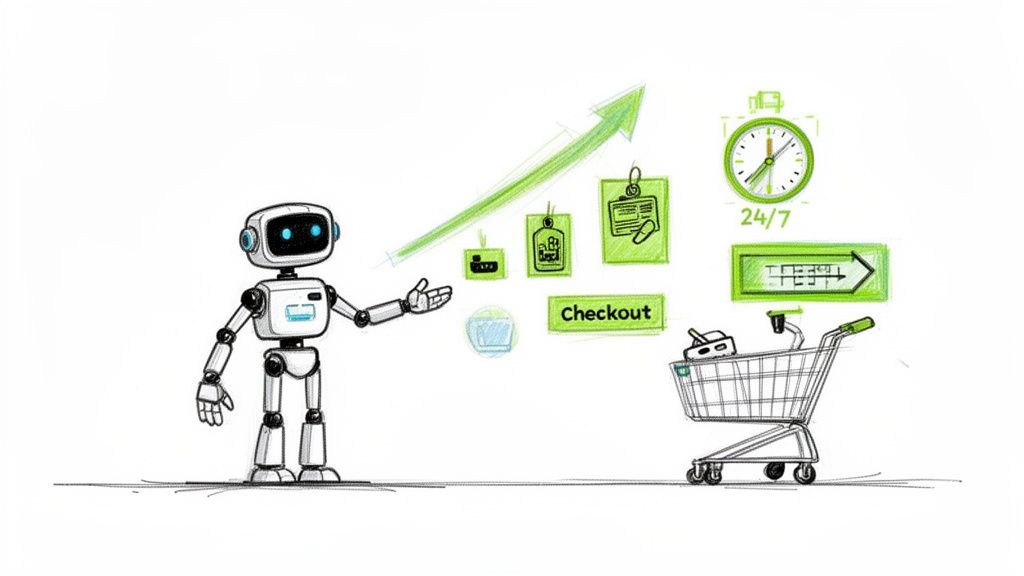
This pivot from defense to offense is where you start seeing serious money. Instead of just spitting out a tracking link for "Where is my order?", an intelligent system sees that question as a chance to show off new arrivals or offer a discount on their next purchase. Your support function goes from being a cost center to a powerful profit generator.
From Answering Questions to Driving Purchases
The real magic kicks in when your automation software is woven directly into your Shopify product catalog. A basic, scripted bot is stuck on a rigid path. But an intelligent assistant, like Selzee, understands the nuance of your products and what a customer is really asking.
This opens up a universe of sales opportunities impossible to manage with a human-only team.
Personalized Product Recommendations: A shopper asks, "Do you have this dress in blue?" A basic bot says yes or no. An intelligent assistant replies, "Yes, we do! And customers who bought the blue version also fell in love with these shoes, which are 15% off when you buy them together." It becomes a personal shopper, bumping up your Average Order Value (AOV).
Overcoming Purchase Hesitation: A customer is clicking around your skincare collection, looking lost. The AI can pop up and ask, "Finding the right serum can be tricky. Want help finding the perfect one for your skin type?" That helpful gesture can be the nudge a hesitant browser needs to click "add to cart."
Multi-Language Sales Support: Selling internationally? An advanced AI can field complex product questions in dozens of languages simultaneously. This lets you offer a premium sales experience in new markets without the massive cost of hiring a global support team.
The goal isn't just to close a ticket; it's to create a shopping experience that naturally leads to a sale. When a customer feels guided, their trust in your brand skyrockets—and so does their willingness to spend.
The Power of Proactive Engagement
The best automation doesn't wait for a customer to ask a question. It watches on-site behavior in real-time to spot shoppers who are ready to buy and jumps in at the perfect moment.
For instance, if a visitor has been comparing two high-end coffee machines for a few minutes, the AI can proactively offer a side-by-side comparison chart or a quick video review. If they add an item to their cart but get distracted, it can offer a time-sensitive free shipping code to seal the deal.
This proactive guidance is a game-changer. You're no longer just running a store; you're creating a guided shopping journey for every visitor. By turning simple chats into valuable sales conversations, you build a scalable engine for growth. Want to see this in a real store? Check out this case study on an AI fragrance concierge that helps customers find their perfect scent.
Essential Features That Actually Boost Revenue
When you're evaluating customer service automation software, it's easy to get lost in a sea of features. But for a Shopify merchant, only one question matters: which of these will actually make me more money?
Many platforms are great at deflecting tickets. But the best ones are built from the ground up to be revenue generators. You need a tool with specific, money-making capabilities that directly bump up your Average Order Value (AOV) and conversion rates. This is your no-nonsense checklist for choosing software that sells, not just serves.
AI-Powered Product Recommendations
If there’s one game-changing feature, it’s an AI that acts like a personal shopper. A smart assistant plugs into your product catalog, figures out what a customer is looking for, and proactively suggests things they’ll love.
Imagine a shopper asks, "Do you have this jacket in black?" Instead of a simple "yes," a revenue-focused AI comes back with, "We sure do! And it pairs perfectly with our best-selling performance denim. Customers who bought them together rave about the fit."
A simple support ticket just became an upsell opportunity. The AI should be able to:
- Analyze shopping behavior in real-time to recommend products based on what a customer is looking at right now.
- Suggest complementary items to increase the cart size at the moment of truth.
- Personalize recommendations by tapping into the order history of returning customers.
Without this, you're leaving cash on the table with every customer chat.
Automated Cart and Browse Abandonment Recovery
Every merchant knows the sting of an abandoned cart. But what if your customer service tool could actively stop them from happening? The best automation software doesn't just wait for a customer to leave; it jumps in at the first sign of hesitation.
Look for a platform that can fire off automated, personalized messages based on user behavior. If a shopper has a pricey item in their cart but hasn't moved to checkout for three minutes, the AI can pop up with, "Hey, have any questions about the [Product Name] before you check out? We offer free returns!" That nudge is often all it takes to seal the deal.
Your automation software shouldn't be a passive help desk. It should be an active sales agent that patrols your site, spots high-intent shoppers, and gives them the final push they need to convert.
Seamless Platform and CRM Integration
This is non-negotiable. If your automation software can't talk directly to Shopify and your CRM (Klaviyo, HubSpot), it's operating with one hand tied behind its back. Native integration is the secret sauce for a smooth, personalized experience that drives sales.
A deep integration lets the AI:
- Access real-time order information to handle "Where is my order?" questions instantly.
- Pull up customer history to personalize greetings and product suggestions.
- Sync conversation data back to your CRM, giving your team a 360-degree view of every shopper.
This unified data stream is what separates a frustrating, generic bot from a genuinely helpful shopping assistant. You can see a live demo of how these integrations work.
Revenue-Driving Features vs. Cost-Saving Features
| Feature | Primary Impact | Example Use Case for Shopify |
|---|---|---|
| AI Product Recommendations | Revenue Generation | An AI suggests a matching belt and shoes when a customer asks about a specific dress, increasing the total cart value. |
| Cart Abandonment Recovery | Revenue Generation | A shopper who hesitates on the checkout page gets a pop-up offering a small, one-time shipping discount to complete the purchase. |
| WISMO Automation | Cost Savings | The AI instantly provides tracking info for "Where Is My Order?" queries, freeing up a human agent's time. |
| Automated Ticket Routing | Cost Savings | A customer's question about a complex warranty issue is automatically sent to the specialized tech support team. |
| Proactive Upselling | Revenue Generation | After a purchase, the AI follows up with an email suggesting a subscription for a consumable product, creating recurring revenue. |
| FAQ Bot | Cost Savings | A chatbot answers common questions about the return policy 24/7, reducing the number of simple tickets your team handles. |
Understanding this distinction helps you prioritize. While saving on support costs is great, features that directly put money back into your pocket deliver a much faster and more significant return on investment.
Robust Analytics for Tracking ROI
How do you know if your automation is making you money? You need an analytics dashboard that draws a straight line from conversations to sales. The AI-powered solutions segment is the fastest-growing part of the customer service software market for a reason: tools can flat-out prove their value. You can read the full research on this expanding market to get a handle on the trends.
Your software's analytics dashboard should make it dead simple to track:
- Conversion Rate of AI-Assisted Sales: See exactly how many shoppers who chatted with the AI ended up buying.
- AOV Lift: Measure the average order value of customers who got an AI upsell versus those who didn't.
- Revenue from Recovered Carts: Put a real dollar amount on the sales saved by your automated recovery messages.
These aren't feel-good numbers; they are hard proof that your investment is paying for itself.
A Practical Implementation Plan for Your Store
Rolling out new software can feel daunting, but getting started with customer service automation doesn't require a developer or weeks of complicated setups. The secret is to start smart, not big.
A phased rollout proves value immediately, builds your confidence in the system, and generates revenue from day one. It’s about getting a quick win and then scaling intelligently.
Forget trying to automate every question right out of the gate. Pinpoint the top 3-5 most repetitive questions that eat up your team's time. Think "Where is my order?," "What's your return policy?," or "What are your shipping options?" That’s your low-hanging fruit.
This simple flow shows how the right features turn a basic chat into a revenue engine.
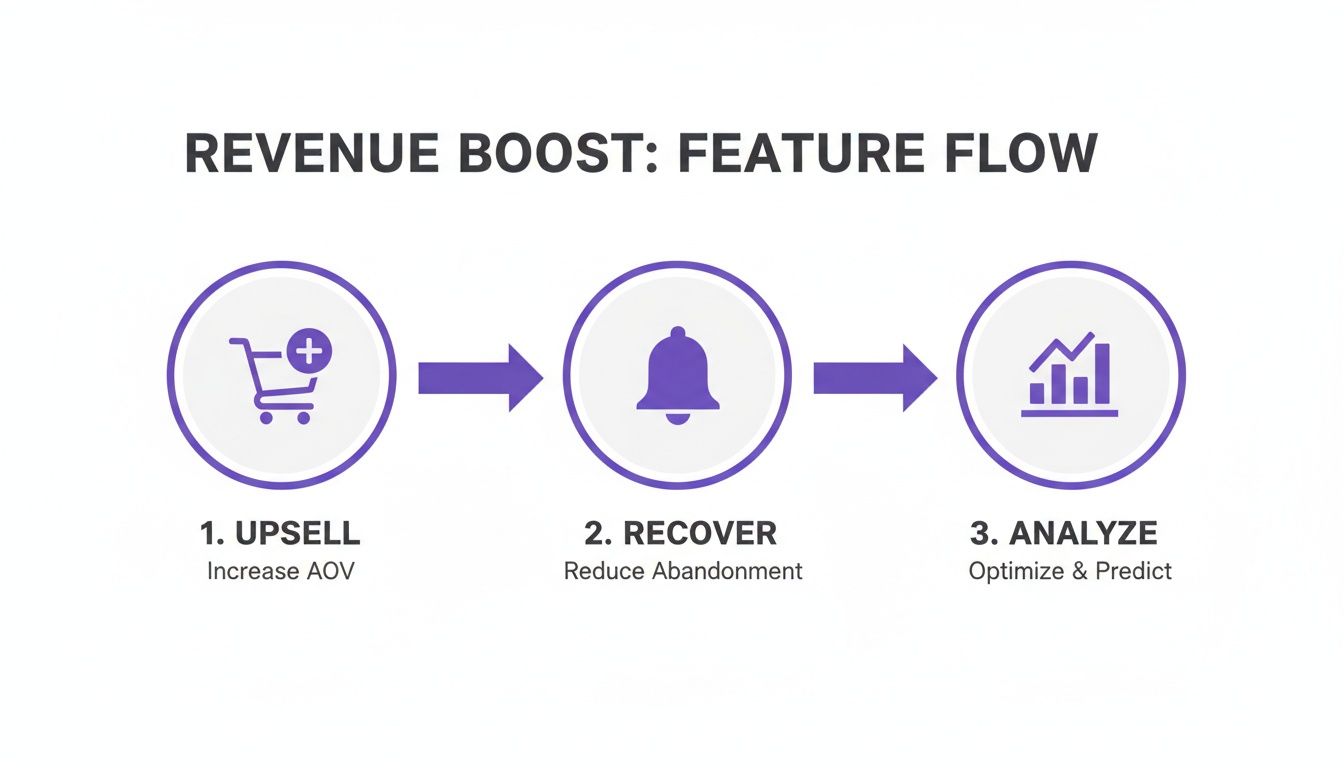
You start by upselling, then you recover potentially lost sales, and you finish by analyzing data to get even smarter. It’s a powerful cycle that improves itself.
Phase 1: Identify and Automate Your Top FAQs
Once you have your list, set up the software to handle them instantly. This first step brings immediate relief to your support team and gives customers the lightning-fast answers they expect.
This isn't just about deflecting tickets; it's about setting a new standard for efficiency. When the software is handling 85% of routine inquiries, your human agents are free to focus on high-value conversations that require empathy, complex problem-solving, and a human sales touch.
Phase 2: Integrate with Your Shopify Store
Next, connect the software directly to your Shopify store. This step is critical. A native integration turns a simple FAQ bot into a powerhouse sales and support tool.
This direct connection lets the AI:
- Access real-time order data for instant, accurate shipping updates.
- Pull customer history to personalize the chat and offer spot-on product suggestions.
- Understand your product catalog to answer detailed questions about your inventory.
Without deep integration, your automation tool is flying blind, creating a frustrating experience for shoppers. It’s the difference between a genuinely helpful assistant and a glorified search bar.
The golden rule for a successful rollout is to enhance, not disrupt. Each phase should add a new layer of capability that makes your customer experience smoother and your business more profitable, without creating friction for your customers or your team.
Common Automation Mistakes That Cost You Money
Jumping into customer service automation software is a smart move, but a clumsy rollout can do more harm than good, creating frustrated customers and damaging your brand. One terrible support experience can send a customer with a full cart running straight to a competitor. Let's walk through the most common—and expensive—mistakes so you can dodge them.
The Generic, Know-Nothing Chatbot
This is the worst offender. A store installs a generic bot that has no clue about its own products. A customer asks, "Does this backpack have a padded laptop sleeve?" and the bot gives a canned response like, "I'm sorry, I can't answer product-specific questions. Would you like to see our FAQ?"
That’s an instant sale killer. Your automation tool must be deeply plugged into your store's brain. A smart AI assistant can pull up product details, check inventory, and reference reviews to give helpful, accurate answers that nudge a shopper closer to checkout. Improving your product information can prevent these questions; if you're struggling with copy, you can use our generator to get started.
A chatbot that can't talk about your products is worse than no chatbot at all. It just adds a layer of frustrating friction right when a customer is ready to buy.
The Disconnected, Amnesiac Assistant
Another massive source of frustration: a bot with no memory. When a returning customer asks, "Where is my latest order?" and the bot replies, "Please provide your order number," you've just created a chore.
The right software connects directly to your backend systems, allowing it to:
- Recognize returning customers and greet them personally.
- Instantly pull up order history and share tracking details without friction.
- Offer smart recommendations based on past purchases.
This seamless experience builds trust and makes customers feel like you actually know who they are.
Hiding the Humans From High-Value Customers
Going too far with automation is a real danger. The goal isn't to fire your support team; it's to free them up for high-stakes conversations.
A huge mistake is trapping a customer in an endless bot loop. Imagine a shopper with a $500 item in their cart has a complex question. Forcing them to wrestle with a bot is a surefire way to get an abandoned cart. Your automation should always have a crystal-clear, one-click "talk to a human" escape hatch.
Ignoring the Goldmine of Conversation Data
Your bot's conversations are a treasure trove of customer insights. Ignoring them is like throwing away free market research. If dozens of customers are asking your AI the same thing about a product's materials, that's a clue that your product page is missing critical information.
You can jump in, update the description, and solve the problem for every future visitor. Analyzing these trends helps you spot and smooth out friction points in the buying journey. You're not just reducing support tickets; you're actively boosting your conversion rate. A clear product page starts with a great name; try a product name optimizer to ensure you're discoverable.
Just as automation can fix customer service errors, streamlining other parts of your business can prevent money from slipping through the cracks—like learning how to avoid no courier redelivery fees. The broader professional services automation market, which includes this tech, is expected to hit $28.73 billion by 2031. You can discover more insights about the professional services automation market to see how these trends are shaping the future of ecommerce.
Answering Your Top Questions About Automation
Jumping into customer service automation software can feel like a big step. Will it make your brand feel robotic? Is this only for massive corporations? Let's tackle the concerns we hear from Shopify merchants every day.
Will an AI Chatbot Make My Store Feel Impersonal?
Not if you use the right kind. The clunky, script-based chatbots from a few years back created that fear of sounding robotic. Modern AI assistants for ecommerce are a different ballgame.
Today's smart software plugs directly into your product catalog, giving it the power to understand what customers really want. When a shopper asks a tricky question about product specs, the AI delivers the details, compares products, and offers personalized recommendations. It feels less like a robot and more like a helpful personal shopper.
The trick is finding a tool that can capture your brand's voice and offers a seamless, one-click handoff to a human agent when needed. That way, your customers always feel supported, never trapped.
Is This Software Only for Large Enterprise Stores?
Absolutely not. That’s a myth. While large retailers were early adopters, modern cloud-based platforms have made this technology accessible and affordable for stores of all sizes, especially on Shopify.
The best tools are built for merchants like you, with easy app integrations and pricing models that scale with your business. You aren’t locked into a massive enterprise contract.
The return on investment often makes the software pay for itself surprisingly fast. When you add up the value of recovered carts, higher AOV from smart upsells, and the reduction in support tickets, it quickly becomes a no-brainer for any ambitious brand.
How Much Time Does Setup and Management Really Take?
Forget long, complicated projects that need a team of developers. Modern solutions are about speed and simplicity. A tool with a native Shopify app integration can be live in minutes.
Getting started is straightforward. You'll connect your product catalog, teach the AI your brand voice, and load in answers to your top FAQs. After that, day-to-day management is minimal because a true AI learns and gets smarter with every conversation. You'll spend far less time managing it than you'll save by automating thousands of repetitive questions.
How Do I Measure the ROI of This Software?
This is the most important part. Measuring ROI should be simple and clear, as long as your software has a solid analytics dashboard. Vague metrics are useless; you need to see a direct line connecting the AI's actions to your revenue.
Here are the core KPIs you have to track:
Conversion Rate of AI-Assisted Sales: Your dashboard must show the conversion rate for shoppers who chatted with the AI versus those who didn't. This gives you a hard number on sales the AI is directly generating.
Average Order Value (AOV) Lift: Are the AI's product recommendations working? You need to track the AOV of carts where the AI made an upsell or cross-sell suggestion. A steady increase here is proof your assistant isn't just answering questions—it's actively selling.
Cart Abandonment Rate Reduction: Keep a close eye on the percentage of abandoned carts the tool successfully recovers. Every cart it saves is pure profit added back to your bottom line.
AI Resolution Rate: Finally, track the percentage of questions the assistant handles on its own, without a human stepping in. Every ticket resolved by AI translates directly into saved operational costs and frees up your team.
Ready to transform your support from a cost center into a powerful sales engine? Selzee is the AI shopping assistant built specifically for ambitious ecommerce stores. It integrates seamlessly with your catalog to deliver personalized recommendations, recover abandoned carts, and boost your AOV 24/7.