Ever wonder how some stores just get you? They show you exactly what you’re looking for—and things you didn't even know you wanted. That’s a product recommendation engine at work. It's an AI tool that acts like your store's best salesperson, working 24/7 to personalize the shopping trip for every single visitor.
For Shopify merchants with steady traffic, this isn't just a cool feature. It's a fundamental growth tool designed to boost conversions and, more importantly, increase your average order value (AOV).
Why Your Shopify Store Needs Recommendations Now
So, you've got traffic. People are visiting your store, but your conversion rates and AOV have hit a plateau. Sound familiar? It's a classic growing pain. Pumping more money into ads for more traffic isn't the answer if the on-site experience isn't sealing the deal.
The real problem often lies in the customer's journey. Without guidance, shoppers are left to wander aimlessly through your catalog. A product recommendation engine changes this dynamic, turning a passive browsing session into a guided discovery. It anticipates their needs, solves the "what else would I like?" problem, and makes finding the right products effortless, especially if you have a large catalog.
The Immediate Business Impact
The best part? The ROI isn't a far-off goal. You'll see a measurable impact on your bottom line almost immediately. By making every page hyper-relevant to the individual shopper, you're not just hoping for a sale—you're actively building a bigger one.
Here’s the impact you can expect right away:
- Increased Average Order Value (AOV): Widgets like "Frequently Bought Together" or "Complete the Look" are absolute gold for encouraging customers to add more to their cart. It’s the easiest upsell you'll ever make.
- Higher Conversion Rates: When people find what they want faster (plus other items they weren't even looking for), they're far more likely to click "buy now."
- Improved Customer Loyalty: A personalized experience feels special. It makes shoppers feel seen and understood, turning them from one-time buyers into loyal fans who keep coming back.
Platforms like Selzee act as a command center for these interactions, bringing smart suggestions right into the customer journey.
By weaving intelligent recommendations into your customer support and on-site experience, you create a smooth path from casual browsing to confident purchasing. Understanding how these tools fit into your overall ecommerce in marketing strategy is the key to unlocking consistent, long-term growth.
The global recommendation engine market was valued at an incredible USD 5.39 billion in 2024. But hold on, because it's projected to explode to USD 119.43 billion by 2034. That massive leap shows just how essential this technology has become for modern retail. Discover more insights about AI recommendation trends on superagi.com.
Ultimately, a product recommendation engine is about getting the most out of the traffic you already worked so hard to acquire. It’s about turning missed opportunities into reliable revenue.
How Do Recommendation Engines Actually Work?
Ever wonder how Amazon seems to read your mind? It’s not magic; it’s a smart system working behind the scenes. Think of a product recommendation engine as the ultimate salesperson for your Shopify store—one that knows every customer and every product inside and out.
Let's skip the complex data science jargon. Each model taps into the data you already have—purchase history, product tags, even what people are clicking on—to serve up suggestions that feel genuinely helpful, not just random. This is the secret to turning a basic "related products" widget into a serious revenue-driver.
This flowchart nails it, showing exactly how a recommendation engine smashes common e-commerce growth blockers like flat AOV and disappointing conversion rates.
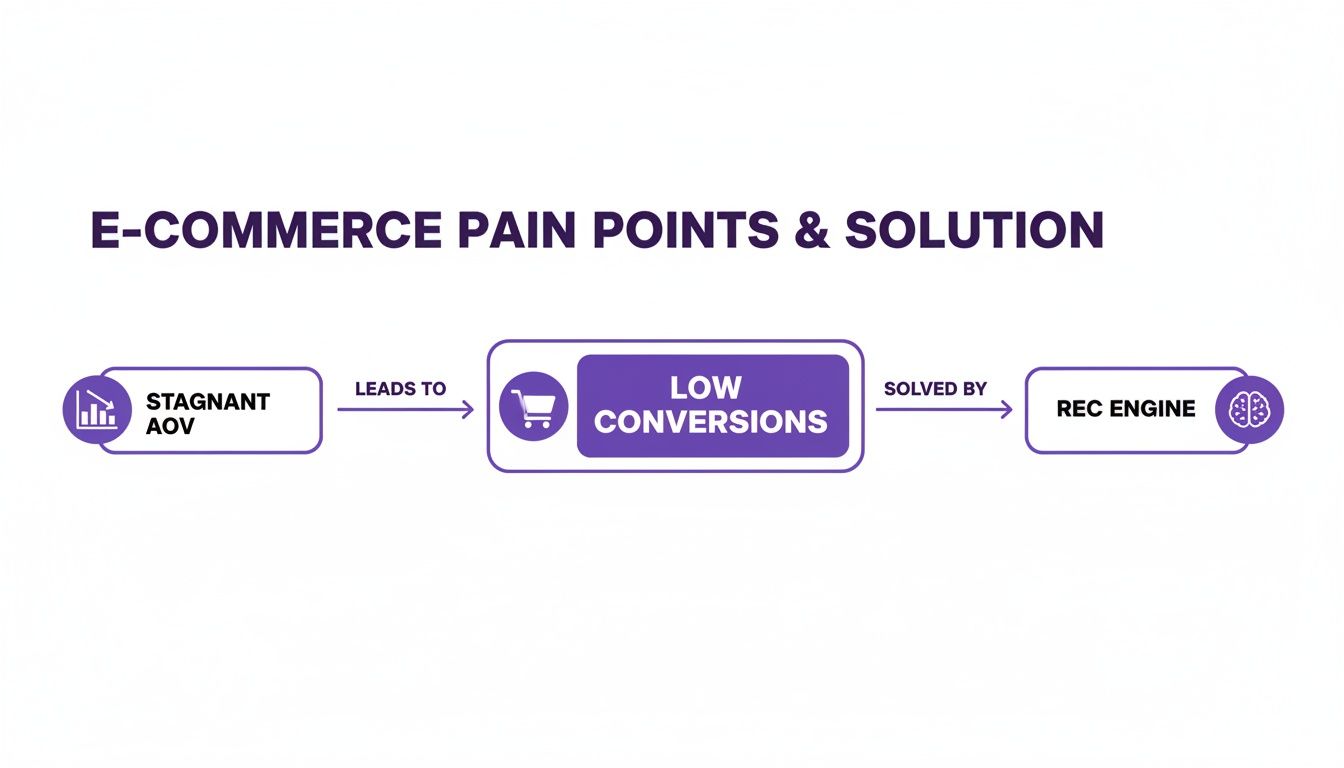
As you can see, the engine is the bridge connecting your store's challenges to real, measurable growth.
Collaborative Filtering: The Popularity Expert
This is your classic "people who bought this also bought..." approach. Collaborative filtering watches what everyone else is doing to find patterns. It doesn’t need to know anything about the products themselves, just how real people interact with them.
Here’s a quick example: Sarah buys a leather jacket, a white t-shirt, and black boots. A little while later, John buys the same leather jacket and white t-shirt. The engine immediately thinks, "Hey, John's a lot like Sarah. He'll probably love those black boots, too." Boom. A perfect cross-sell is born.
This model is a powerhouse. Amazon was a pioneer here, and they've reported that a mind-blowing 35% of their total revenue comes directly from these kinds of recommendations. It just goes to show what’s possible when you analyze customer behavior at scale. Want to learn more? Discover more insights about ecommerce recommendation strategies.
Content-Based Filtering: The Product Specialist
Now, let's talk about the details. Content-based filtering is all about the attributes of your products. It looks at tags, categories, brand, price, and even keywords in your descriptions to find what’s similar.
So, if a shopper is checking out a pair of Brand X running shoes made with breathable mesh, this engine will jump in and say, "You might also like these Brand X shoes, or these other shoes that also have breathable mesh." It's a master at finding logical, direct alternatives. The key here is clean data; the better your product info, the smarter the suggestions. You can even use a free product description tool to make sure your attributes are on point.
This approach is a lifesaver for stores with niche catalogs or for brand-new visitors. You don't have their buying history yet, but you can still make brilliant recommendations from their very first click, based purely on the item they're looking at.
Hybrid Models: The Best of Both Worlds
A hybrid model simply mashes collaborative and content-based filtering together, taking the best parts of each while covering their weaknesses. It's the ultimate all-rounder.
For instance, it can use content-based logic to recommend alternatives for a new product that has zero sales history (solving the "cold start" problem). At the same time, it can use collaborative data to suggest a wildly popular accessory that isn't obviously related by its attributes, but that customers constantly buy together.
Comparing Recommendation Engine Models
To make it even clearer, here’s a quick breakdown of how these three models stack up and where each one shines for a Shopify store.
| Model Type | How It Works Analogy | Best For | Potential Drawback |
|---|---|---|---|
| Collaborative Filtering | The "Popularity Expert" | Finding hidden gems and driving cross-sells with a large customer base. | Struggles with new products or new users ("cold start" problem). |
| Content-Based Filtering | The "Product Specialist" | Niche catalogs, new stores, or suggesting alternatives to a specific item. | Can lead to overly similar recommendations, limiting product discovery. |
| Hybrid Models | The "Master Salesperson" | Virtually all Shopify stores, as it provides the most flexible results. | Can be more complex and require a more advanced app to implement effectively. |
So, which is the right product recommendation engine for your e-commerce goals? While it depends a bit on your catalog and data, most modern platforms, like Selzee, lean heavily on a hybrid approach. It gives you the most intelligent and adaptive system right from the get-go.
Placing Recommendations for Maximum Impact
You’ve installed a product recommendation engine. Great. But the real magic—and the revenue—comes from knowing exactly where to place those recommendation widgets. You need to hit shoppers at critical moments in their decision-making process.
Let's get strategic and map out the high-impact zones across your Shopify store.
Just slapping a "related products" carousel at the bottom of a page isn’t going to move the needle. Each placement has a unique psychological job to do, guiding the customer smoothly from discovery to checkout.
Beyond the Product Page
Everyone knows the product page is a goldmine for cross-sells ("Frequently Bought Together") and upsells ("You Might Also Like"). But honestly, some of the biggest wins are hiding elsewhere. To really crank up your AOV and conversions, you have to think bigger.
Picture the entire customer journey:
- The Homepage: Your digital front door. This is where you make that killer first impression.
- Category Pages: The aisles of your store. It’s where people browse, compare, and get a feel for your offerings.
- The Cart Page: The checkout line! This is your final, crucial chance to increase the order size.
- Unexpected Touchpoints: Even a dreaded 404 error page can be flipped into a sales opportunity.
By weaving recommendations into all these pages, you create a shopping experience that feels incredibly personal and helpful, not pushy.
A Salesforce report found that shoppers who clicked on AI-powered recommendations had a 26% higher average order value. This isn't just about throwing more products at people; it's about showing the right products at the right time to get them excited about spending more.
High-Converting Placement Strategies
Ready to get tactical? Here’s a playbook for placing your recommendation widgets to squeeze the best possible return out of every visitor.
1. The Personalized Homepage Welcome
When a returning customer lands on your homepage, it should feel like you rolled out the red carpet for them. Ditch the generic banner and greet them with a "Picked For You" or "Trending For You" widget that pulls from their browsing history. It’s a powerful way to say, "Hey, we get you," and makes them feel instantly understood.
2. The Guided Category Page
Don't force shoppers to scroll endlessly through a wall of products. That’s just asking for decision fatigue. Use recommendations on category pages to spotlight "Best Sellers in This Category" or "Top Rated." This uses social proof to build confidence, helps them zero in on great options, and gets them to a product page much faster.
3. The AOV-Boosting Cart Page
This is your last, best shot to bump up that order value. The cart page is the perfect spot for a "Don't Forget These!" or "Complete Your Purchase With" widget. The key is to feature low-cost, high-margin items that are easy impulse buys—think accessories, batteries, or trial-sized versions of other products. A smart recommendation here can seriously boost your AOV with almost zero effort.
4. The Sales-Saving 404 Page
A "Page Not Found" error usually means a lost customer. It doesn't have to. Instead of that generic, frustrating 404 message, turn that dead end into a detour. Pop in a recommendation widget showing off "Our Most Popular Products" or "New Arrivals." You can re-engage a lost visitor and guide them right back into your sales funnel.
Proactive Recommendations in Customer Chat
Beyond the usual on-page widgets, modern AI tools like Selzee can deliver recommendations proactively right inside a live chat conversation. Imagine a customer asks about a specific t-shirt. The AI can instantly analyze their question and past behavior to suggest the perfect pair of jeans or a matching hat to go with it. This turns a simple support chat into a high-intent sales conversation.
Ultimately, a product recommendation engine is not a "set it and forget it" feature. Its power is directly tied to how strategically you place it. By thinking like your customer and dropping relevant, timely suggestions at every stage of their journey, you transform your Shopify store from a simple catalog into a powerful, automated sales machine.
Choosing the Right Shopify Recommendation App
Diving into the Shopify App Store for a product recommendation engine can be overwhelming. You're met with hundreds of apps all promising to skyrocket your sales. But here’s the hard truth: picking the wrong one is more than just a waste of your monthly subscription fee—it can slow your site to a crawl and deliver zero return.
The secret isn't finding the app with the most features. It's about finding the right technology that aligns with your business goals. A generic, one-size-fits-all app will only give you generic results. What you're really looking for is a powerful partner that slots into your store so perfectly it feels custom-built.
Must-Have Features on Your Checklist
Don't let flashy marketing promises distract you. Your focus should be squarely on the core functions that actually make you money. A great recommendation app is a mix of smart tech, deep customization, and analytics you can actually understand.
Here’s what you should be hunting for:
- Intelligent AI Model: Is it running on a hybrid model? This is non-negotiable. You need an engine smart enough to show off brand-new products (content-based) while also nailing those classic "people who bought this also bought..." cross-sells (collaborative filtering).
- Deep Customization: Can you make the recommendation widgets look and feel like they belong on your site? They absolutely must match your theme’s fonts, colors, and layout. Anything less looks cheap and kills trust.
- Performance Optimization: How much will it slow down your page load? The gold standard here is asynchronous loading. This means the recommendation widgets load separately from your page content, so your site stays snappy. A slow site is a conversion killer, period.
- Robust Analytics: Is there a clear, no-nonsense dashboard? You have to be able to see key metrics like click-through rates (CTR), conversion rates from recommendations, and exactly how much revenue the app is generating. If you can't measure the ROI, you can't justify the cost.
Red Flags That Cost You Money
Knowing what to avoid is just as important as knowing what to look for. Some app features are dead giveaways of a poor investment.
The biggest red flag of all? Any app that forces you to manually tag thousands of products to create "related" items. Let's be clear: that isn't a recommendation engine, it's a data entry job. A proper AI system analyzes product data and customer behavior automatically.
The most dangerous mistake is choosing an app without a built-in A/B testing feature. Without the ability to test different algorithms, widget placements, or headlines against each other, you are flying blind. A/B testing is the only way to definitively prove which strategies are increasing your AOV and which are just taking up space.
Key Questions to Ask Before You Install
To cut through the noise, get your non-negotiables down on paper before you click "start free trial."
Here’s a practical list to arm yourself with:
- Integration and Support: How easily does it plug into my Shopify theme and other critical apps (like my review platform)? What kind of human support can I expect when setting it up?
- Data Handling: How does the app handle product syncs? You need real-time updates. There's nothing more frustrating for a customer than being recommended an out-of-stock product.
- Scalability: Is the pricing model going to punish me for growing? Make sure the cost structure scales fairly as your traffic and sales increase. Look for transparent pricing that makes sense for your store's future.
- Mobile Experience: Are the widgets fully responsive and built for mobile first? With more than half of all e-commerce traffic coming from phones, a clunky mobile experience is simply not an option.
Putting in a little homework upfront pays off big time. For a closer look at how a modern AI shopping assistant integrates these features, you can explore the technology behind platforms like Selzee. The right app won't just be another tool; it will become your store's most effective salesperson, working 24/7 to boost your bottom line.
Tracking KPIs That Actually Matter
If you’ve set up a product recommendation engine, you can't just set it and forget it. You need to know if it's actually working. Without tracking the right numbers, you're just guessing—and that's no way to run a business.
Let’s cut through the noise. There are only a handful of Key Performance Indicators (KPIs) that truly reveal the ROI of your engine. We're not talking about vanity metrics; we're talking about the hard data that proves your investment is boosting your bottom line.
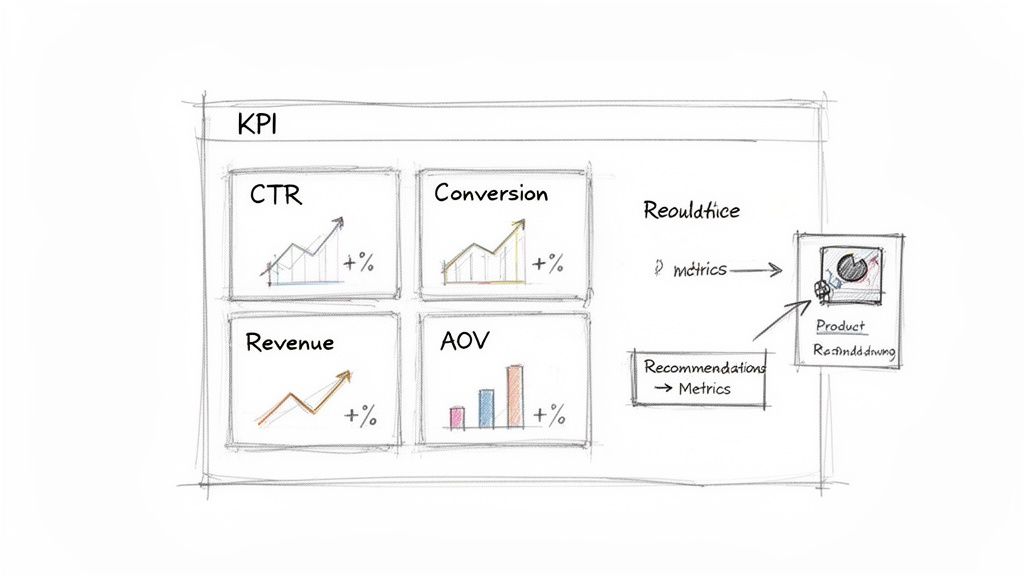
Core Metrics to Monitor Daily
Think of your Shopify Analytics and your recommendation app's dashboard as your mission control. These four KPIs are your vital signs, giving you a complete, real-time picture of your engine's impact on sales.
Recommendation Click-Through Rate (CTR): This is your ground zero for engagement. It tells you what percentage of people who see a recommendation actually click on it. A low CTR is an immediate red flag that something is off—the widget placement, the suggestions, or the design.
Recommendation-Influenced Conversion Rate: This is the big one. It answers the crucial question: "Are my recommendations leading to sales?" This metric tracks the percentage of shoppers who clicked a recommendation and then bought something. A high number here is proof that your engine is a powerful tool for product discovery.
Average Order Value (AOV) Lift: This is where you see the real magic of cross-selling. AOV lift compares the average cart size of orders with a recommended product to those without. A healthy lift means your engine isn't just selling—it's encouraging customers to add more to their cart, which is pure profit.
Attributed Revenue: This is the cold, hard cash. Attributed revenue is the total dollar amount generated directly from clicks on your product recommendations. Most apps make this easy to track, giving you a clear, undeniable figure that shows your engine is a profit center, not an expense.
Setting Benchmarks and Making Smart Tweaks
So, what do good results actually look like? While every store is unique, there are solid benchmarks you can shoot for.
Our Take: A well-implemented engine should hit a CTR between 5% and 10% on its recommendation widgets pretty quickly. Even more exciting? Aim for a 10% to 30% lift in AOV on orders influenced by recommendations within your first 90 days. This is an achievable goal that signals you're on the right track.
If your numbers aren't there yet, don't worry. This is where the fun begins. Use that data to figure out what needs to change.
Is your CTR lagging? Try A/B testing different widget placements. Move that "Frequently Bought Together" block above the fold on your product page and see what happens.
Is your AOV lift looking a little flat? Your cross-sell logic might need a tune-up. Dive into your recommendation rules and make sure the suggestions are genuinely helpful and complementary.
And remember, the engine is just one part of the equation. Even the most brilliant recommendations will fail on a slow, clunky website. Paying attention to the fundamentals, like optimizing image formats for web performance, ensures the entire shopping experience is seamless.
To make things even clearer, let's break down these KPIs and how you can start improving them today.
Key Performance Indicators for Your Recommendation Engine
This table lays out the essential metrics to track, what they mean for your business, and some realistic targets to aim for within the first 90 days.
| KPI | What It Measures | Good Starting Benchmark | How to Improve It |
|---|---|---|---|
| Recommendation CTR | The percentage of users who see a recommendation and click it. A direct measure of engagement. | 5-10% | A/B test widget placement (e.g., product page, cart), update design to match your brand, and refine recommendation titles. |
| Recommendation Conversion Rate | The percentage of sessions with a recommendation click that result in a purchase. | 1.5% - 3% | Improve the relevance of recommendations, ensure product pages are compelling, and simplify the checkout process. |
| Average Order Value (AOV) Lift | The percentage increase in AOV for orders containing a recommended item vs. those without. | 10-30% | Focus on high-value upsells and relevant cross-sells. Bundle products with "Frequently Bought Together" logic. |
| Attributed Revenue | The total sales revenue generated directly from clicks on product recommendations. | 5-15% of total revenue | A combination of all the above! Improve CTR, conversions, and AOV to see this number climb. |
Tracking these KPIs isn't about creating more work; it's about working smarter. By keeping a close eye on these numbers, you can continuously refine your strategy and turn your recommendation engine into one of the most powerful sales tools in your arsenal.
Avoiding Costly Recommendation Mistakes
A product recommendation engine, when done wrong, can be a disaster for your store. Instead of a sales-boosting machine, you end up with a clunky, site-slowing mess that actively pushes customers away and kills your conversion rate. The whole point is to be helpful, not annoying.
It’s tempting to flip on every widget and feature an app offers. This is a classic mistake that costs you money. Overloading your pages with recommendation blocks is like having a desperate salesperson chase a customer around your store. It’s just noise, it kills your page speed, and it paralyzes shoppers with too many choices.
The Silent Conversion Killers
Some mistakes are silent revenue killers. They quietly eat away at your customer's trust and, ultimately, your bottom line. These issues don't always show up in a standard analytics report but have a massive impact on how people feel when they browse your site.
Here are the biggest offenders:
- Generic, Out-of-Place Designs: Nothing screams "untrustworthy" like a widget that doesn't match your theme’s fonts, colors, or general vibe. Customization isn't just a bonus; it's critical for keeping your brand looking professional.
- Ignoring the Mobile Experience: This one is huge. Over 50% of ecommerce traffic now comes from a phone. If your recommendation carousels are a pain to swipe, look broken, or just don't work on mobile, you're slamming the door on more than half of your potential customers.
- Poor Data Syncing: This is a fatal flaw. Recommending a product that’s out of stock or discontinued is one of the fastest ways to infuriate a shopper and lose a sale for good. Your engine must have a live, real-time link to your Shopify inventory. No excuses.
A recommendation engine is only as smart as the data it’s fed. If your product information is messy, incomplete, or inaccurate, the suggestions will be equally poor. Clean data is the foundation of effective personalization.
Data Quality: The Unseen Foundation
Your recommendation logic is completely at the mercy of your product data. If your product titles are a mess, your descriptions are bare-bones, and your tags are all over the place, the AI has nothing to work with. It can't figure out what to upsell or cross-sell if it can't understand what your products actually are.
This is where sweating the small stuff pays off. Make sure your product descriptions are clear and loaded with useful attributes. If you're bogged down trying to write great copy for hundreds of SKUs, you can use our generator to whip up high-quality descriptions that give the recommendation engine the rich information it needs to work its magic.
In the end, sidestepping these common blunders comes down to treating your recommendation engine as a core part of your customer experience, not just some add-on gadget. For a deeper look at how the right features and pricing come together, check out our guide on Selzee’s AI assistant pricing. A smart, thoughtful setup will protect your revenue and transform your engine into the powerful sales tool it was always meant to be.
Got Questions? We've Got Answers
We hear these questions all the time from Shopify merchants diving into the world of product recommendations. Let's clear a few things up.
"Do I Even Have Enough Data for This to Work?"
You'd be surprised. You don't need Amazon-level data to get incredible results. A smart engine can start producing meaningful recommendations with just a few hundred orders and a couple of thousand website visits.
At first, the system will lean on what it can see—your product titles, descriptions, and tags. This is a solid starting point. Then, as more people shop, it starts connecting the dots between what different customers like, unlocking much more powerful, personalized suggestions. The magic is starting with what you have and letting the system grow with your business.
"Will This Thing Slow My Site Down?"
A legitimate fear. A slow site is a conversion killer. And yes, a clunky, poorly built app can absolutely tank your load times.
The key is to look for a modern tool that loads asynchronously. In simple terms, this means the recommendation widgets load on their own schedule, after the most important parts of your page are already visible. They don't hold anything else up. A pro tip: always run a site speed test before and after you install any new app. The numbers don't lie.
"Isn't This Just Like the 'Related Products' My Theme Already Has?"
Not even close. That basic feature is usually just a glorified tagging system. You manually link products together by putting them in the same collection. It’s a sledgehammer approach—static, one-size-fits-all, and not very smart.
A real product recommendation engine for ecommerce is a living, breathing part of your store. It’s dynamic. It watches how every single visitor clicks, browses, and buys, then tailors its suggestions on the fly. It's the difference between a store clerk pointing to a random shelf and a personal shopper who actually understands your style.
"How Fast Will I Actually See Results?"
Patience is a virtue, but you won't need much of it. While the engine starts learning from day one, you should plan on seeing a measurable impact within 30 to 90 days.
The first few weeks are the "bootcamp" phase. The AI is busy gathering intel on clicks, add-to-carts, and purchase patterns. You'll probably notice more engagement right away, but the serious lift in your conversion rate and AOV really shines through once the system has had a month or two to truly understand your customers' behavior.
Ready to stop guessing and start guiding your customers to products they'll love? Selzee is the AI shopping assistant that turns conversations into conversions by delivering the perfect product at the perfect moment.